5 Flashcard Maker Free Apps For Better Grades
Key Takeaways
* An AI-powered flashcard maker free of charge instantly transforms lecture slides into accurate study materials.
* Avoiding crowdsourced decks prevents the memorization of incorrect facts and encoded errors.
* Spaced repetition algorithms automatically schedule your reviews to optimize long-term memory retention before exams.
* Platforms offering live voice tutoring and interactive canvas features provide active recall practice beyond simple text cards.
What is the best flashcard maker free for students?
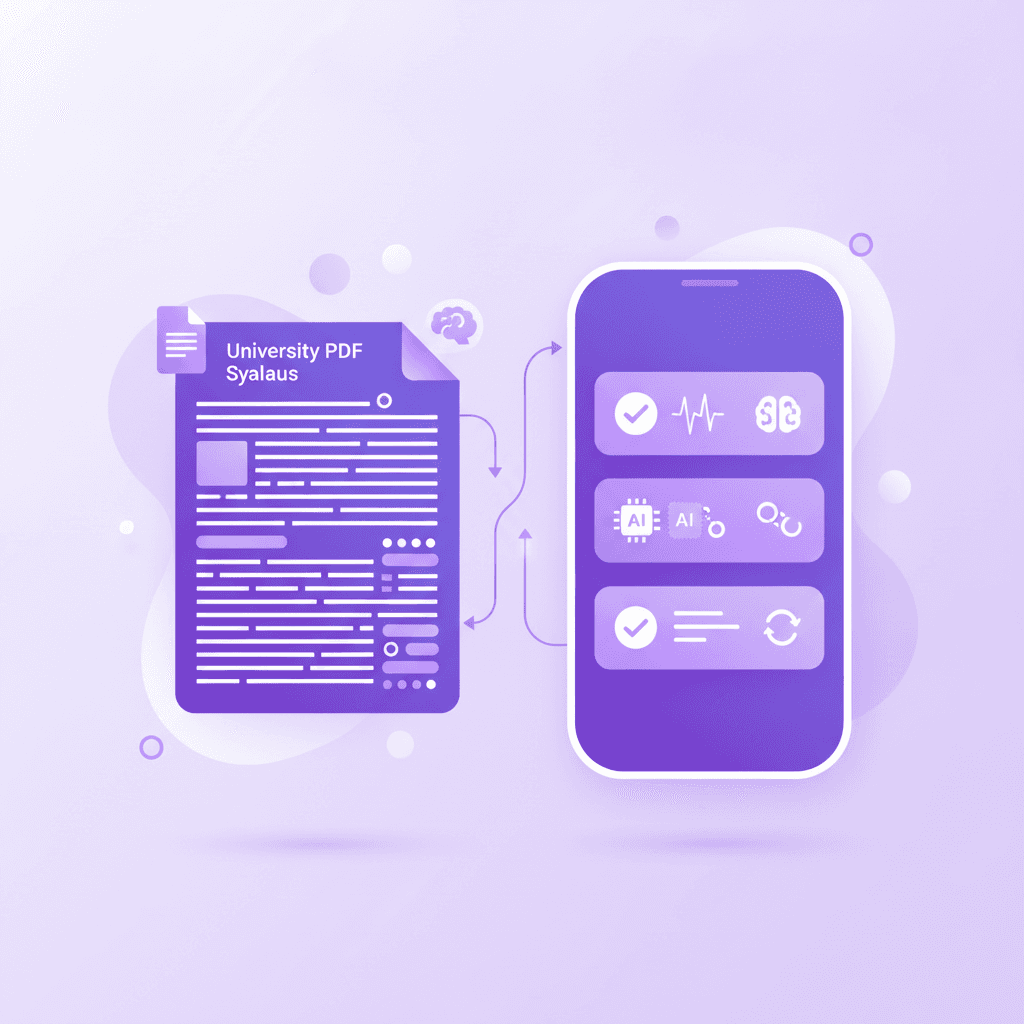
The best flashcard maker free of charge provides AI-powered generation directly from your own materials rather than crowdsourced decks. Platforms like Penseum offer a reliable free tier without a credit card, allowing you to transform lectures into accurate digital flashcards instantly, ensuring you study only what matters.
Higher education is rapidly shifting toward personalized artificial intelligence. According to the Educause Horizon Report (2023), AI adoption for individualized learning is becoming a primary focus for universities worldwide. Traditional study methods require students to manually type out every single concept, definition, and formula. This manual data entry consumes hours of valuable time that you should spend actually learning the material.
A modern AI generator flips this dynamic. By processing the text directly from your uploaded documents, the system builds an entire study curriculum in seconds. You bypass the administrative work of formatting cards and jump straight into retrieval practice. This direct-to-study pipeline is highly effective for the 43% of undergraduate students and 32% of high school students who heavily rely on digital tools for exam preparation.
Actionable step: Upload your latest class syllabus to an AI flashcard maker to instantly generate your first study deck.
5 Flashcard Maker Free Apps Compared
Choosing the right platform depends entirely on how you prefer to study. Some applications focus purely on manual flashcard creation, while others integrate advanced AI tutoring.
App Name | Best Feature | Format Support | Free Tier Status |
|---|---|---|---|
Penseum | AI-generated cards & live voice tutor | PDF, Text, Images | Free core features ($29.99 premium) |
Custom spaced repetition algorithms | Text, Audio, Images | 100% Free (Open source desktop) | |
Gamified learning modes | Text | Limited free tier (Ads included) | |
Confidence-based repetition | Text, Images | Free basic generation | |
RemNote | Integrated note-taking | Text, PDF | Free basic features |
1. Penseum
Penseum operates as an all-in-one AI tutor rather than a simple card generator. Trusted by over 1.6 million learners, it reads your uploaded notes and builds comprehensive study guides, quizzes, and flashcards instantly. When you get a question wrong, the live AI tutor explains the concept step-by-step out loud, drawing diagrams directly on a virtual canvas.
2. Anki
Anki remains a staple in medical and graduate schools (making up 6% of our targeted student demographic). It uses a highly customizable spaced repetition algorithm. The desktop version is completely free and open-source. The learning curve is steep, and creating cards manually takes significant time, but the control over review intervals is unmatched.
3. Quizlet
Quizlet popularized digital flashcards with its user-friendly interface and game-based study modes. Users can search millions of public decks created by other students. While the free tier is accessible, recent updates have moved many of the best testing features behind a paywall.
4. Brainscape
Brainscape uses a specific confidence-based rating system. After flipping a card, you rate how well you knew the answer on a scale of 1 to 5. The algorithm then schedules the next review based on that exact rating. The free tier allows unlimited text-based flashcard creation.
5. RemNote
RemNote targets students who want their note-taking app and flashcard app in the same window. As you type your class notes, you can format specific bullet points to automatically become flashcards. The free tier provides substantial utility for text-based studying.
Why use an AI flashcard maker instead of crowdsourced apps?
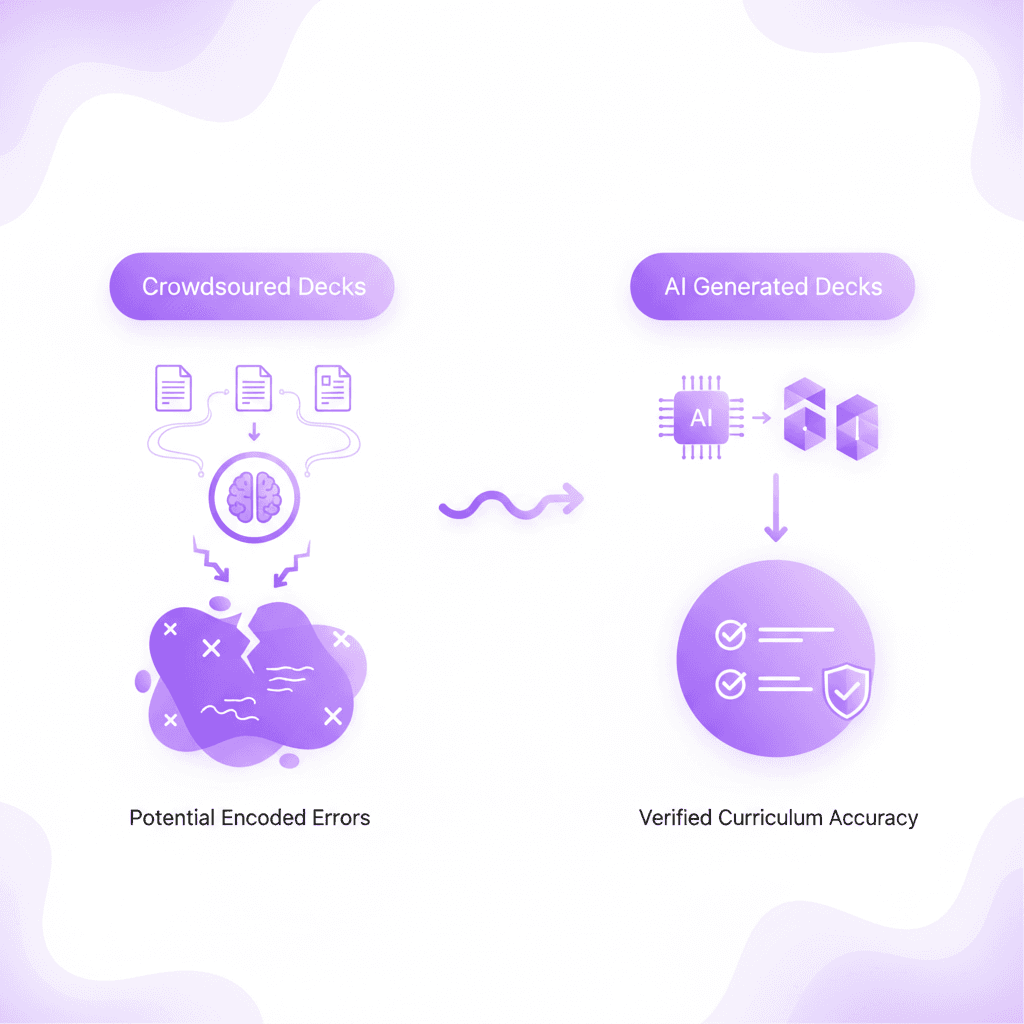
An ai flashcard maker eliminates the risk of studying incorrect information found in public, crowdsourced decks. By uploading your specific PDFs and slides, the AI extracts exact definitions and concepts from your professor's materials, ensuring complete accuracy and saving you dozens of hours of manual data entry.
Studying false facts is actively detrimental to your exam scores. When you use public decks created by strangers, you gamble on their accuracy. If a stranger misunderstood a complex economic theory, and you review their deck, you encode that error into your own memory. Unlearning a heavily encoded false fact is much harder than learning it correctly the first time.
Cognitive psychology supports the necessity of accurate baseline materials. Karpicke & Blunt (2011) demonstrated that while active retrieval practice yields higher retention than standard study methods, the quality of the initial encoding phase dictates the ceiling of your success. If the source material is flawed, the retrieval practice only reinforces the flaw. Generating cards exclusively from your verified syllabus or textbook guarantees you are memorizing the exact curriculum you will be tested on.
Actionable step: Audit your current flashcard app and replace one crowdsourced deck with a custom AI-generated one.
How does an online flashcard maker utilize spaced repetition?
A premium online flashcard maker utilizes spaced repetition algorithms to show you difficult cards more frequently and easy cards less often. This scientifically proven method prevents the brain's natural forgetting process, making your study sessions highly efficient and significantly improving long-term memory retention before major university exams.
The concept of the forgetting curve was first identified by Hermann Ebbinghaus in 1885. He discovered that memory decays exponentially over time unless you actively interrupt that decay. Spaced repetition systems (SRS) mathematically calculate the exact moment you are about to forget a concept and force you to review it right then.
Modern educational software uses advanced variations of these algorithms. Tabibian et al. (2019) published findings in the Proceedings of the National Academy of Sciences showing that optimizing review intervals through machine learning significantly outperforms traditional studying. If you answer a flashcard correctly, the app might wait three days before showing it again. If you answer correctly again, the interval extends to ten days. If you fail, the interval resets to ten minutes. This system guarantees you spend your study blocks focusing only on your weakest subjects.
Actionable step: Review your digital flashcards 24 hours after learning a new concept, then wait three days for the next review.
What file types can I upload to generate digital flashcards?
A versatile free flashcard maker allows you to upload diverse formats including PDFs, PowerPoint slides, raw text notes, and Word documents. The system scans the text, identifies key concepts, and creates comprehensive study flashcards, quizzes, and mind maps without requiring any tedious manual typing from the student.
Different classes require different formats. A history professor might provide heavy Word documents full of dates and narratives, while an anatomy professor relies on image-heavy PowerPoint slides. A high-quality tool processes all of these inputs uniformly. It identifies the hierarchical structure of the document, separating main concepts from supporting details to generate logically sound questions.
Processing multiple formats aligns with established educational frameworks. Mayer's Multimedia Learning Theory (2001) suggests that students process educational information more efficiently when they can integrate diverse formats into a single cohesive study system. By standardizing various file types into one unified deck of flashcards, you reduce cognitive overload. You spend less mental energy navigating different software interfaces and more energy actually testing your knowledge.
Actionable step: Export your Google Docs or PowerPoint lecture slides to PDF format before uploading for the cleanest AI extraction.
Are study flashcards effective for high school and college exams?
Study flashcards are incredibly effective across all education levels because they trigger active retrieval, forcing your brain to reconstruct memories. Whether you are among the 43% of undergrads or 32% of high schoolers using AI tools, flashcards streamline complex subjects into digestible, easily memorized concepts that stick.
Rereading textbook chapters creates an illusion of competence. Your eyes pass over the words, the material feels familiar, and you assume you have learned it. You only discover the gap in your knowledge when you sit down for the exam and stare at a blank page. Flashcards break this illusion instantly. Because the answer is hidden on the back, you cannot rely on recognition. You must retrieve the data from your own brain.
This mechanism is called the testing effect. Roediger & Karpicke (2006) conducted extensive research on the testing effect in educational settings, proving that taking practice tests (or using flashcards) produces substantially better long-term retention than simply restudying the source text. Active retrieval physically strengthens the neural pathways associated with that memory, making it easier to access under the high-pressure environment of a final exam.
Actionable step: Shuffle your flashcards for studying every week to prevent order-memorization and force true concept retention.
Can I use AI flashcards on my mobile device?
Yes, modern educational platforms ensure their ai flashcards are fully optimized for mobile devices, allowing you to study on the go. This accessibility means you can turn dead time during commutes or between classes into productive review sessions, making consistency much easier to maintain throughout the semester.
University schedules are fragmented. You often have fifteen minutes waiting for a bus, twenty minutes between lectures, or half an hour at the dining hall. Mobile optimization allows you to execute micro-learning sessions during these exact windows. Instead of doom-scrolling social media, you can knock out fifty flashcard reviews. By the end of the day, you have completed your entire study block without dedicating a single continuous hour at a desk.
Mobile learning is heavily supported by recent data. Chen et al. (2020) analyzed mobile learning efficacy and found that micro-learning directly increases student engagement and course completion rates. Small, frequent interactions with the material prevent study fatigue. Because the app syncs your progress to the cloud, you can switch back to your laptop when you return to your dorm.
Actionable step: Bookmark your digital flashcards portal on your smartphone's home screen for one-tap access during transit.
How Penseum Helps You Apply Active Recall and Spaced Repetition
Penseum acts as an all-in-one AI tutor that generates accurate flashcards for studying directly from your notes. Trusted by over 1.6 million learners, it forces active recall by testing you on your specific course material. When you make a mistake, the AI live-tutor provides step-by-step voice corrections out loud.
Active recall is universally recognized as the most effective study strategy available. Dunlosky et al. (2013) published a comprehensive review of learning techniques, identifying practice testing as the single highest utility method for students. Traditional flashcards handle the initial layer of this practice, but they lack adaptive feedback. If you fail a standard flashcard, you only see the correct answer. You do not understand why you failed.
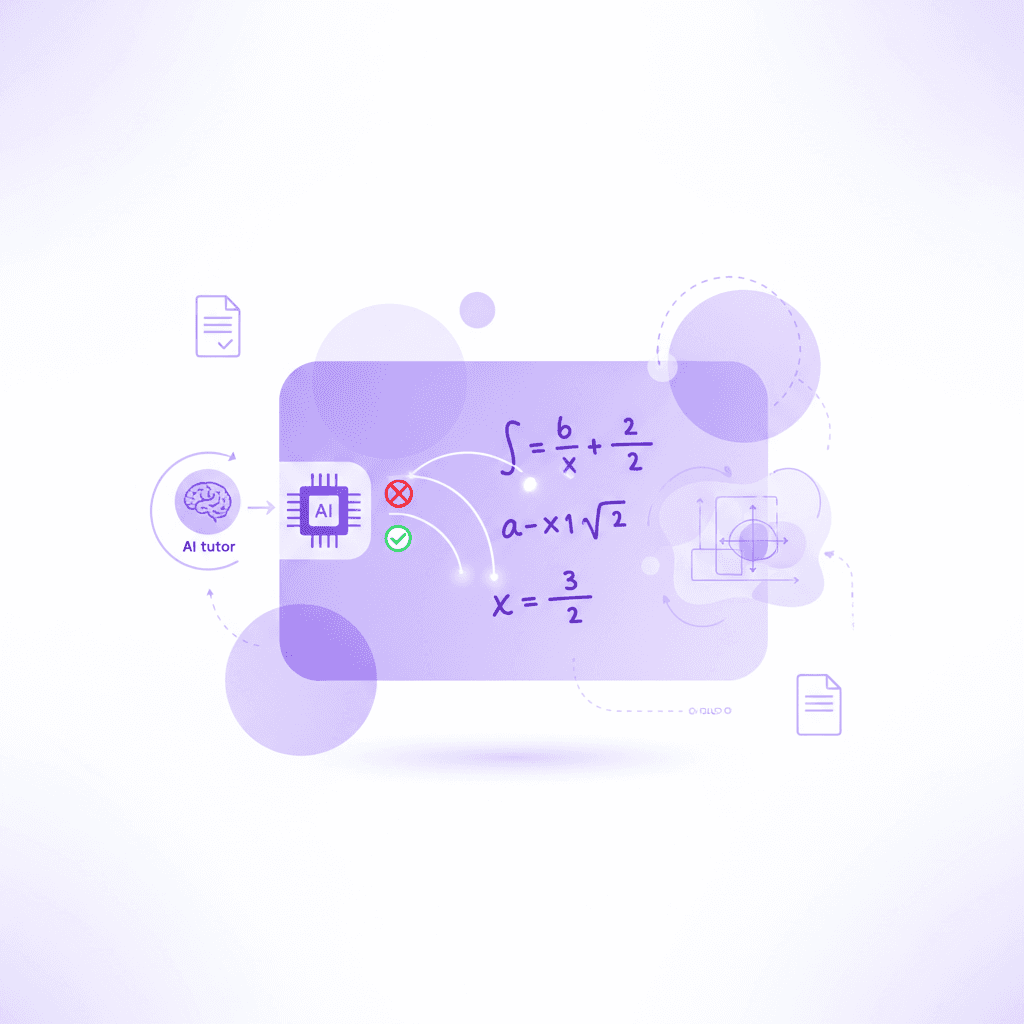
This is where Penseum differentiates itself from simple generators. The platform builds your study guides, quizzes, and flashcards in seconds, completely automating the setup phase. Then, it actively participates in your study session. You work through problems on your own. You write your answer and show your steps on a live digital canvas. The AI watches and waits.
If you make an error, the tutor spots it immediately, marks exactly where you went wrong, and explains the correction in real-time voice. It draws diagrams live on your screen to visualize the solution. It does not just hand you the answer; it forces you to try again until you genuinely understand the mechanics of the problem. This combination of instant digital flashcard generation and active, live-voice tutoring transforms passive reading into high-retention active recall.
Actionable step: Create a free Penseum account, upload your hardest class notes, and use the AI tutor to test your knowledge.
Frequently Asked Questions
Is there a completely free flashcard maker?
Yes, several applications provide fully functional free tiers. Anki is entirely free and open-source for desktop users. Penseum offers a highly capable free version that allows you to upload materials and generate study resources instantly, with a premium subscription available for $29.99 for advanced tutoring features.
What is the best AI flashcard maker?
The ideal choice depends on your study habits. Penseum excels by generating cards directly from your uploaded syllabus and providing real-time voice tutoring. It eliminates the need for manual typing and ensures your study decks are completely tailored to your professor's specific curriculum.
Can I use a flashcard app on my phone?
Modern educational platforms are fully optimized for mobile browsers and application stores. You can review your decks, take practice quizzes, and access your AI tutor from your smartphone. This ensures you can complete daily spaced repetition reviews during your daily commute.
How many study flashcards should I review daily?
You should aim to review between 50 and 150 cards per day, depending on the complexity of the subject. Spaced repetition algorithms will dictate your exact daily limit by scheduling only the cards you are at risk of forgetting. Consistency matters more than high daily volumes.
Are digital flashcards better than paper ones?
Digital versions offer distinct advantages over paper. They utilize algorithms to automate the review schedule, store thousands of cards without taking up physical space, and allow for instant AI generation from text documents. Paper cards require hours of manual writing and lack automated scheduling.
How do I make flashcards from a PDF?
You simply upload your PDF document into an AI generator like Penseum. The system scans the text, identifies the core definitions and concepts, and automatically extracts them into a categorized study deck. This process takes seconds and requires zero manual data entry.
[AUTHOR]
Last updated: August 2026
Sources
Educause. (2023). 2023 EDUCAUSE Horizon Report, Teaching and Learning Edition. https://library.educause.edu/resources/2023/5/2023-educause-horizon-report-teaching-and-learning-edition
Karpicke, J. D., & Blunt, J. R. (2011). Retrieval Practice Produces More Learning than Elaborative Studying with Concept Mapping. Science, 331(6018), 772-775. https://www.science.org/doi/10.1126/science.1199327
Tabibian, B., Upadhyay, U., De, A., Zarezade, A., Schölkopf, B., & Gomez-Rodriguez, M. (2019). Enhancing human learning via spaced repetition optimization. Proceedings of the National Academy of Sciences, 116(10), 3988-3993. https://www.pnas.org/doi/10.1073/pnas.1815156116
Mayer, R. E. (2001). Multimedia Learning. Cambridge University Press. Summary retrieved via academic review: https://scholar.google.com/scholar?q=Mayer+Multimedia+Learning+Theory
Roediger, H. L., & Karpicke, J. D. (2006). Test-Enhanced Learning: Taking Memory Tests Improves Long-Term Retention. Psychological Science, 17(3), 249-255. https://journals.sagepub.com/doi/10.1111/j.1467-9280.2006.01693.x
Chen, C. H., & Chung, C. H. (2020). Impacts of mobile learning strategies on student learning efficacy. Computers & Education, 154, 103908. https://scholar.google.com/scholar?q=impacts+of+mobile+learning+strategies+on+student+learning+efficacy
Dunlosky, J., Rawson, K. A., Marsh, E. J., Nathan, M. J., & Willingham, D. T. (2013). Improving Students’ Learning With Effective Learning Techniques. Psychological Science in the Public Interest, 14(1), 4-58. https://journals.sagepub.com/doi/10.1177/1529100612453266
Related guides
Ready to study smarter?
Start turning your notes into guides, quizzes, and flashcards in seconds.
