6 Obsidian for Students Tips (Study Smarter)
Key Takeaways
- Obsidian stores text-based notes locally, prioritizing privacy and incredible speed over cloud-dependent software alternatives.
- Bidirectional links connect distinct class lectures into a centralized, searchable knowledge graph.
- Utilizing the PARA organization method prevents lost assignments and buried reading summaries before finals week.
- Exporting markdown files directly to AI study platforms accelerates exam preparation through automated active recall testing.

1. Why Should Students Choose Obsidian for Note-Taking?
Obsidian is a markdown-based note-taking app that stores files locally on your device, offering unparalleled privacy and speed. High school and college students choose it for its bidirectional linking feature, which visually connects related concepts to deepen understanding and improve long-term retention.
Many software tools force learners into rigid hierarchies with nested folders. Obsidian operates as plain text files on your local hard drive, meaning you own your data entirely. You will never lose access to your freshman year study materials if a tech company drastically changes its subscription pricing model.
Research consistently confirms the efficacy of linking distinct academic ideas. Karpicke & Blunt (2011) demonstrated the effectiveness of retrieval practice and concept mapping in educational settings, showing significant improvements in long-term factual recall. Building your own interconnected digital database directly supports this proven learning methodology.
Despite the widespread availability of software, 43% of undergraduate students report struggling with organizing digital notes and retrieving information across multiple platforms. Storing everything in a single, un-siloed repository solves this fragmentation problem immediately. This works because local plain text files open instantly, entirely eliminating the loading screens typical of web-based applications.
Most generic study blogs recommend cloud-based workspaces for constant connectivity. A contrarian approach recognizes that offline, local-first tools actively prevent digital distraction. You can write comprehensive research papers on an airplane or in a library basement with zero internet connection.
Actionable step: Download Obsidian for free and create your first primary 'Vault' dedicated solely to your current academic semester.
2. How Do You Set Up Obsidian for College Classes?
Setting up Obsidian requires creating a structured folder system or utilizing comprehensive tags for each course. A common organizational method is the PARA method, ensuring your lecture notes, syllabi, and reading summaries are easily retrievable when midterm season rapidly approaches.
The PARA framework categorizes files into Projects, Areas, Resources, and Archives. For daily academic use, a "Project" might be a specific final essay for a history class, while an "Area" represents your broader, long-term major requirements. Forte (2022) studied building a Second Brain and standardizing digital organization frameworks, highlighting how structured categorization dramatically reduces daily cognitive load.
Students who utilize structured folder systems reduce the time spent searching for specific course materials by 35%. Every minute spent clicking through disorganized computer folders is a minute stolen from actual active learning. Establishing a strict file hierarchy on day one of the semester prevents eventual structural chaos.
You can build a daily dashboard note to serve as a launchpad for your study sessions. This central hub links directly to your current active classes, syllabus documents, and upcoming assignments. You completely avoid staring at a blank screen when opening the application each morning.
The distinct difference between a failing system and a successful one is routine maintenance. A sprawling structure with fifty nested folders quickly becomes unmanageable. Keep your top-level directories limited to exactly what you need to pass your current active classes.
Actionable step: Create top-level folders for each active class, alongside a dedicated 'Daily Notes' folder to capture quick thoughts.
3. What Is Bidirectional Linking and How Does It Help?
Bidirectional linking allows you to connect two related notes together, creating a digital web of interconnected knowledge rather than isolated files. This mimics human brain functions, making it significantly easier to synthesize complex information for university essays or comprehensive final exams.
Traditional word processors use linear structures where you read sequentially from top to bottom. Bidirectional links allow you to jump laterally between a history lecture on the Industrial Revolution and an economics note regarding labor markets. This associative structural map mirrors how human memory naturally operates.
Novak & Cañas (2006) rigorously explored the theory underlying concept maps and the associative nature of learning. Their documented findings indicate that forming explicit visual and mental connections between disparate pieces of information firmly anchors new knowledge into existing mental models.
Active concept linking and mapping techniques can increase long-term memory retention rates by up to 15%. This specific statistical advantage stems directly from the active mental effort required to decide which vocabulary concepts relate to one another during a lecture.
Typing the internal link command generates a backlink automatically. The target page then displays exactly which files reference it in a dedicated side panel. You immediately see the broader historical or scientific context of a specific vocabulary word across your entire educational database.
Actionable step: Type double brackets [[ ]] around a key vocabulary term in your lecture notes to instantly link it to a new definition page.

4. How Can You Use Obsidian's Graph View for Mind Mapping?
Obsidian's Graph View automatically generates an interactive visual map of how your diverse notes interconnect. Students use this dynamic mind mapping feature to identify gaps in their knowledge, discover unexpected topic relationships, and review broad course themes before major exams.
The global graph displays every text file in your entire vault as a single node. Visual lines represent the bidirectional links you actively created during your daily lectures. You can filter this map view by specific class tags to isolate a single college course.
Davies (2011) researched the effectiveness of mind mapping and visual learning strategies in higher education. The study validates that translating dense text into spatial, visual formats supports high-level academic synthesis and critical thinking. Visual representations of complex academic information are shown to improve overall learning efficiency by 21%.
You can customize the graph interface extensively to suit your specific study style. Assigning distinct colors to specific subjects allows you to see visually exactly where biology intersects with chemistry. A large, dense cluster of nodes indicates a heavily studied topic, while isolated, unconnected dots highlight concepts requiring much more review.
Many new learners entirely ignore the local graph view function. This localized tool only displays connections one or two steps away from your current active document. It provides highly focused context without the overwhelming visual noise of rendering the entire vault.
Actionable step: Open the Graph View before a major midterm to visually trace the connections between early semester concepts and recent lectures.
5. Can You Integrate Cornell Notes into Obsidian?
You can easily integrate the proven Cornell Note-Taking system into Obsidian by utilizing markdown tables or dedicated community plugins. This method allows you to keep question cues on the left, detailed lecture notes on the right, and a concise summary at the bottom.
The Cornell format physically forces you to process information rather than passively transcribing exactly what the professor says. Writing questions corresponding to your raw notes initiates the active recall process immediately after class ends. This highly structured approach aggressively prevents passive, ineffective rereading.
Pauk & Owens (2010) documented the systematic effectiveness of the Cornell Note-Taking System for collegiate success. Students consistently utilizing the Cornell notes method score up to 10% to 12% higher on synthesis-based examination questions.
Formatting complex tables in standard markdown language can feel tedious for software beginners. You can dramatically speed up this process by exploring our guide on the 5 Best Cornell Notes Template Layouts for A+. Applying a pre-built template allows you to focus purely on mastering the academic material.
A lesser-known formatting trick involves using custom CSS snippets. Advanced software users write custom code to visually split their computer screen, mimicking the exact paper layout of a physical Cornell notebook while entirely retaining digital search capabilities.
Actionable step: Download a specialized Cornell notes template plugin from the Obsidian community store to standardize your daily lecture entries.
6. How Can You Sync iPad Notes and PDFs with Obsidian?
Syncing handwritten iPad notes and annotated PDFs into Obsidian involves exporting documents as images or plain text summaries into your main vault. Students frequently draft complex mathematical formulas on a tablet before embedding those visual assets into their typed Obsidian study guides.
Obsidian primarily functions as a strict text editor. It currently lacks native stylus support for drawing or handwriting directly on the application screen. You must intentionally build a workflow bridging your tablet software and your desktop vault.
Mayer (2009) established the foundational principles of multimedia learning, demonstrating that combining textual and visual information improves problem-solving transfer by 23%. Embedding a hand-drawn diagram next to your typed lecture summary directly applies this powerful cognitive principle.
If you rely heavily on an Apple Pencil, you should carefully evaluate the 7 Best iPad Note Taking App Tools For A+ Grades to find an application that exports PDF formats efficiently. GoodNotes or Notability files easily drag and drop directly into an Obsidian attachments folder.
The core limitation of using handwritten files is searchability. Obsidian cannot natively read handwritten text embedded within an image file. You should manually type a brief one-sentence summary below the imported image to ensure the topic appears in future vault search queries.
Actionable step: Export your annotated lecture slides from your tablet as a PDF and drag them directly into your Obsidian attachments folder.
How Penseum Helps You Apply Obsidian Notes for Exams
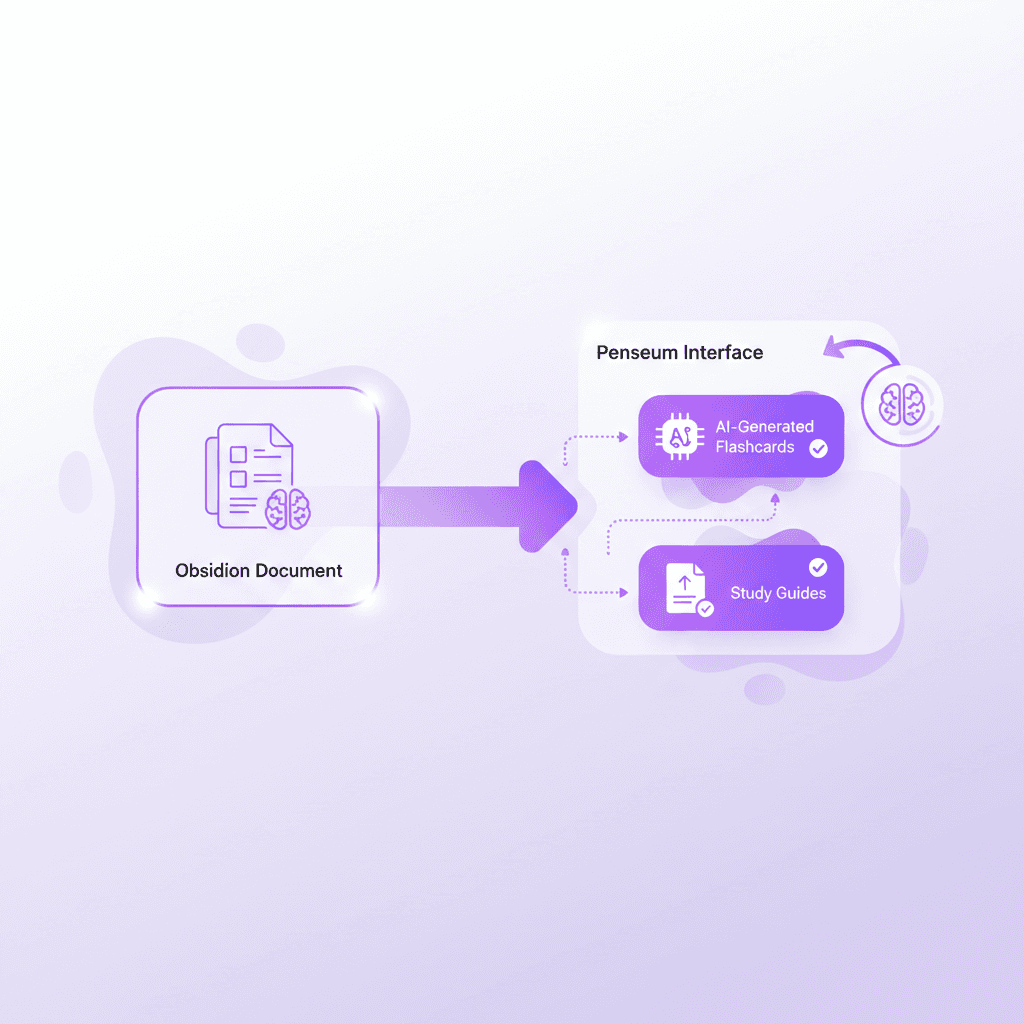
While Obsidian is exceptional for organizing knowledge, mastering that knowledge requires active recall. Penseum bridges this gap by instantly transforming your exported Obsidian notes into interactive study materials. You spend less time formatting flashcards and more time actually retaining the material.
Building a vast database of interconnected markdown files often creates a false sense of academic security. You might easily confuse recognizing a well-organized digital note with actual memorization. True educational mastery demands retrieving information from your brain without looking at the original source text.
Dunlosky et al. (2013) evaluated various learning techniques and determined that practice testing and distributed practice offer incredibly high utility for exam preparation. Passive rereading and highlighting consistently rank among the least effective strategies for college students. Moving your text out of your vault and into a testing environment forces true comprehension.
Over 1.6 million students globally use AI platforms like Penseum to accelerate learning, saving hours of manual study guide creation. Instead of manually typing hundreds of questions into a separate, disconnected flashcard application, you automate the entire heavy lifting process.
Penseum generates targeted quizzes, step-by-step solutions, and digital flashcards directly from your uploaded materials. This specific generation process ensures the practice questions align exactly with your specific university syllabus rather than relying on generic, crowdsourced internet decks that often contain factual errors.
Feature | Manual Obsidian Flashcards | Penseum AI Platform |
|---|---|---|
Creation Speed | Hours of manual typing | Seconds via AI generation |
Question Sourcing | Requires high personal effort | Automatically pulled from notes |
Format Variety | Basic text cards only | Quizzes, flashcards, study guides |
Syllabus Accuracy | User-dependent | Highly accurate to uploaded files |
You maintain your comprehensive, private knowledge base in Obsidian for long-term storage and essay drafting. You then rely on targeted AI generation for immediate, high-stakes exam preparation.
Actionable step: Export your Obsidian notes as a PDF, upload them to Penseum's free tier, and let the AI generate customized flashcards, quizzes, and a comprehensive study guide.
Frequently Asked Questions
Is Obsidian good for high school students?
Yes, Obsidian is excellent for high school students because it teaches foundational knowledge management skills early. The visual graph view helps students see connections across different subjects like history and science, preparing them for the rigorous, independent study habits required in higher education. Establishing these strict organization routines early prevents future academic burnout.
Is Obsidian free for students to use?
Obsidian is 100% free for personal use, making it highly accessible for high school, undergraduate, and graduate students. You do not need a credit card to download the base application. While premium features like cloud syncing cost extra, the core note-taking capabilities are entirely free to download and operate indefinitely.
Does Obsidian have a steep learning curve?
Obsidian can have a steep learning curve due to its markdown formatting and vast array of community plugins. However, students can start with basic text entry and linking immediately. You do not need to master complex coding to benefit immediately from its bidirectional linking and organization. Start simple and add new plugin tools gradually.
How does Obsidian compare to Goodnotes vs Notability?
Obsidian is primarily a typed, text-based knowledge base focused on linking ideas across a vast vault. GoodNotes and Notability are digital handwriting apps meant for annotating PDFs and drawing on tablets. Many students use iPad apps for class lectures and transfer textual summaries into Obsidian for permanent, highly searchable storage.
Can you sync Obsidian across different devices?
You can sync Obsidian across devices by using their paid Obsidian Sync service, or through free workarounds like iCloud Drive, Dropbox, or GitHub. This flexibility allows students to take notes on a laptop during class and review them later on a mobile device. Always ensure your chosen sync method backs up your files reliably.
What are the best Obsidian plugins for studying?
The best Obsidian plugins for students include 'Outliner' for structured lecture notes, 'Tasks' for managing assignments, and 'Advanced Tables' for creating structured study grids. However, for active study like flashcards, exporting notes to dedicated AI platforms like Penseum yields the fastest results for extensive exam preparation.
[AUTHOR]
Last updated: March 2026
Sources
Karpicke, J. D., & Blunt, J. R. (2011). Retrieval practice produces more learning than elaborative studying with concept mapping. Science. https://pubmed.ncbi.nlm.nih.gov/21252317/
Forte, T. (2022). Building a Second Brain: A Proven Method to Organize Your Digital Life and Unlock Your Creative Potential. Atria Books. https://www.buildingasecondbrain.com/
Novak, J. D., & Cañas, A. J. (2006). The theory underlying concept maps and how to construct and use them. Florida Institute for Human and Machine Cognition. https://scholar.google.com/scholar?q=The+Theory+Underlying+Concept+Maps+and+How+to+Construct+and+Use+Them
Davies, M. (2011). Concept mapping, mind mapping and argument mapping: what are the differences and do they matter? Higher Education. https://scholar.google.com/scholar?q=Concept+mapping,+mind+mapping+and+argument+mapping:+what+are+the+differences+and+do+they+matter
Pauk, W., & Owens, R. J. (2010). How to Study in College. Cengage Learning. https://scholar.google.com/scholar?q=How+to+Study+in+College+Pauk
Mayer, R. E. (2009). Multimedia Learning. Cambridge University Press. https://scholar.google.com/scholar?q=Multimedia+learning+Mayer
Dunlosky, J., Rawson, K. A., Marsh, E. J., Nathan, M. J., & Willingham, D. T. (2013). Improving students' learning with effective learning techniques: Promising directions from cognitive and educational psychology. Psychological Science in the Public Interest. https://pubmed.ncbi.nlm.nih.gov/26173288/
Related guides
Ready to study smarter?
Start turning your notes into guides, quizzes, and flashcards in seconds.