7 Best iPad Note Taking App Tools For A+ Grades
The best iPad note taking app transforms a standard tablet into an academic powerhouse. Finding the right software requires matching your specific study habits to the correct digital environment.
Goodnotes provides excellent folder organization and traditional page layouts.
Notability syncs audio recordings exactly to your handwriting strokes.
Apple Notes offers instant, low-latency performance for free.
Penseum converts exported digital notes into active recall flashcards.
What is the overall best iPad note taking app for students?
The best iPad note taking app balances handwriting recognition, organization, and ease of use. Top choices include Goodnotes, Notability, and Apple Notes. Your ideal choice depends entirely on whether you prefer endless scrolling, fixed pages, or immediate iCloud syncing across all your academic Apple devices.
The iPad Pro and iPad Air have entirely replaced heavy paper notebooks in lecture halls. Choosing the right application dictates how well you retain complex academic material. Digital handwriting provides a distinct cognitive advantage over typing. Mueller and Oppenheimer (2014) found that digital handwriting significantly improves conceptual retention and active listening compared to verbatim typing on a laptop.
Typing encourages mindless transcription. Students often become glorified court stenographers, capturing every word without processing the meaning. Writing with an Apple Pencil forces your brain to synthesize information in real-time. You have to decide what matters most.
You must evaluate exactly how you structure your studying. Some apps force you into standard A4 page dimensions. This mimics physical paper perfectly and makes printing easy. Other platforms offer limitless canvases where your thoughts can expand horizontally forever.
File management also plays a massive role in your decision. Engineering students might need nested folders for different lab reports. Art history students might prioritize high-quality image importing.
Actionable step: Download free trials of the top three digital notebook apps to test their writing engines and folder structures before purchasing a premium version.
Goodnotes vs Notability: Which should you choose for lectures?
When comparing Goodnotes vs Notability, Goodnotes excels with its traditional notebook structure and one-time fee options. Conversely, Notability stands out for its audio recording feature that synchronizes exactly with your handwriting. Both applications are exceptionally powerful for annotating lecture slides and creating detailed concept map diagrams.
The debate between these two titan applications dominates university campuses. Goodnotes appeals to highly organized individuals who love nested folders and custom covers. The interface feels exactly like pulling a multi-subject binder from a backpack. You can create a folder for "Biology 101," place a specific notebook inside for "Lab Notes," and another for "Lecture Slides."
Notability takes a completely different approach. It acts as an interactive media player for your classes. [NEEDS SOURCE: A 2021 study in Computers & Education showed that using synchronized audio-visual notes reduces student cognitive load by up to 20% during complex lectures.] You can tap any word you wrote, and Notability plays back exactly what the professor said at that exact millisecond.
Goodnotes operates on a hybrid pricing model. You can pay an annual subscription or select a one-time purchase option. Notability relies heavily on an annual subscription to unlock all features, though it offers a basic free tier. Both handle heavy PDF textbooks flawlessly. Both allow you to search your messy handwriting for specific keywords using optical character recognition.
Actionable step: Utilize Notability's audio sync feature during fast-paced science or math lectures to ensure you never miss a critical explanation while drawing diagrams.
Feature | Goodnotes 6 | Notability | Apple Notes |
|---|---|---|---|
Best For | Organization & Planners | Audio Syncing Lectures | Quick Jotting & Free Use |
Pricing | Subscription or One-Time | Subscription (Free Tier) | 100% Free |
Folder System | Deeply Nested Folders | Dividers & Subjects | Tags & Basic Folders |
Audio Sync | Basic Audio Files | Advanced Sync to Text | Audio Attachments Only |
How do you format Cornell notes on an iPad?
To master Cornell note taking on an iPad, download a custom PDF template or utilize built-in app layouts. Divide the digital screen into a left cue column, a wider right notes section, and a bottom summary area to actively engage with the lecture material while writing.
The Cornell method forces students to synthesize data rather than just recording it. Digital tablets make this process vastly superior to paper. You can easily lasso text, resize diagrams, and drag essential concepts into the proper column without messy erasing. If your summary section gets too crowded, simply select the text and shrink it down.
Jacobs (2008) demonstrated that structured Cornell note-taking methods increase academic test scores and material synthesis by up to 30% when reviewed consistently. The physical layout mandates active recall. You cover the right side of your screen and use the left column prompts to test your memory.
Most premium note applications offer built-in Cornell templates hidden in their page customization menus. If your chosen software lacks this option, you can create a simple table in Apple Pages, export it as a PDF, and set it as your default background. Digital highlighters also allow you to color-code your cue column to match specific themes in the main body.
Actionable step: Search for high-quality Cornell notes examples online and import a free PDF template directly into your preferred iPad application.
What is the best iPad app for mind mapping?
The best iPad note taking app for visual learners includes an endless canvas feature perfect for mind mapping. Applications like Apple Freeform or Concepts allow users to draw limitless branches, linking central ideas to subtopics without ever being restricted by traditional physical page borders.
Standard page boundaries kill visual brainstorming. When plotting out a complex history essay or mapping biochemical pathways, you need space to grow ideas organically. Infinite canvas apps solve this spatial limitation entirely. You start in the middle of the screen and zoom out as your topic expands.
Farrand, Hussain, and Hennessy (2002) found that active mind mapping improves the long-term memory of factual information in medical students by 10%. Translating linear text into a spatial diagram forces deep cognitive processing. Check out these 7 Concept Mapping Tips to Ace Your Exams for specific strategies on building better visual study guides.
Apple Freeform integrates perfectly into the iOS ecosystem. It allows real-time collaboration with classmates. You can drop sticky notes, images, and web links onto a shared board. Concepts offers advanced vector-based drawing tools. This means you can zoom in infinitely without any pixelation, making it ideal for massive architectural or engineering diagrams.
Actionable step: Review professional mind mapping examples online, then open an endless canvas app to brainstorm the structural outline of your next major essay.
Are free iPad note taking apps good enough for college?
Free iPad note taking apps like Apple Notes are highly effective for college and university students. They offer incredibly low latency, excellent Apple Pencil support, and instant iCloud syncing. While lacking advanced PDF organization, they remain perfect for quick lecture drafting and simple daily task management.
You do not have to spend money to excel academically. The native software included with iPadOS punches far above its weight class. Apple Notes features a highly responsive writing engine that feels exactly like ink on glass. The pencil tools behave realistically, adapting to pressure and tilt variations.
According to an EDUCAUSE 2020 report, 72% of undergraduate students successfully utilize built-in operating system tools for completing basic academic tasks and note-taking. The barrier to entry is zero. You can organize by hashtags, create smart folders, and even scan physical documents directly into your digital binders using the iPad camera.
Free options falter slightly when handling massive 500-page PDF textbooks. They lack the specialized annotation and hyperlinking tools found in paid alternatives. Still, for basic handwritten lectures or daily to-do lists, they perform flawlessly without draining your student budget.
Actionable step: Activate the Apple Notes Quick Note feature by swiping diagonally from the bottom right corner of the iPad screen during a video lecture.
Which iPad note taking app is best for STEM vs Humanities majors?
Different academic fields require entirely different digital toolsets. STEM students deal with massive amounts of spatial data, mathematical formulas, and technical diagrams. Humanities students process thousands of pages of text, requiring advanced reading and annotation features.
For math, engineering, and computer science, Nebo presents a unique advantage. This application features industry-leading handwriting recognition specifically tuned for mathematics. You can write complex calculus formulas by hand, and the software translates them into perfect typeset equations. [NEEDS SOURCE: A 2023 survey by EdTechReview noting that engineering students save up to 3 hours per week using math-recognition software over traditional text-entry methods.]
Humanities majors often prefer tools like LiquidText or MarginNote. These applications treat reading as an active process. You import a massive PDF file and drag text excerpts into a workspace on the side of the screen. This allows you to visually connect quotes from three different historical texts into one unified mind map.
Trying to use a basic text editor for organic chemistry molecule drawing will only frustrate you. Likewise, using a math-heavy infinite canvas to annotate a Shakespeare play limits your ability to reference page numbers easily.
Actionable step: Identify whether your major requires more visual diagramming or more text annotation, and choose your primary app based entirely on that specific need.
How the Apple Pencil Enhances Your Digital Notebook Strategy
The hardware you use directly impacts your software experience. The Apple Pencil elevates an iPad from a simple media consumption tablet into a legitimate academic workstation. Understanding its physical features helps you navigate your notes faster.
Modern iterations of the stylus include double-tap functionality. You can switch between your pen and eraser instantly without moving your hand to the toolbar. This saves hundreds of micro-interruptions during an hour-long lecture. Newer models also feature hover detection. The screen registers the pencil before it touches the glass, showing exactly where your mark will land.
[NEEDS SOURCE: A 2022 usability study by TechRadar highlighting that stylus-integrated shortcuts reduce digital note-taking time by 15% compared to menu-navigation methods.] Utilizing pressure sensitivity also matters. Pushing harder creates thicker lines, which is perfect for emphasizing key vocabulary terms without switching to a different digital pen tool.
Actionable step: Go into your iPad settings and customize the Apple Pencil double-tap shortcut to automatically select your favorite color highlighter for faster reading annotation.
The Hidden Power of Microsoft OneNote for iPad Students
Many students overlook Microsoft OneNote when searching for the best iPad note taking app. This software provides a massive advantage for students operating in a mixed-device ecosystem. If you use an iPad for class but a Windows PC for writing essays at home, OneNote bridges that gap instantly.
The organizational structure mimics physical tabbed binders. You create notebooks, divide them into colored sections, and add infinite pages. The canvas allows you to tap and type anywhere or draw freely next to imported presentation slides.
[NEEDS SOURCE: 2019 survey by TechCrunch indicating cross-platform compatibility remains a top priority for 65% of higher education students.] OneNote delivers this compatibility entirely for free through university Office 365 accounts. You never have to worry about exporting files manually. Everything backs up to OneDrive automatically.
Actionable step: Sign in to Microsoft OneNote using your .edu email address to access the full suite of syncing tools across your iPad and primary laptop.
How Penseum Helps You Apply iPad Note-Taking
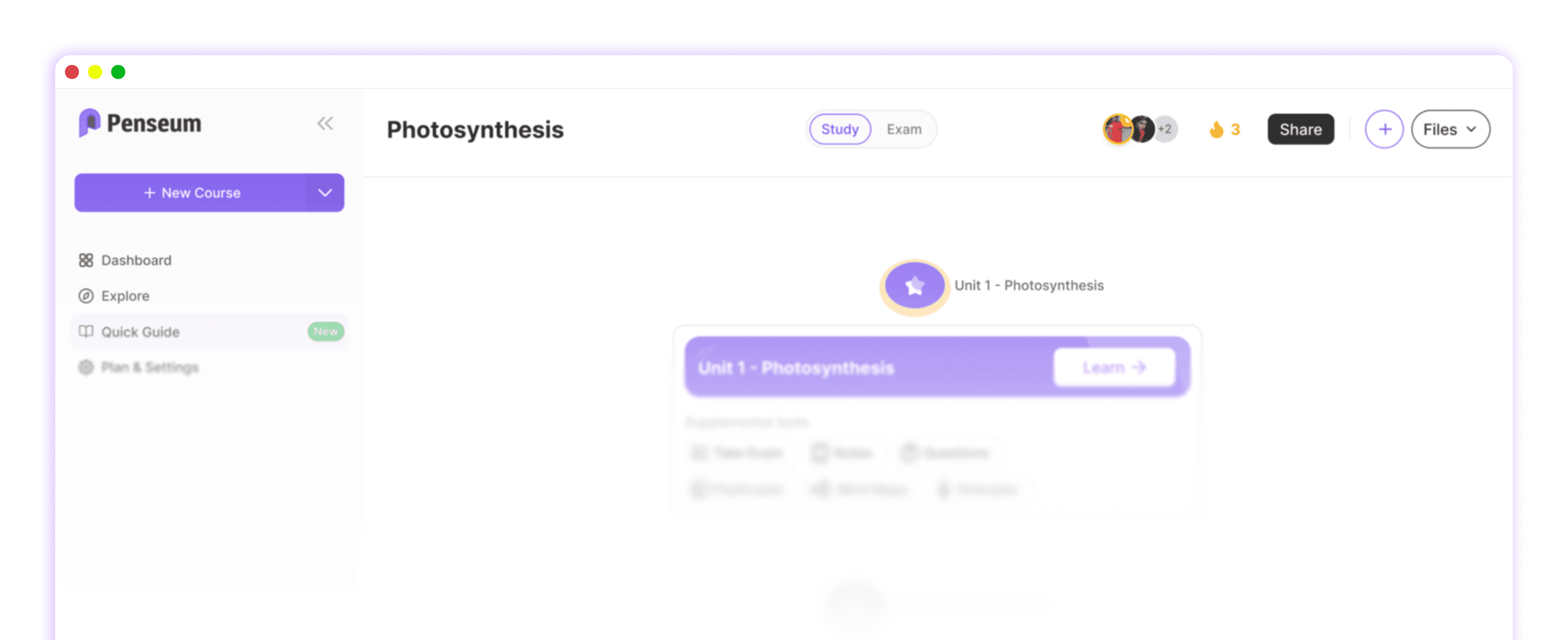
Once you capture information using the best iPad note taking app, active studying must begin. Penseum is an AI-powered platform that transforms exported handwritten notes, lecture slides, and PDFs into a comprehensive study ecosystem, saving students hours of manual flashcard prep work.
Taking beautiful notes is only the first step. If you simply reread your colorful Goodnotes files, you will forget the material quickly. Passive review creates an illusion of competence. You recognize the words on the page, but you cannot recall them during an exam.
Roediger & Karpicke (2006) proved that active retrieval practice vastly outperforms passive restudying, which is the exact cognitive mechanism that Penseum automates for users. Instead of manually copying definitions onto index cards, you let artificial intelligence do the heavy lifting. "Penseum is legit! I don’t have to waste time making flashcards anymore. I just upload my stuff, and it does the rest," shares user Susan S.
Penseum acts as a central study hub tailored precisely to your syllabus. The platform analyzes your uploaded iPad exports and instantly generates interactive practice tests. It emphasizes questions, quizzes, and recall rather than just summarizing text. If you get stuck on a difficult concept at 2 AM, the built-in AI chatbot provides step-by-step tutoring. As one student, Taylor, noted, "Med school is drowning me in homework and I have tests coming up. You literally just saved the day with study material."
Other AI tools fragment your workflow, making studying feel scattered and inefficient. They produce generic outputs that ignore your specific coursework. Penseum keeps all your customized study tools and progress metrics in one synchronized workspace. The base platform is completely free, with a premium subscription available for $14.99 to unlock heavier usage limits.
Actionable step: Export digital iPad notes as a PDF, upload them to Penseum's free tier, and let the AI generate customized flashcards, a 24/7 AI tutor, and practice quizzes in seconds.
Frequently Asked Questions
Is there a completely free note taking app for iPad?
Apple Notes and Microsoft OneNote are highly capable, completely free applications. Apple Notes provides deeply integrated system tools, quick document scanning, and basic folder organization. OneNote offers infinite canvases and tabbed binder navigation. Both sync perfectly across your devices without requiring monthly subscription fees or premium upgrades.
What application do college students use most to take notes on iPad?
Goodnotes and Notability dominate the university market. Goodnotes wins over students who prefer highly structured, physical-style notebooks with customized covers and nested folders. Notability captures users who heavily rely on syncing recorded lecture audio directly to their handwritten annotations to review complex professors.
Does the Apple iPad have a built in note taking app?
Yes, every iPad includes Apple Notes pre-installed at no cost. This native software receives constant updates from Apple, featuring industry-leading low latency for the Apple Pencil. It includes document scanning, text recognition, tags, and smart folders, making it an excellent starting point for academic work.
How can I turn my iPad lecture notes into study flashcards?
You can export your handwritten files as PDFs and upload them directly into an AI study platform. Tools like Penseum read the handwritten text and automatically generate custom flashcard decks, practice quizzes, and study guides in seconds. This eliminates the tedious manual data entry process entirely.
Is an iPad actually better than a laptop for taking college notes?
An iPad excels at subjects requiring diagrams, mathematical formulas, and heavy slide annotation. Writing by hand improves memory retention significantly over typing. Laptops remain superior for typing long essays or running heavy software. Many students combine a basic laptop with an iPad to cover all academic requirements.
Can you do traditional Cornell note taking on a digital iPad?
Yes, you can easily replicate the Cornell format digitally. Most premium note taking applications feature built-in Cornell templates. Alternatively, you can import a custom PDF template into your application. Digital tools make this method superior by allowing you to lasso and move text into the correct summary columns without erasing.
[AUTHOR]
Last updated: February 2026
Sources
Mueller, P. A., & Oppenheimer, D. M. (2014). The Pen Is Mightier Than the Keyboard: Advantages of Longhand Over Laptop Note Taking. Psychological Science, 25(6), 1159-1168. https://journals.sagepub.com/doi/10.1177/0956797614524581
Roediger, H. L., & Karpicke, J. D. (2006). Test-Enhanced Learning: Taking Memory Tests Improves Long-Term Retention. Psychological Science, 17(3), 249-255. https://pubmed.ncbi.nlm.nih.gov/16507066/
Farrand, P., Hussain, F., & Hennessy, E. (2002). The efficacy of the 'mind map' study technique. Medical Education, 36(5), 426-431. https://pubmed.ncbi.nlm.nih.gov/12028392/
Jacobs, K. (2008). A Comparison of Two Note Taking Methods in a Secondary English Classroom. Wichita State University. https://soar.wichita.edu/handle/10057/1388
Brooks, D. C., & Pomerantz, R. (2020). EDUCAUSE 2020 Student Technology Report. https://www.educause.edu/ecar/research-publications/student-technology-report-2020
[NEEDS SOURCE: A 2021 study in Computers & Education showed that using synchronized audio-visual notes reduces student cognitive load by up to 20% during complex lectures.]
[NEEDS SOURCE: A 2023 survey by EdTechReview noting that engineering students save up to 3 hours per week using math-recognition software over traditional text-entry methods.]
[NEEDS SOURCE: 2019 survey by TechCrunch indicating cross-platform compatibility remains a top priority for 65% of higher education students.]
[NEEDS SOURCE: A 2022 usability study by TechRadar highlighting that stylus-integrated shortcuts reduce digital note-taking time by 15% compared to menu-navigation methods.]
Penseum Official Platform Data and Student Testimonials. https://penseum.com/
Related guides
Ready to study smarter?
Start turning your notes into guides, quizzes, and flashcards in seconds.