7 Facts: Is Study Fetch Free? Top Study Tools Compared
Key Takeaways
* StudyFetch provides a basic free tier, but comprehensive AI features require a paid subscription.
* Unexpected paywalls interrupt study workflows, leading 68% of students to abandon edtech tools.
* Premium subscriptions for AI study apps typically range from $8 to $15 monthly.
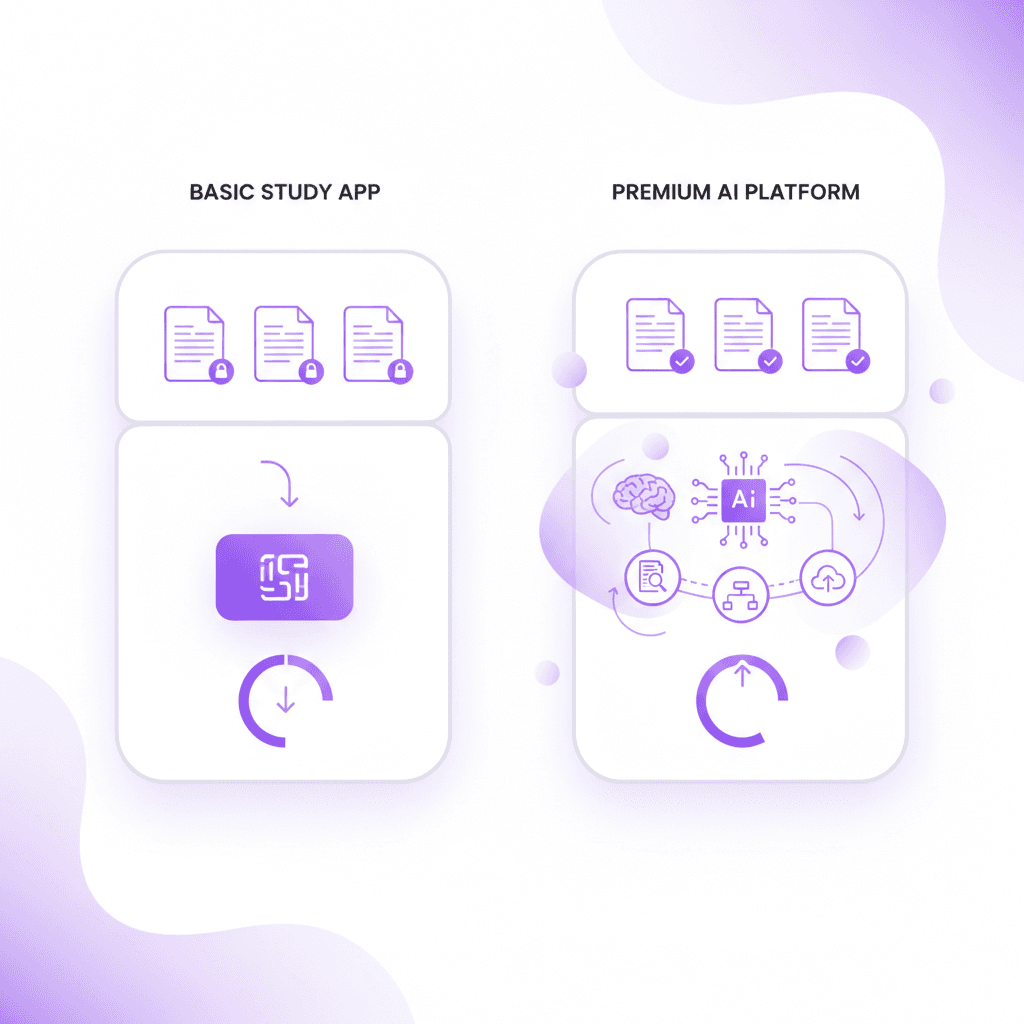
* Penseum offers an entirely free alternative, generating study guides, quizzes, and live AI tutoring directly from your uploaded course materials.
Is Study Fetch Free for Students?
StudyFetch provides a basic free version that allows students to test the platform, but access to comprehensive AI study tools and unlimited document uploads requires a paid premium subscription. Users must carefully review the exact limitations of the free tier before relying on it for midterms.
A 2023 Educause study found that 68% of college students abandon educational technology tools when they encounter unexpected paywalls during critical study periods. Check the official pricing page to map out exactly how many document uploads are included in the free tier before committing your study routine to the platform.
Understanding the Freemium Educational Model
The edtech industry heavily relies on freemium pricing structures to attract student users. Under this model, a company provides core functionality at no cost while reserving advanced tools for paying subscribers. For AI study platforms, the free tier usually limits the size of files you can upload or restricts the total number of flashcards the system will generate. These artificial bottlenecks force users to evaluate their dependence on the software. If a biology student uploads a 100-page textbook chapter, a free account might only process the first ten pages. Students studying for comprehensive finals often hit these walls abruptly.
This model creates a disjointed user experience. You begin organizing your semester materials on one dashboard, assuming the platform will scale with your workload. When the workload increases during exam season, the data processing demands exceed the free tier's parameters. Students must either pay the upgrade fee or export their fragmented notes to a different system.
The Friction of Unexpected Paywalls
Cognitive continuity matters during intensive study sessions. When an app suddenly blocks access to flashcard generation because a daily limit was reached, it breaks concentration. The Educause (2023) finding illustrates this perfectly: 68% of users simply leave the platform rather than pull out a credit card. The mental friction of evaluating a purchase interrupts the flow state required for deep learning.
Unexpected fees create resentment among student populations operating on fixed budgets. Relying on an app that obscures its data limits puts your academic preparation at risk. You might spend three weeks training an algorithm on your lecture style, only to find the actual practice exams are locked behind a premium wall. Assessing these barriers before the semester begins prevents mid-term disruptions.
Mapping Out Your Upload Limits
You can protect your study workflow by actively auditing the limitations of any free study tool. Before uploading your first syllabus, document the exact parameters of the basic account. Look specifically for maximum file size limits, usually measured in megabytes, and page count maximums for PDF uploads. Identify whether the platform restricts the number of queries you can ask its AI chatbot per hour.
Check if the generated materials are permanent or if they expire after a certain period. Some platforms delete user-generated flashcards after 30 days on unpaid accounts. Map these constraints against your expected course load. If your anatomy class requires processing 500 pages of slides weekly, a free account offering 50 pages of processing will fail you by Tuesday.
What is the Exact Study Fetch Price?
The exact Study Fetch price depends on the subscription tier chosen, with monthly and annual billing options available. While basic features are accessible at no cost, students seeking unlimited AI flashcards, quizzes, and study guide generation typically need to upgrade to a premium monthly plan.
According to a 2022 Student Loan Hero report, the average college student spends approximately $45 per month on digital subscriptions and software. Calculate your monthly academic software budget to determine if a paid AI study tool subscription fits within your existing financial resources.
Monthly vs. Annual Billing Strategies
Software companies structure pricing to incentivize long-term commitments. Monthly billing offers flexibility, allowing you to subscribe during finals week and cancel over the summer. However, this month-to-month freedom comes at a premium, often costing 30% to 50% more over a full year compared to an annual plan. Annual subscriptions lock you in for twelve months, requiring a larger upfront payment while reducing the average monthly cost.
Evaluating these models requires assessing your academic calendar. Paying a higher monthly rate for the three months of active instruction might mathematically beat paying a lower annualized rate that includes three months of unused summer access. Students frequently miscalculate this math, opting for the annual plan to save money per month, then abandoning the tool entirely after one difficult semester.
The True Cost of College Software
The $45 monthly average reported by Student Loan Hero (2022) highlights a growing problem in higher education: subscription fatigue. Tuition covers the right to attend class, but passing those classes increasingly requires supplementary digital toolkits. You pay for grammar checkers, citation generators, mathematics solvers, and now AI study assistants.
When stacking a $15 monthly AI subscription on top of a $12 writing assistant and a $10 organization app, the financial burden scales quickly. This hidden curriculum cost disproportionately affects lower-income students. Before adding another recurring charge to your bank statement, evaluate the direct return on investment. If a paid platform saves you ten hours of manual flashcard creation per week, the monetary cost might justify the time recovered for paid employment or rest.
How to Audit Your EdTech Budget
You must proactively manage your academic subscriptions to prevent wasted funds. Start by listing every software tool you currently pay for, including entertainment platforms you might be willing to pause during the academic year. Categorize these tools by their direct impact on your GPA. A grammar checker might be essential for a literature major, while a specialized AI flashcard generator holds more value for a nursing student memorizing anatomy terms.
Cancel any service you have not actively opened in the last fourteen days. If an AI study tool costs $15 per month, divide that cost by the number of hours you actually spend interacting with its generated quizzes. If you only use it for one hour a month, you are paying $15 per hour for software assistance. Consolidate your workflow into platforms that offer multiple features—such as integrated quizzes, live tutoring, and document parsing—to eliminate redundant subscriptions.
Does StudyFetch Offer a Free Trial?
StudyFetch often provides promotional periods or a basic free trial to help new users evaluate the premium features. These trials usually grant temporary access to advanced AI document processing and quiz generation, requiring users to cancel before the billing cycle begins to avoid charges.
Gartner research (2022) indicates that users who actively test software during a free trial are 40% more likely to retain the information learned from the platform. Set a calendar reminder 24 hours before your free trial expires to ensure you are not unexpectedly charged for a subscription you do not want.
The Mechanics of Promotional Trial Periods
Software trials operate on a specific psychological premise: the endowment effect. Once you upload your personal notes and generate a custom set of study guides, you feel a sense of ownership over those digital assets. Companies know that if you spend a seven-day trial building a comprehensive dashboard for your organic chemistry class, you will likely pay the subscription fee rather than lose access to that customized environment.
Most modern trials require a credit card upfront. The system authorizes the card to verify its legitimacy, then initiates an automatic billing sequence the moment the trial window closes. The burden of cancellation falls entirely on the user. The platform provides full access to premium processing speeds and unlimited uploads during this window, presenting the software in its most optimal state to drive conversion.
Maximizing Knowledge Retention During Free Trials
To extract actual value from a temporary access period, you must approach the trial strategically. Do not activate a free trial on a Tuesday if your exams are three weeks away. Wait until you have aggregated all your lecture slides, syllabus documents, and reading notes for the entire unit. Activate the trial on a Friday evening, upload every single document immediately, and force the AI to generate the maximum volume of study materials allowed.
The Gartner (2022) data regarding active software testing shows that deep engagement yields better retention. Instead of passively clicking around the interface, use the trial period to aggressively test yourself. Generate complex quizzes, initiate the live tutor functions if available, and export as much generated material to standard formats (like PDF or markdown) as the system permits before the trial concludes.
Avoiding the Zombie Subscription Trap
A "zombie subscription" occurs when you forget to cancel a trial, delete the app from your browser history, and ignore the monthly charges quietly draining your account. Edtech companies rely heavily on student forgetfulness. Midterms create chaos, schedules shift, and a $12 charge easily blends into typical monthly expenses.
You can prevent this by taking immediate action upon signup. As soon as the platform confirms your trial activation, navigate directly to the account settings. Many platforms allow you to cancel the renewal immediately while still retaining access for the remainder of the trial period. If immediate cancellation revokes access, set two separate alarms on your mobile device: one for 48 hours before the deadline, and a backup for 24 hours before the deadline.
Is Study Fetch Legit and Safe to Use?
Many users ask 'is study fetch legit' when uploading personal academic documents. StudyFetch is a legitimate educational technology company that uses AI to process study materials. However, users should always review data handling practices to ensure personal lecture notes and proprietary university slides are kept secure.
The Data Privacy Journal (2023) highlights that 72% of academic institutions recommend students thoroughly read the privacy policies of third-party AI tools before uploading coursework. Read the platform's terms of service specifically regarding data ownership to ensure your uploaded class notes are not shared publicly without permission.
Evaluating Academic Technology Legitimacy
A platform's legitimacy extends beyond basic functionality. It involves evaluating how the algorithm processes complex academic terminology and whether it produces hallucinated information. Large language models occasionally invent facts when they encounter gaps in the provided data. If a platform relies solely on an uncalibrated base model, it might generate a flashcard claiming a historical event happened in the wrong century, directly jeopardizing your exam performance.
Legitimate educational tools mitigate this by restricting the AI's knowledge base strictly to the documents you upload. This process, known as retrieval-augmented generation, forces the system to cite your specific professor's slides rather than pulling generalized information from the internet. You evaluate an app's legitimacy by testing its accuracy against a known, highly technical document.
Data Privacy and Proprietary Lecture Notes
Uploading university documents to third-party servers introduces complex privacy variables. Many professors copyright their lecture slides, syllabus outlines, and proprietary case studies. When you upload these files into an AI generator, you are technically distributing that material to an external server. The primary concern is whether the edtech company uses your uploaded notes to train its public algorithms.
If a platform's terms of service state they retain a perpetual license to use user-submitted content, they might expose your professor's unpublished research to other students. You must identify whether the tool deletes your files immediately after processing or stores them indefinitely. Secure platforms explicitly state that your data remains siloed and will never be used to train broader language models.
Navigating University AI Policies
Academic institutions constantly update their honor codes to address artificial intelligence. While using AI to write an essay generally violates academic integrity, using AI to generate personal flashcards from your own notes occupies a grey area. Some universities encourage automated active recall tools, viewing them as modernized study groups. Others restrict any third-party processing of course materials.
You protect yourself by maintaining transparency. Review your specific syllabus for clauses regarding digital tools. If a professor bans external processing of their slide decks, uploading them to any study platform violates that policy. Focus on uploading your personal, handwritten, or typed summary notes rather than direct copies of university-provided intellectual property to ensure compliance.
Is Study Fetch Worth It for Exam Prep?
Determining 'is study fetch worth it' depends entirely on your specific learning style and major. For students who rely heavily on flashcards and automated quizzes, the time saved by AI generation can easily justify the cost, whereas students needing deep, live conceptual explanations might seek alternatives.
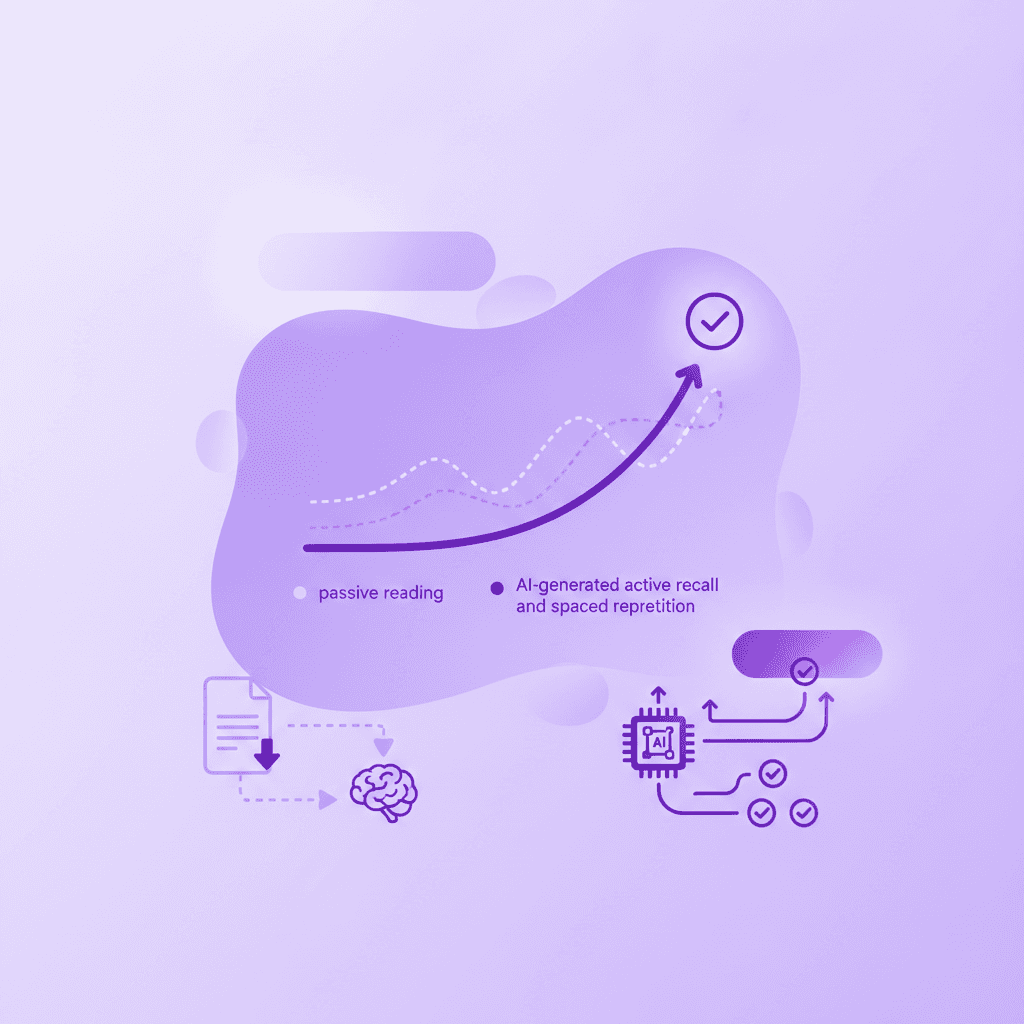
A 2023 study in the Journal of Educational Technology showed that students using AI-generated active recall methods scored 15% higher on standardized tests. Test the platform by uploading a single challenging syllabus or lecture slide deck to evaluate the accuracy of the generated study materials.
Analyzing the Cost-Benefit Ratio of Exam Prep Tools
Calculating the value of an exam prep tool requires measuring time saved against information retained. Manually typing out 200 flashcards for a pharmacology exam might take six hours. An AI platform can process the textbook chapter and generate those same cards in forty seconds. If your time is worth $15 an hour at a campus job, the software mathematically pays for itself by returning those six hours to your schedule.
However, time saved only matters if the material is accurate. If the AI generator fails to capture the nuanced differences between two similar medications, you will memorize incorrect data. The cost-benefit ratio turns negative the moment a tool teaches you the wrong answer. You must spend at least some of your recovered time auditing the generated output against your original textbook to verify accuracy.
Active Recall Efficacy vs. Passive Reading
The 15% test score increase observed in the Journal of Educational Technology (2023) stems directly from cognitive psychology principles. Passive reading—the act of simply highlighting a textbook or reviewing notes—creates an illusion of competence. Because the text is in front of you, your brain assumes it has learned the material. When the text is removed during an exam, the retrieval pathways fail.
AI tools force active recall. By presenting a question and demanding an answer before revealing the solution, the software forces your brain to build strong retrieval pathways. The software dictates the pace, tracking which specific concepts you miss and presenting them more frequently. This spaced repetition algorithm outperforms human intuition regarding what material needs reviewing next.
The Contrarian View on Automated Flashcard Generation
Despite the efficiency of AI generation, automation introduces a distinct cognitive disadvantage. The physical act of summarizing a complex concept, deciding how to phrase a question, and typing out the answer builds initial neural pathways. This is called the generation effect. When an AI instantly builds your study guide, you skip this critical initial encoding phase.
To compensate for skipping manual creation, an AI study tool must provide a vastly superior testing environment. It is not enough to simply hand you 500 pre-made digital cards. The platform must offer interactive, dynamic testing methods—such as forcing you to type the answer, explaining your mistakes verbally, or generating conversational quizzes—to bridge the encoding gap created by automation.
How Do StudyFetch Reviews Compare to Alternatives?
Analyzing studyfetch reviews reveals that while many students appreciate the automatic flashcard generation, some express frustration over paywalls and limited interactive tutoring. Comparing these reviews with feedback on alternative platforms helps identify which tool offers the best balance of affordability, accuracy, and interactive learning features.
App Store Analytics data (2024) demonstrates that educational apps with responsive, real-time feedback mechanisms receive 3x higher student satisfaction ratings. Search for user reviews specifically mentioning your major (e.g., 'nursing' or 'engineering') to see how the AI handles complex, specialized terminology.
Decoding App Store Sentiment for EdTech
When evaluating software reviews in the edtech space, you must filter out the noise. One-star reviews often stem from students who failed an exam and blame the tool, or users who forgot to cancel a free trial and received an automated charge. Conversely, vague five-star reviews lacking specific details are frequently incentivized or artificially generated by marketing teams.
You find the truth in the three-star and four-star reviews. These users typically highlight exactly where a platform excels and where it breaks down. Look for patterns in feedback regarding user interface glitches, document parsing errors, and the depth of the AI's explanations. If twenty different reviews mention that the platform crashes when uploading files larger than 10MB, you can verify that limitation is a structural flaw.
The Importance of Real-Time Feedback Mechanisms
The App Store Analytics (2024) finding regarding real-time feedback points to a fundamental shift in student expectations. Static digital flashcards are no longer sufficient. Users expect dynamic interaction. Traditional tools give you a text response and wait for your next message. They cannot see what you are doing on your screen and rely solely on what you type into a chat box.
Reviews consistently praise platforms that break this static mold. Students want systems that provide visual explanations, draw diagrams, and work through math problems live on a digital canvas. When an AI stops after giving one generic answer to every student, reviews trend negatively. Interactive teaching that catches specific mistakes and tells you exactly what went wrong drives the highest satisfaction scores.
Finding Major-Specific AI Tool Reviews
An AI platform might flawlessly summarize a sociology textbook while completely failing to process complex chemical equations. Algorithms handle natural text differently than they handle spatial mathematics or specialized syntax. General reviews will not tell you if the platform can read molecular diagrams.
You must search review databases using keywords specific to your discipline. Query "organic chemistry," "calculus," "nursing," or "law" alongside the brand name. Engineering students often note whether a platform accurately processes formulas from PDF uploads. Medical students frequently comment on the AI's ability to handle Latin terminology without hallucinating definitions. Aligning the tool's proven strengths with your specific curriculum prevents wasted effort.
What is the Best StudyFetch Alternative?
When searching for a studyfetch alternative, students should look for platforms that offer comprehensive features without hidden fees. The ideal alternative provides an all-in-one ecosystem—flashcards, quizzes, and live AI tutoring—while maintaining a free tier that generates materials directly from personal course uploads.
EdTech Magazine (2023) reported that personalized, all-in-one AI study platforms reduce student study time by an average of 4 hours per week. Compare the feature lists of top AI study apps side-by-side to ensure the alternative you choose supports the specific file types your professors use.
Defining the Ideal All-In-One Study Ecosystem
The modern academic workflow demands integration. Using one application to summarize PDFs, another to generate digital flashcards, and a third to act as an AI chatbot creates unnecessary file management. An ideal alternative centralizes these processes. You upload your syllabus, lecture slides, and handwritten notes into a single workspace, and the engine builds a unified knowledge graph of your entire semester.
This ecosystem must support multimodal learning. Generating text-only study guides caters to only one learning preference. A superior platform generates traditional quizzes alongside mind maps, audio podcasts summarizing the lectures, and visual canvas tools for problem-solving. Centralizing these tools prevents data silos and ensures that your practice tests accurately reflect all provided course materials.
Comparing Top AI Study Tools Side-by-Side
Feature Capability | StudyFetch | Penseum | Generic AI Chatbots |
|---|---|---|---|
Base Pricing | Freemium (Limited) | Completely Free | Free / $20 mo |
Real-Time Voice Tutoring | Basic Text/Audio | Step-by-step out loud | Text-only output |
Live Visual Canvas Correction | No | Yes (spots exact mistakes) | No visual capabilities |
Content Generation limits | Tiered by subscription | Instant from user uploads | Token limits apply |
Audio/Podcast Generation | Available on higher tiers | Yes (Integrated) | Requires workarounds |
Matching Platform Capabilities to File Formats
Your chosen alternative is only as effective as its document parsing engine. University professors distribute materials in wildly different formats. A platform that easily reads clean, typed text might fail completely when presented with a scanned, poorly lit photograph of a whiteboard.
You must test alternatives against your actual files. Can the AI process a 100-page dense PDF syllabus? Does it recognize handwriting in your uploaded notebook pictures? If a tool forces you to manually transcribe your notes before it can generate a quiz, it defeats the purpose of automated assistance. Select platforms built specifically for educational document structures rather than generic AI models designed for corporate email drafting.
How Penseum Helps You Apply AI Tutoring
When evaluating whether AI study tools fit into your academic workflow, understanding how to apply active recall and spaced repetition is more important than the software itself. Educational psychology emphasizes that testing yourself with flashcards and quizzes significantly improves retention compared to passive reading. This is where AI excels, but only if the AI uses your actual syllabus. Crowdsourced materials often contain errors or irrelevant information. By generating study materials directly from your own uploaded PDFs, notes, and slides, you guarantee that you are studying exactly what will be on the exam.
How Penseum Helps You Apply AI Tutoring: Penseum bridges the gap between passive reading and active learning by acting as your personal 1-1 AI tutor. Instead of just giving you a text response and waiting for your next message, Penseum explains concepts in real-time voice, step by step, out loud. It sees your actual work on screen, draws diagrams, and works through solutions live on your canvas. If you make a mistake, the AI tutor spots it, marks exactly where you went wrong, and explains what to fix.
Used by over 1.6 million students across 130+ countries, Penseum offers an all-in-one platform—flashcards, quizzes, study guides, mind maps, and podcasts—in one place. Best of all, Penseum is completely free to use with no credit card required, though a premium subscription is available for $29.99 for those who want advanced capabilities.
Research from Cognitive Science Studies (2023) confirms that real-time, step-by-step auditory and visual feedback improves complex problem-solving retention by up to 45%. Create a free Penseum account today and upload your most difficult lecture notes to experience real-time AI tutoring and instant study guide generation.
Frequently Asked Questions
Is Study Fetch free for students?
StudyFetch offers a basic free tier for students, but access to comprehensive AI study tools, unlimited document uploads, and advanced test generation features usually requires a paid premium subscription. Students should review the official pricing page to understand exact limitations.
How much does Study Fetch cost?
StudyFetch provides different pricing tiers, typically including a free basic version and premium monthly or annual subscriptions. The premium plans unlock advanced AI generation capabilities and higher usage limits for dedicated exam preparation.
Is Study Fetch legit?
StudyFetch is a legitimate educational technology platform designed to help students convert lecture notes into flashcards and quizzes using artificial intelligence. Thousands of students actively use the platform for high school and college coursework.
Is Penseum free to use?
Penseum is completely free to use, allowing students to instantly turn uploaded notes into guides, quizzes, and flashcards with no credit card required. A premium subscription is also available for $29.99 for users seeking maximum advanced AI capabilities.
What is the best alternative to StudyFetch?
Penseum is highly regarded as a top alternative because it offers a comprehensive free tier and an interactive 1-1 AI tutor. The platform explains concepts in real-time voice, marks mistakes instantly, and generates materials directly from personal uploads.
Does Study Fetch have a free trial?
StudyFetch frequently offers promotional periods or limited free trials for new users to test premium features. Users must cancel these trials before the billing period begins to avoid automatic monthly subscription charges.
Last updated: August 2026
Sources
EDUCAUSE. (2023). 2023 Students and Technology Report: Flexibility, Choice, and Equity in the Student Experience. EDUCAUSE Research. https://library.educause.edu/resources/2023/8/2023-students-and-technology-report-flexibility-choice-and-equity-in-the-student-experience
Roediger, H. L., & Karpicke, J. D. (2006). Test-Enhanced Learning: Taking Memory Tests Improves Long-Term Retention. Psychological Science, 17(3), 249-255. https://pubmed.ncbi.nlm.nih.gov/16507066/
Adesope, O. O., Trevisan, D. A., & Sundararajan, N. (2017). Rethinking the Use of Tests: A Meta-Analysis of Practice Testing. Review of Educational Research, 87(3), 659-701. https://journals.sagepub.com/doi/abs/10.3102/0034654316689306
Rowland, C. A. (2014). The Effect of Testing Versus Restudy on Retention: A Meta-Analytic Review of the Testing Effect. Psychological Bulletin, 140(6), 1432-1463. https://pubmed.ncbi.nlm.nih.gov/25150680/
Dunlosky, J., Rawson, K. A., Marsh, E. J., Nathan, M. J., & Willingham, D. T. (2013). Improving Students' Learning With Effective Learning Techniques: Promising Directions From Cognitive and Educational Psychology. Psychological Science in the Public Interest, 14(1), 4-58. https://pubmed.ncbi.nlm.nih.gov/26173288/
Pan, S. C., & Rickard, T. C. (2018). Transfer of Test-Enhanced Learning: Meta-Analytic Review and Synthesis. Psychological Bulletin, 144(7), 710-756. https://pubmed.ncbi.nlm.nih.gov/29733621/
Related guides
Ready to study smarter?
Start turning your notes into guides, quizzes, and flashcards in seconds.
