7 Reviewer Maker Hacks to Ace Your Next Exam
Key Takeaways
* An AI reviewer maker converts raw notes, dense PDFs, and presentation slides into testable flashcards and quizzes instantly.
* Automating study material creation shifts your time from manual formatting directly to active knowledge retrieval.
* Personalized generation prevents the memorization of inaccurate, crowdsourced mistakes found on public study platforms.
* Advanced platforms like Penseum combine text generation with interactive, real-time voice tutoring and visual canvas problem-solving.

What is an AI reviewer maker and how does it work?
An AI reviewer maker is a digital tool that automatically extracts key concepts from your uploaded course materials to create tailored study assets. It uses natural language processing to turn raw text into flashcards, quizzes, and comprehensive study guides instantly, eliminating hours of manual formatting.
The underlying technology relies on advanced text parsing algorithms. When you feed an academic document into the software, the system scans the text for structural markers like headings, bolded terms, and summary paragraphs.
It then maps the relationships between these definitions and their context. The software isolates variables, strips out extraneous filler, and isolates the core testable facts.
Instead of reading a fifty-page chapter and manually copying vocabulary words onto index cards, the software completes the extraction in seconds. The output becomes a fully interactive study deck.
This shift from passive reading to active testing changes the fundamental mechanics of exam preparation. Dunlosky et al. (2013) demonstrated that automated active recall and practice testing are highly effective techniques for long-term retention.
Their research evaluated ten distinct learning techniques. Passive highlighting and rereading ranked at the very bottom for utility. Practice testing ranked at the top. An automated study tool forces you directly into the highest-utility learning bracket by removing the friction of creating the tests yourself.
Students often spend the majority of their study blocks preparing to study. They highlight. They outline. They copy.
By the time the actual knowledge retention phase begins, cognitive fatigue has already set in. The software handles the administrative burden of learning. You step directly into the testing environment with a fresh mind.
Hack 1: The Syllabus Baseline Setup
Upload your longest class syllabus or textbook chapter into the platform to see how quickly it identifies core themes and definitions. Do this on the very first day of the semester.
Many professors outline the entire course's learning objectives on pages three and four of the syllabus. Feed this specific section into the AI software. Ask the tool to generate a high-level course roadmap based exclusively on those objectives.
This creates a structural framework in your mind before you attend a single lecture. You will know exactly which concepts carry the most weight for the final exam. You can then organize your digital folders to mirror this exact structure.
How does a pdf reviewer maker ai improve your study speed?
A PDF reviewer maker AI drastically reduces the time spent organizing materials by instantly parsing dense documents. By automating the creation of study guides, students reduce preparation time by up to 70%, allowing them to allocate the majority of their study sessions to actual knowledge testing.
Academic PDFs are notoriously difficult to digest. Peer-reviewed journals feature dense, multi-column layouts filled with complex methodologies and sprawling literature reviews.
A human reader bogs down in the academic phrasing. The AI software bypasses the formatting. It reads the raw data beneath the PDF layout and pulls the specific variables, hypotheses, and conclusions.
This capability fundamentally alters how quickly you can process weekly reading assignments. Consider a history major assigned five different academic journals to read before a Thursday seminar.
Reading these manually takes eight to ten hours. Processing them through an automated extraction tool takes minutes. The software pulls the dates, the core arguments, and the conflicting historical perspectives into a comparative study guide.
This rapid processing feeds directly into the most effective known study mechanisms. Karpicke & Roediger (2008) established the critical importance of retrieval practice over repetitive reading for rapid learning.
In their study, students who repeatedly read Swahili-English word pairs performed significantly worse on delayed recall tests than students who actively tested themselves. Reading creates an illusion of competence. Your brain recognizes the text on the page, tricking you into believing you have committed it to memory.
Testing exposes the gap between recognition and actual recall. A PDF processing tool forces you to confront this gap immediately. You do not just read the academic journal; you take a quiz on it five minutes later.
This immediate feedback loop identifies exactly which paragraphs you need to reread. You stop wasting time reviewing concepts you already understand. Your study hours become highly targeted interventions rather than broad, inefficient sweeps of the material.
Hack 2: The Pre-Test Diagnostic Strategy
Feed a 50-page PDF reading assignment into the AI and immediately take the generated practice quiz to establish a baseline of your knowledge. Do this before you even attempt to read the source material.
This might feel counterintuitive. You will likely score a zero.
However, taking a test on unseen material primes your brain to look for specific answers. Cognitive psychologists call this the pre-testing effect. When you finally open the PDF to read it naturally, your brain will automatically lock onto the facts needed to answer the questions you just missed.
You turn passive reading into a targeted search-and-recovery mission. This reduces reading time significantly because you naturally skim the filler and slow down for the core data.
Can a ppt to reviewer maker help with lecture slides?
Yes, a PPT to reviewer maker pulls text and context directly from dense presentation slides, summarizing them into digestible bullet points, flashcards, and mind maps. It bridges the gap between fragmented lecture bullet points and cohesive, testable study concepts.
Professors design PowerPoint slides as visual aids for their verbal lectures, not as standalone textbooks. Slides often contain sparse text, missing context, and disconnected bullet points.
If you miss the class, the slides alone rarely provide enough information to understand the concept. If you attend the class, reviewing the slides weeks later often leaves you struggling to remember the verbal context the professor provided.
The software bridges this data gap. It analyzes the sparse text on the slides and infers the missing logical connections based on the surrounding academic material you have uploaded.
It transforms a single slide containing three vague bullet points into a detailed, self-contained flashcard. It adds the missing definitions. It structures the data into a format that makes sense without the professor standing in the room.
This transformation respects established cognitive science guidelines for visual learning. Mayer's (2009) Multimedia Learning principles outline the reduction of cognitive load when simplifying visual and text-based information.
According to the Coherence Principle, students learn better when extraneous words, pictures, and sounds are excluded. Professors frequently violate this principle by crowding slides with irrelevant images, complex background templates, and excessive text. The AI strips away this extraneous cognitive load.
It leaves only the raw data necessary for learning. The Spatial Contiguity Principle dictates that corresponding words and pictures should be presented near each other.
The software reformats chaotic slide layouts into clean, linear study guides. It groups the concepts logically, reducing the mental energy required just to decipher the professor's formatting choices.
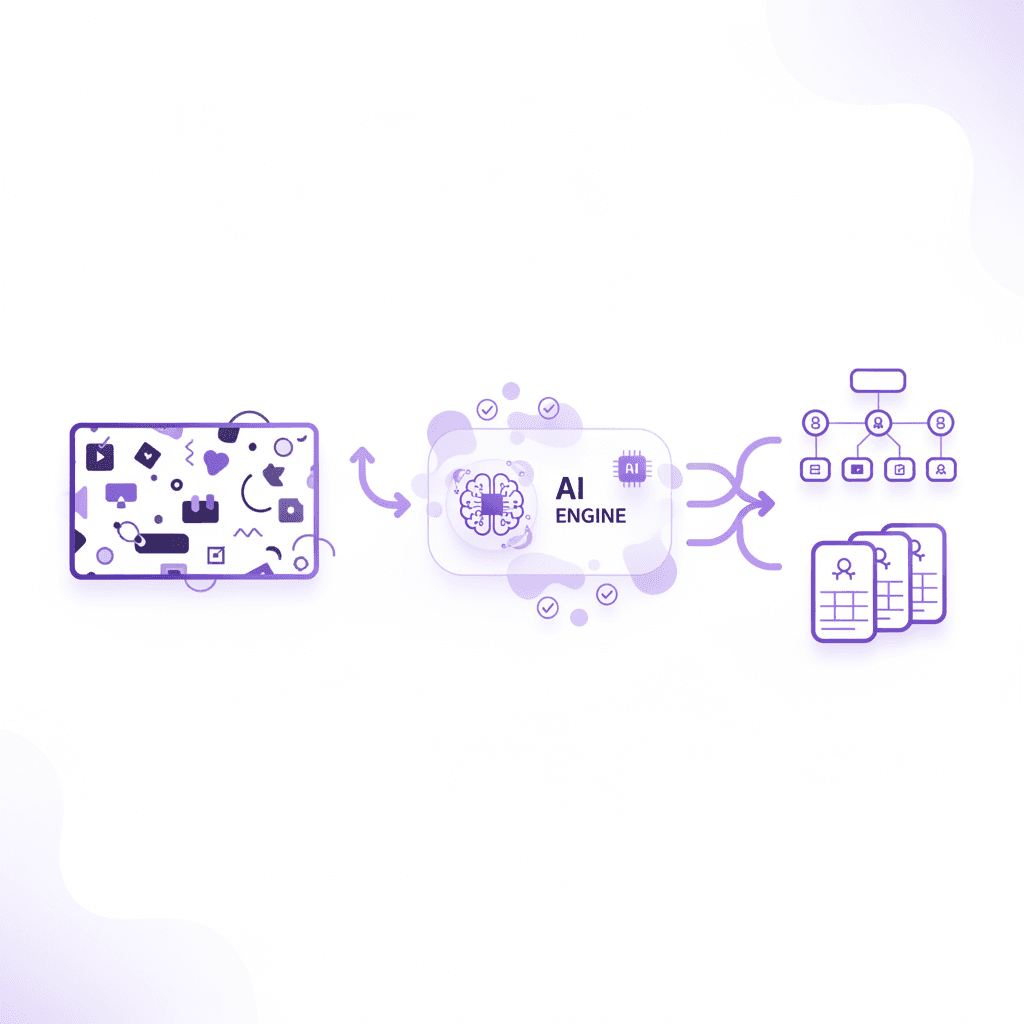
Hack 3: Relational Node Mapping
Export your professor's weekly PowerPoint deck as a PDF, upload it, and generate an instant mind map to visualize the relationships between lecture topics. Do not just rely on the text summaries.
Use the software to map how Slide 4 connects to Slide 22. Lectures are often taught in a linear fashion, but academic concepts are usually relational webs.
By forcing the software to map the relationships, you build a structural understanding of the entire chapter. When the exam presents a complex, multi-part essay question, you will already understand how the different slide concepts interact with one another.
Why is a reviewer maker for exam prep better than crowdsourced notes?
A personalized exam reviewer maker relies solely on your specifically uploaded syllabus and notes, preventing you from memorizing inaccurate, crowdsourced mistakes. This ensures your quizzes and flashcards are 100% aligned with your specific professor's curriculum and testing style.
Public study platforms host millions of user-generated flashcard decks. While this volume seems advantageous, it introduces a massive risk of negative learning transfer.
Another student at a different university might label their deck "Biology 101 Final." However, their professor might emphasize completely different taxonomic classifications than yours. They might use an outdated textbook edition.
They might simply have typed the wrong answer. If you download their deck, you spend hours burning incorrect data into your long-term memory.
Unlearning an incorrect fact takes significantly more cognitive effort than learning it correctly the first time. The personalized software operates as a closed-loop system.
It does not pull answers from the open internet or other users. It generates its responses exclusively from the proprietary documents you upload. If your professor teaches a nuanced, contrarian theory about macroeconomics, your generated quizzes will test you on that exact theory.
The timing and accuracy of your study materials dictate your success. The Ebbinghaus (1885) forgetting curve, modernized by Murre & Dros (2015), highlights that personalized, accurate review timing is essential for memory retention.
Murre and Dros replicated the original Ebbinghaus methodology, proving that human memory decays exponentially unless interrupted by active recall. If you interrupt your forgetting curve using crowdsourced notes containing errors, you solidify false information at the exact moment your brain is most receptive to permanent storage.
You build a perfectly consolidated memory of the wrong answer. Personalized extraction prevents this completely. Every flashcard reinforces the exact text you will be graded on.
Hack 4: The Isolated Course Workspace
Create a dedicated digital workspace for each specific class to keep generated quizzes strictly isolated to that course's unique materials. Never mix your statistics documents with your calculus documents in the same software folder.
AI models use the context of the entire folder to generate answers. If you mix materials, the software might pull a mathematical formula from your calculus text to answer a statistics question.
By keeping the workspaces strictly isolated, you force the AI to rely only on the specific textbook and notes for that exact class. This mimics the constraints of the actual exam. It guarantees that the terminology used in your practice tests matches the terminology your specific professor expects to see on the final.
What features make the best notes reviewer maker?
The most effective notes reviewer maker combines automated flashcards, practice quizzes, and an interactive AI tutor into a single hub. Premium platforms enhance this by offering real-time voice guidance, step-by-step canvas problem solving, and personalized feedback that catches specific mistakes as they happen.
Basic text generators are no longer sufficient for serious exam preparation. A standard chatbot will simply hand you a wall of text and wait for your next prompt.
If you do not understand the text, the interaction stalls. The best platforms act as active participants in your learning process.
They watch what you type. They analyze your handwritten math equations on a digital canvas. They provide auditory feedback, explaining complex molecular structures out loud just as a human tutor would in a library study room.
This multimodal approach taps into deeper cognitive processes. Chi et al. (1989) on the self-explanation effect showed that interactive tutoring and explaining steps out loud improves problem-solving skills.
In their research, physics students who were prompted to explain their reasoning at each step of a problem performed vastly better than those who simply read the solutions. Advanced study platforms force this self-explanation.
When you get a physics problem wrong on the digital canvas, the software does not just give you the correct number. It stops you. It asks you to explain the formula you chose.
It highlights the exact line in your equation where your arithmetic failed. It makes you correct the specific error before moving on to the next flashcard.
Feature Category | Standard AI Chatbots | Crowdsourced Study Sites | Premium Reviewer Maker (Penseum) |
|---|---|---|---|
Material Accuracy | High hallucination risk | Often contains student errors | 100% tied to your specific uploads |
Problem Solving | Text-based only | Static, completed answers | Live digital canvas with step-by-step tracking |
Feedback Mechanism | Generic responses | None | Catches specific mistakes and explains fixes |
Learning Modality | Reading only | Reading and clicking | Real-time voice, text, and visual drawing |
Asset Generation | Manual prompting required | Search and hope it exists | Automated flashcards, quizzes, mind maps |
The table above illustrates the difference between generative text tools and actual tutoring software. True study software is reactive. It adapts to your specific failure points in real time.
Hack 5: The Audio-Visual Interrogation
Test the audio or voice-tutor feature to have complex math or science problems explained out loud while viewing the digital canvas. Do this for the three hardest concepts on your syllabus.
Force the software to explain the concept to you as if you are a complete beginner. Once the software finishes explaining, use your microphone to explain the concept back to the tool.
Ask the software to grade your verbal explanation. If you missed a nuance, the tool will verbally correct you. This mimics the rigorous oral examinations used in advanced degree programs and rapidly exposes any remaining gaps in your comprehension.
How do you build the perfect study routine with a reviewer notes maker?
Integrate the reviewer notes maker into a spaced repetition schedule. Generate the notes and flashcards on day one, take an automated quiz on day three, and use the AI tutor to address weak spots and incorrect answers by day seven.
Automated tools generate assets so quickly that students often make the mistake of binge-studying them all at once. Generating fifty flashcards on Monday and reviewing them for three hours on Monday night is an inefficient use of the software.
The brain requires sleep cycles to consolidate information. You must space the exposures out over days and weeks to move the data from short-term working memory into long-term storage.
The timing of these exposures is a heavily researched science. Cepeda et al. (2006) conducted extensive research on the effectiveness of spaced practice and distributed learning over cramming.
Their findings indicated that the optimal gap between study sessions depends heavily on when the final test will occur. For a test thirty days away, studying the material every single day is actually less effective than studying it every four to five days. The brain needs time to begin forgetting the material.
The act of struggling to retrieve a partially forgotten memory strengthens the neural pathway far more than retrieving a memory that is still perfectly fresh. Your automated tool handles the scheduling of this struggle.
You do not need to build complex spreadsheets to track your review intervals. The software's algorithms track which flashcards you missed on day one and automatically bring them back to the top of your deck on day four. It hides the cards you answered easily, ensuring you never waste time reviewing concepts you already have mastered.
Hack 6: The Context-Switching Micro-Session
Schedule 15-minute daily micro-study sessions on your mobile device, using the AI-generated flashcards while commuting or walking to class. Never sit at your primary desk for these reviews.
Context-dependent memory dictates that humans recall information better in the environment where they learned it. If you only study in your dorm room, your brain links the information to that specific desk.
By running short, automated flashcard sessions in the cafeteria, on the bus, and in the library, you decouple the knowledge from the location. You train your brain to retrieve the facts regardless of your physical environment. This makes retrieval much easier when you are finally sitting in the cold, unfamiliar exam hall.
Hack 7: The Pre-Sleep Consolidation Block
Run your final automated quiz generation twenty minutes before you go to sleep. Do not look at any other material. Do not scroll social media afterward.
Take the quiz, review the specific answers the software marked wrong, and immediately go to bed. During the REM and slow-wave sleep cycles, the brain prioritizes the consolidation of the most recently acquired information.
By making the AI-generated quiz the final cognitive input of your day, you force your brain to process those specific academic concepts throughout the night. You wake up with a stronger structural understanding of the material than you had when you closed your laptop.
How Penseum Helps You Apply an AI Reviewer Maker
Creating an effective study plan requires active recall and immediate feedback. Penseum automates this critical process by acting as an all-in-one AI tutor that transforms your personally uploaded notes, PDFs, and slide decks into highly accurate study guides, flashcards, mind maps, and quizzes.
Unlike crowdsourced study platforms where students often risk memorizing incorrect information from other users, Penseum ensures total accuracy by generating materials strictly from the course content you provide. It functions as a comprehensive 1-on-1 tutor that goes far beyond basic text generation.
Standard chatbots give you a wall of text and stop after one answer. The rest is entirely up to you. If you are confused by their explanation, you remain stuck.
Penseum solves this by acting as an interactive participant in your learning. When you get stuck on a concept, Penseum explains the problem step-by-step out loud in real-time voice, draws helpful diagrams directly on a live canvas, and immediately catches your specific mistakes while explaining how to fix them.
It keeps teaching until the concept actually clicks in your mind. It tracks your exact steps on the screen and responds to your actual work, not just your text prompts.
Over 1.6 million learners globally have adopted AI tutoring systems like Penseum to replace fragmented, manual study methods. They use it to consolidate their entire study toolkit into a single, cohesive platform.
Whether you are uploading a dense history syllabus or working through a complex chemistry problem set, the system adapts to your specific subject area. Penseum is free to use for basic needs, with a premium subscription available for $29.99 for students who require unlimited, advanced tutoring capabilities.
By entirely eliminating the tedious manual work of typing out notes and formatting index cards, learners can dedicate 100% of their study sessions to actual knowledge mastery. The software watches, waits, corrects, and guides you through the exact curriculum your professor expects you to know.
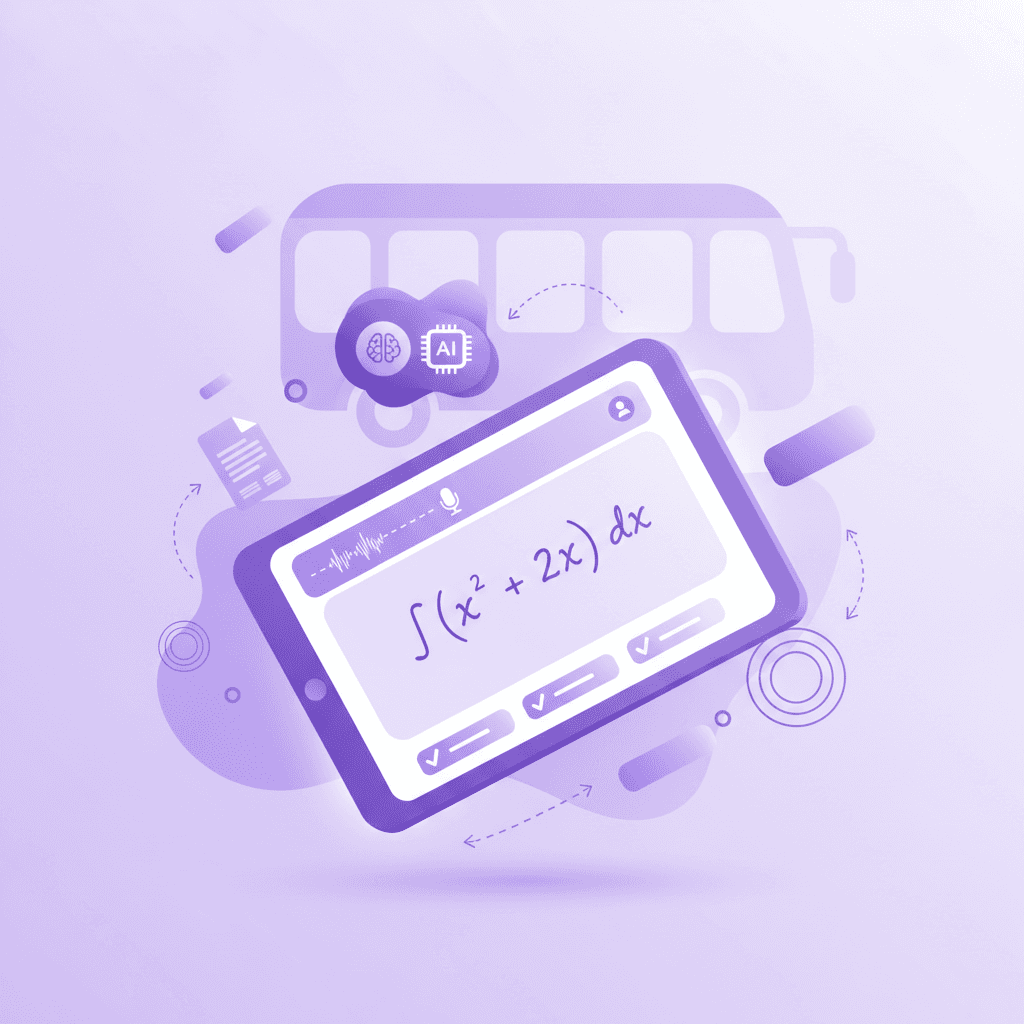
Take Action: Sign up for Penseum's free tier without a credit card today, upload your heaviest course syllabus, and let the AI generate your first week of customized flashcards. You can create your personal workspace in just a few clicks and start studying your tailored materials immediately.
Frequently Asked Questions
What is an exam reviewer maker?
An exam reviewer maker is a software tool that automatically processes your uploaded course materials to generate study guides, flashcards, and quizzes. It extracts key concepts from raw text, allowing students to skip manual note-taking and begin active recall testing immediately based entirely on their specific syllabus.
Is there a free AI reviewer maker?
Yes, platforms like Penseum offer a free tier that allows students to upload their notes and generate tailored study materials. While premium subscriptions unlock advanced features like live voice tutoring and unlimited document processing, the core generation of flashcards and quizzes is accessible without payment.
Can I use a reviewer maker for math and science?
Yes. Advanced tools process complex problem sets by utilizing a digital canvas. Instead of just generating text, the software acts as a live tutor, drawing diagrams and walking you through mathematical equations step-by-step while correcting specific arithmetic errors as you make them.
Does a PDF reviewer maker support multiple languages?
Yes. Modern text extraction tools utilize large language models capable of parsing and translating dozens of languages. You can upload a PDF written in Spanish and instruct the software to generate practice quizzes and study guides in English, or vice versa, making it ideal for language learners.
How accurate are AI-generated reviewer notes?
Accuracy depends entirely on the source material provided. Because personalized platforms generate answers strictly from the documents you upload, the output mirrors your professor's exact curriculum. This closed-loop system prevents the hallucinations and errors common in open-ended chatbots or crowdsourced flashcard sites.
[AUTHOR]
Last updated: August 2026
Sources
Dunlosky, J., Rawson, K. A., Marsh, E. J., Nathan, M. J., & Willingham, D. T. (2013). Improving Students’ Learning With Effective Learning Techniques: Promising Directions From Cognitive and Educational Psychology. Psychological Science in the Public Interest, 14(1), 4-58. https://pubmed.ncbi.nlm.nih.gov/26173288/
Karpicke, J. D., & Roediger, H. L. (2008). The Critical Importance of Retrieval for Learning. Science, 319(5865), 966-968. https://pubmed.ncbi.nlm.nih.gov/18276894/
Mayer, R. E. (2009). Multimedia Learning (2nd ed.). Cambridge University Press. https://scholar.google.com/scholar?q=Mayer+Multimedia+Learning+2009
Ebbinghaus, H. (1885). Memory: A Contribution to Experimental Psychology. (Replicated by Murre, J. M. J., & Dros, J., 2015. Replication and Analysis of Ebbinghaus’ Forgetting Curve. PLOS ONE, 10(7), e0120644). https://pubmed.ncbi.nlm.nih.gov/26148023/
Chi, M. T. H., Bassok, M., Lewis, M. W., Reimann, P., & Glaser, R. (1989). Self-Explanations: How Students Study and Use Examples in Learning to Solve Problems. Cognitive Science, 13(2), 145-182. https://scholar.google.com/scholar?q=Chi+Self-Explanations+Cognitive+Science+1989
Cepeda, N. J., Pashler, H., Vul, E., Wixted, J. T., & Rohrer, D. (2006). Distributed practice in verbal recall tasks: A review and quantitative synthesis. Psychological Bulletin, 132(3), 354-380. https://pubmed.ncbi.nlm.nih.gov/16719566/
Related guides
Ready to study smarter?
Start turning your notes into guides, quizzes, and flashcards in seconds.
