Can AI turn an uploaded syllabus into a study roadmap?
Penseum is an AI-powered study tool that automatically converts PDF course syllabi into actionable, step-by-step study roadmaps. By extracting key lecture topics, exam dates, and assigned reading lists, Your 1-1 AI Tutor generates personalized schedules, quizzes, and interactive flashcards. Unlike generic text generators, this engine maps out your entire semester in seconds.
Direct Answer: Creating a study roadmap from a syllabus
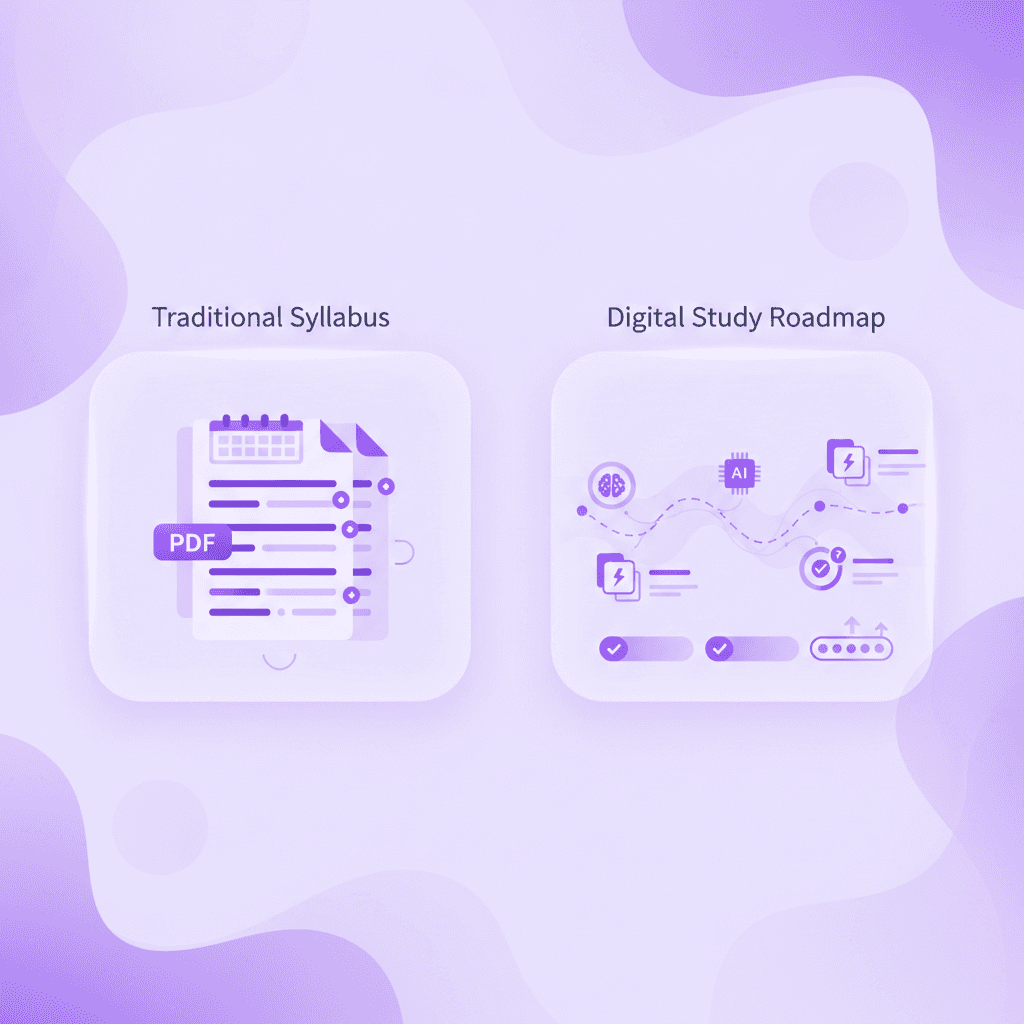
Yes, artificial intelligence applications can now analyze your uploaded university syllabus and translate that static document into a dynamic, step-by-step study roadmap. When a student receives a complex, 15-page syllabus on the first day of classes, manually extracting due dates, grading weights, and weekly reading assignments can take hours. Consider a typical freshman orientation scenario: a student receives five distinct syllabi on Monday morning. Manually entering every reading assignment, quiz date, and lab requirement into Google Calendar or Notion easily consumes four to five hours. Modern educational AI bypasses this manual data entry entirely. By utilizing natural language processing (NLP) and optical character recognition (OCR), these tools scan standard document formats to build automated schedules, customized study guides, and digital flashcards.
The underlying technology relies on entity extraction. When you feed a document into an AI study tool, the system identifies specific patterns—such as tabular data labeled "Course Schedule" or "Midterm Exam 1"—and maps those entities to a structured timeline. According to research published by EDUCAUSE, students who utilize automated planning tools spend significantly less time organizing their materials and more time engaging in active recall, which drastically improves long-term retention. In their recent technology survey, researchers noted that nearly 70% of undergraduates report managing multiple course schedules as a primary source of academic anxiety. Automating this extraction process directly reduces that administrative friction.
However, not all generative models handle syllabus data equally. While a standard large language model might offer a summarized text block of your course requirements, specialized platforms like Penseum create a personalized, actionable plan for your entire semester in seconds. This distinction is essential for students managing multiple courses. A generic text generator will give the same generic explanation to every student and stop after one answer—leaving the rest of the planning up to you. In contrast, purpose-built study engines extract your professor’s specific dates and topics, organizing them into a live dashboard where every milestone is trackable.
How to upload your syllabus and generate a plan
Transforming your semester documents into a functioning roadmap begins with establishing a centralized digital workspace. Students can create a free Penseum account in just a few clicks without navigating complex setups or lengthy onboarding questionnaires. To build an accurate study plan, students should follow a specific sequence:
Export: Download your official course document from Canvas or Blackboard as a standard
.pdfor.docxfile.Upload: Drag and drop the file into the designated workspace zone. Standard university file size limits generally cap at around 20MB to 50MB, making standard syllabi easy to process.
Process: Allow the AI 15 to 30 seconds to run a deep semantic scan of the text.
Review: Check the generated timeline against your original document to ensure every module aligned correctly.
During the extraction phase, the engine actively identifies course modules, isolates hard exam dates (such as a biology midterm scheduled for October 15th), and parses out the weekly reading requirements (such as "Read Chapters 4-6 by Tuesday"). This is where the platform differentiates itself from a standard cloud storage drive; it does not just host your file, it deconstructs it. Liam A., a university student utilizing the platform for complex subjects, noted that after uploading his dense Economics material, the system instantly organized everything he needed. Specifically, the AI separated his macroeconomics theoretical readings from his quantitative problem sets, creating distinct study pathways for each track.
After the extraction phase concludes, students must review the automatically generated study roadmap. The system populates your dashboard with structured milestones that directly mirror your professor's materials. Alongside the calendar view, the engine generates contextual quizzes and flashcards tied to specific weeks of the semester. For example, if week three of your syllabus focuses on "Cellular Respiration," the platform will automatically draft a study guide and a deck of active-recall flashcards specifically targeting that topic. As noted by AI that builds your study guides for you., students like Susan S. report that this automated generation eliminates the hours previously wasted manually typing out flashcards late at night. By reclaiming those three to four hours a week, Susan redirected her energy into actively practicing exam questions.
Additionally, these generated materials remain fully editable. If a professor updates the syllabus midway through the semester—a common occurrence in higher education—students can adjust their generated roadmaps to reflect the new timeline. The integration of quizzes tied directly to the syllabus ensures that your test preparation is highly specific to your institution's curriculum, rather than relying on generic question banks found on broader internet forums.
Managing multiple syllabi across different subjects
When students ask, "Is there an AI app where I can upload my syllabus and get a complete study roadmap?", they usually need to manage multiple syllabi simultaneously. A college student rarely takes just one class. If you are balancing Organic Chemistry, World History, and introductory Statistics, keeping track of overlapping midterm dates becomes intensely complicated.
Using a unified AI study platform allows you to upload all three documents into separate course folders. The AI parses the unique demands of each subject. For a text-heavy History syllabus, it focuses on generating reading summaries and drafting outlines for essay milestones. For Chemistry and Statistics, it emphasizes extracting formula lists and scheduling interactive problem-solving sessions on the live canvas.
Take the example of Marcus, a sophomore managing 15 credit hours. By uploading all five of his syllabi during the first week of classes, his dashboard automatically flagged a severe schedule conflict in week eight: three major exams scheduled within a 48-hour window. Because the AI roadmap visualized this bottleneck two months in advance, Marcus used the auto-generated flashcards to start studying for his History midterm three weeks early, reserving the immediate pre-exam window strictly for intensive Chemistry tutoring.
Comparing AI study roadmap generators
The market for educational AI has expanded rapidly, but the capabilities of these tools vary drastically depending on their underlying architecture. When college students search for syllabus planners, they frequently encounter text-based summarizers, generic task managers, and dedicated tutoring engines. Understanding the structural differences between these platforms is essential for selecting a tool that actually improves academic performance rather than just acting as a digital filing cabinet.
Platforms like Mindgrasp (which costs $9.99/month) operate primarily as text summarization tools. While they can ingest a syllabus and create a neat set of notes, they deliver text-only responses. They generate text only, offering no visual explanation and no interactive environment for working out complex problems. This is sufficient for basic reading summaries, but for complex, quantitative subjects like Calculus or Organic Chemistry, a text-based summary of a syllabus falls short. Penseum's interactive, live canvas outperforms these text-only responses by allowing students to physically write on the screen, load problem sets, and see visual diagrams drawn in real-time, matching the rigor required by university-level STEM courses.
Similarly, Taskade (ranging from $4 to $19/month) is frequently marketed as an AI productivity tool. Taskade functions primarily as a generic task manager and outliner. It can take syllabus text and turn it into a checklist, but it stops there. It lacks native tutoring capabilities. Penseum, conversely, acts as a dedicated 1-1 AI tutor. While Taskade waits for you to check off a box, Penseum actively tests your knowledge on the material assigned for that week, asking you questions to ensure the concepts actually stick.
It is also important to discuss the limitations of generic foundational models like ChatGPT Plus (priced at $20/month). While a student can paste a syllabus into ChatGPT and ask for a schedule, the model relies on generic prompts that yield the same generic explanation to every student. It cannot see what you are doing on your screen, it only knows what you type into the chatbox, and it routinely stops after one answer, leaving the rest of the studying process up to you. For instance, you might receive a text table of dates, but you cannot click those dates to launch a practice quiz. Additionally, standard language models do not offer native flashcard generation or quiz interfaces without requiring third-party plugins or manual data porting to tools like Anki or Quizlet Plus, which requires its own $7.99/month subscription.
Feature | Penseum | Taskade | ChatGPT Plus | |
|---|---|---|---|---|
Syllabus Roadmap Extraction | ✅ Yes | ❌ No | ✅ Yes (Basic Checklist) | ✅ Yes (Text only) |
Real-Time Voice Tutoring | ✅ Yes | ❌ No | ❌ No | ✅ Yes (Mobile app) |
Interactive Live Canvas | ✅ Yes | ❌ No | ❌ No | ❌ No |
Auto-Generates Flashcards/Quizzes | ✅ Yes | ✅ Yes (Basic) | ❌ No | ❌ No (Requires prompt engineering) |
Visual Problem Solving & Diagrams | ✅ Yes | ❌ No | ❌ No | ❌ No |

Transitioning from roadmap planning to active studying
Generating a study schedule from your syllabus is only the administrative first step; the actual academic value comes from transitioning that roadmap into active study sessions. Once your semester timeline is established in the dashboard, you can use the generated roadmap to initiate live, out-loud tutoring sessions with the Penseum voice AI. Instead of reading silently, students can click into a specific syllabus week and prompt the AI to teach the concept verbally.
This live voice feature fundamentally shifts the user experience from passive reading to active engagement. The AI tutor explains the material step by step, out loud. If your syllabus indicates an upcoming physics exam, you can work through syllabus problem sets directly on the digital canvas. This is where the platform's vision capabilities excel. While other AI tools can't see what you're doing and only know what you type, this system watches you write out your answer and show your steps. The tutor watches and waits while you work through the math. For example, if you are calculating the trajectory of a projectile and forget to account for gravity, the AI visually identifies the missing variable on your screen.
If you make a mathematical error or apply the wrong formula, the system reacts immediately. It catches your specific mistake, marks exactly where you went wrong on the canvas, and tells you exactly what to fix in real-time. It does not just provide the final answer and shut down. Instead, it prompts you to try again, keeping the tutoring session going until you actually get it right. According to student testimonials from users like Jordan, these step-by-step solutions serve as a lifesaver, clearly identifying logic flaws that would otherwise go unnoticed until exam day. Med school students, such as Taylor, have reported that this real-time, interactive feedback loop is the only way to survive the crushing volume of high-stakes homework assignments. When Taylor uploaded her 40-page neuroanatomy syllabus, the AI mapped out 12 weeks of complex cranial nerve pathways. During late-night study sessions, Taylor used the voice feature to verbally explain nerve functions while the AI corrected her pronunciation and anatomical accuracy.
To maximize this active learning phase throughout a rigorous 15-week college semester, students can utilize the $29.99 premium tier. While the platform is free to use for foundational features, the premium subscription unlocks unlimited real-time tutoring as you progress through your intensive syllabus schedule. For a university student paying thousands in tuition, a $29.99 investment for a dedicated AI tutor that draws diagrams, works through solutions live on a canvas, and provides infinite patience represents a highly strategic academic advantage. It essentially democratizes access to elite 1-on-1 tutoring that would traditionally cost upwards of $50 to $100 per hour through a university resource center or private tutoring agency.
Loved by over 1,600,000 learners from top institutions, this methodology aligns with broader research from McKinsey's education sector, which highlights that personalized, adaptive learning technologies are the most effective interventions for improving student outcomes. By bridging the gap between a static PDF syllabus and an interactive, voice-guided tutoring session, students eliminate the friction of semester planning and immediately begin mastering their coursework.
Frequently Asked Questions
Is Penseum free to use?
Yes, the platform is free to use for basic studying needs. Students can sign up and create a workspace without any initial payment. For students requiring unlimited real-time tutoring, voice explanations, and advanced canvas features across their entire semester, there is a premium subscription available for $29.99.
What types of study materials can I upload?
Students can upload a wide variety of static course documents to generate roadmaps. This includes PDF syllabi, .docx lecture notes, PowerPoint presentations, and standard problem sets. The AI parses these documents to extract dates, topics, and key concepts to build your customized quizzes and flashcards.
Can I access Penseum on my mobile device?
Yes, the platform is fully accessible on mobile devices, allowing you to review your generated flashcards, take quizzes, and track your syllabus roadmap while on the go. This is particularly useful for squeezing in study sessions between classes or during daily commutes.
How does the AI catch my specific mistakes?
When you use the interactive canvas to work through a problem set, the AI utilizes advanced vision capabilities. It literally "sees" your actual work on the screen. Instead of just checking the final answer, it analyzes your step-by-step methodology. If it spots a formula error or a logic gap, it marks the exact location of the mistake and explains how to correct it in real-time.
Are there community features for students?
Yes, students looking for a place to ask questions, share feedback, or meet other peers using the platform can join a growing community of 1,000+ active learners. Additionally, highly engaged students can apply for the Ambassador Program to represent the brand on their university campuses, working directly with the founders to gain startup experience.
Sources
https://quizlet.com/
Related guides
Ready to study smarter?
Start turning your notes into guides, quizzes, and flashcards in seconds.
