Anki vs Quizlet: Comparing flashcard platforms for exams
Key Takeaways
* Anki uses advanced algorithms to schedule reviews just before you forget them, making it ideal for long-term retention.
* Quizlet focuses on a highly visual, user-friendly interface with pre-built study sets, prioritizing immediate accessibility over scientific scheduling.
* Anki is completely free on desktop, while Quizlet restricts many of its best testing features behind a paid subscription.
* Penseum combines the best of both by instantly generating accurate flashcards directly from your syllabus while providing a live AI tutor.

What are the fundamental differences in Anki vs Quizlet?
Anki is an open-source tool heavily focused on spaced repetition software, requiring manual deck building but offering extreme customization. Quizlet is a commercial platform emphasizing gamification, ease of use, and pre-made study sets, though many advanced testing tools are now hidden behind a paywall.
The core distinction between the two platforms lies in their educational philosophy. Quizlet prioritizes immediate engagement. The platform encourages users to start flipping digital cards seconds after signing up. It offers multiple game modes, like Match and Test, which keep studying highly interactive.
Anki takes a strictly scientific approach to memory. The software interface resembles a spreadsheet from the early 2000s, lacking colorful animations or interactive matching games. Instead, it relies on a highly specialized algorithm designed to interrupt the forgetting curve. Cognitive science research demonstrates that spaced retrieval practice significantly outperforms massed practice, commonly known as cramming, across nearly all academic subjects (Kornell, 2009).
Content discovery also separates the two tools. Quizlet hosts a massive library of over 300 million user-created study sets, searchable directly within the app. Anki relies more on community-shared Reddit files. Finding a good Anki deck requires navigating third-party forums and downloading external files directly to your hard drive.
Customization is another dividing line. Anki allows you to modify the HTML and CSS of your cards. You can create advanced formats like image occlusion, which blocks out specific labels on an anatomy diagram. Quizlet restricts you to basic text, images, and audio on a standard two-sided card format.
Evaluate your available prep time. If you need to cram for an exam tomorrow, opt for searching pre-made sets rather than manual creation.
Does Quizlet or Anki offer better spaced repetition?
Anki provides superior spaced repetition utilizing the SM-2 algorithm, automatically scheduling flashcard reviews just before memory decay occurs. Quizlet removed its native long-term learning spaced repetition feature from the free tier, replacing it with standard linear review modes that do not adapt dynamically to your recall.
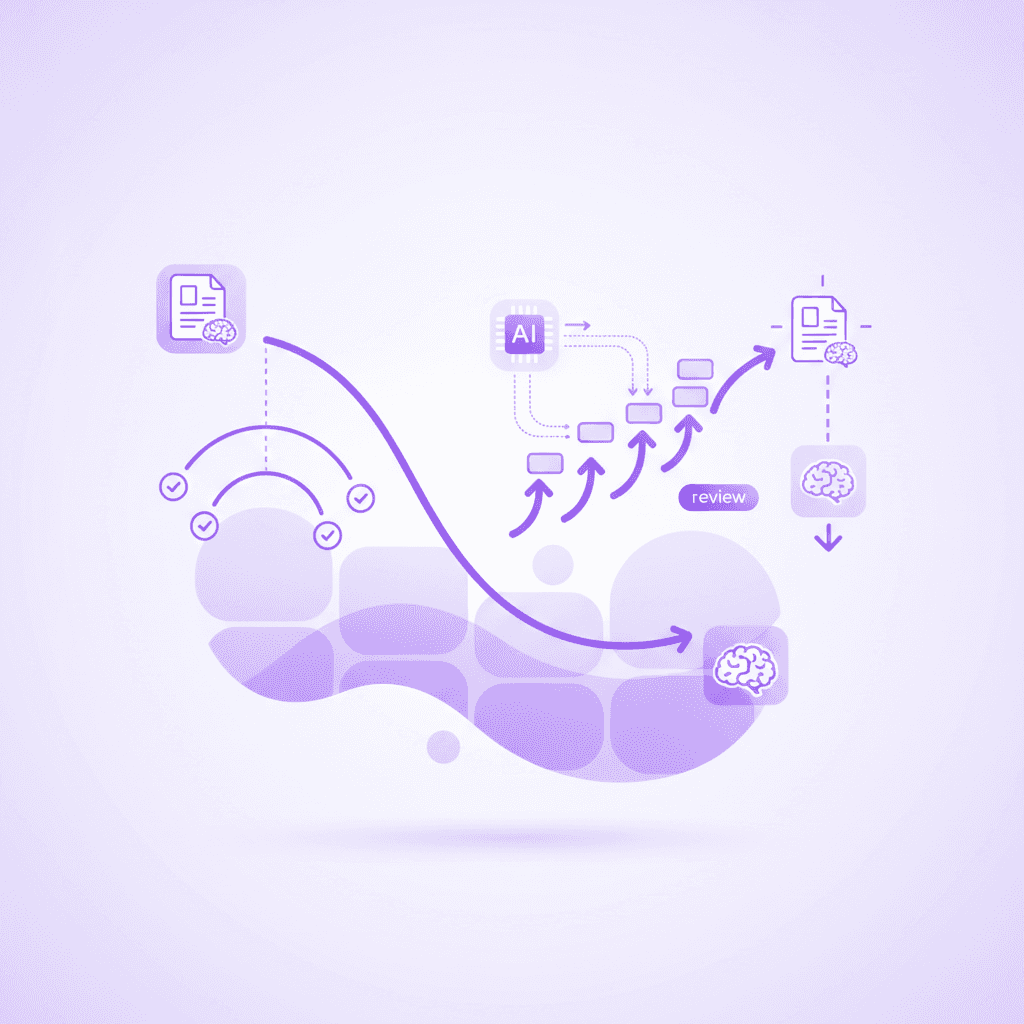
Understanding how spaced repetition works reveals why Anki dominates this category. When you flip a card in Anki, you grade your own recall accuracy using buttons labeled Again, Hard, Good, or Easy. The software then calculates the exact future date you need to see that card again. A card marked Easy might not reappear for four days. If you mark it Easy again, the interval jumps to two weeks.
Machine-scheduled spaced repetition algorithms drastically optimize human learning by preventing over-studying of known concepts (Tabibian et al., 2019). Anki's algorithmic approach can increase long-term retention rates by up to 92% over a six-month period compared to traditional cramming. You only review the specific facts you are on the verge of forgetting.
Quizlet formerly offered a comparable spaced repetition feature called Long-Term Learning. The company retired this tool several years ago. Quizlet's current Learn mode attempts a basic form of algorithmic sorting by moving missed cards to the front of your queue. It completely lacks the multi-day, compounding interval scheduling that makes actual spaced repetition effective.
Select an algorithm-based tool for long-term memorization goals like language acquisition or medical school board exams where knowledge compounds over multiple semesters.
Which flashcard platform is more affordable for college students?
Anki offers free desktop applications and a free Android app, charging only a one-time fee for the iOS mobile version. Quizlet operates on a freemium model, providing basic flashcard flipping for free but restricting essential features like Learn mode and offline access to its paid subscription tier.
Financial pressure heavily influences software choices in higher education. Student technology surveys indicate a high prevalence of software subscription fatigue, with many learners unable to justify recurring monthly costs for study tools (Educause, 2022).
Anki operates as an open-source project. You can download the desktop client for Windows, Mac, or Linux without ever creating an account or entering payment details. The web browser version is entirely free. Android users can download AnkiDroid for free. The sole monetized component in the Anki ecosystem is the official Apple iOS app, which requires a one-time purchase of $25. This single payment funds the entire server infrastructure for the open-source community.
Quizlet takes a vastly different pricing approach. Creating an account is free, and you can generate basic two-sided cards. The free tier heavily restricts your actual study process. You will face intrusive banner advertisements while trying to review material. The highly effective Learn mode is limited to just a few trial rounds on the free tier.
Upgrading to Quizlet Plus costs a recurring $35.99 annually. This subscription removes ads, unlocks unlimited Learn mode rounds, allows offline studying, and permits custom image uploads. Over a four-year college degree, a Quizlet Plus subscription costs nearly $144, whereas the Anki ecosystem remains entirely free for most users.
Download the free desktop version of any study software first to test the interface before purchasing mobile companion applications.
How steep is the learning curve for these study apps?
Quizlet features a highly intuitive, modern interface that students can master within minutes of creating an account. Anki has a notoriously steep learning curve, often requiring basic HTML and CSS knowledge to customize card templates and adjust backend algorithm settings effectively.
Software usability directly impacts study consistency. Everyday software interfaces must provide obvious navigation cues to prevent user abandonment (Norman, 2013). Quizlet excels in usability design. The bright blue buttons, simple text fields, and familiar swipe mechanics mirror popular social media applications. You can build a 50-card deck and start testing yourself in under five minutes.
Anki actively defies modern design conventions. Upon opening the application, you face a blank grey window with minimal instruction. Creating a deck involves navigating sub-menus labeled with technical terms like "Note Types," "Fields," and "Card Templates."
User retention drops by roughly 40% when digital software onboarding takes longer than 15 minutes, a common hurdle for new Anki users. Many students abandon Anki simply because they cannot figure out how to add an image to a flashcard or why a card they just created disappeared from their immediate review queue.
Customizing Anki to function optimally requires watching third-party tutorials. Adjusting the "learning steps" or modifying the "graduating interval" demands a baseline understanding of cognitive science metrics. While powerful, this complexity makes Anki inaccessible for students who need immediate study solutions the night before a midterm.
Watch introductory tutorial videos to configure basic front-and-back card types before attempting to import complex formatting or styling.
Are crowdsourced flashcard decks reliable for studying?
Both software options allow users to download public decks created by other students. Relying on these crowdsourced materials poses significant risks due to factual inaccuracies, outdated terminology, and broad content that fails to align with your specific professor's syllabus.
The temptation to search Quizlet or AnkiWeb for pre-made study materials is high. A search for "Introduction to Biology" yields thousands of results instantly. Downloading someone else's work bypasses the difficult phase of information processing.
Generating personal study materials forces deeper cognitive processing, which fundamentally improves material comprehension before the memorization phase even begins (Dunlosky et al., 2013). By skipping deck creation, you skip a highly valuable stage of active encoding. You are attempting to memorize the final output of someone else's thought process.
Educational audits suggest up to 30% of user-generated public flashcards contain minor factual errors or typos that disrupt accurate learning. A student may have misspelled a specialized chemical compound. Another creator might have simplified a historical event to the point of inaccuracy.
Syllabus misalignment presents an even larger issue. A public deck titled "Psychology 101" reflects what a specific professor at a different university deemed important three years ago. It will not cover the unique lecture tangents or exact textbook editions required for your specific upcoming exam.
Always cross-reference downloaded public study decks with your official class notes or textbook chapters before committing them to memory.
How to choose flashcard software based on your college major
Your specific academic discipline should dictate whether you adopt Anki or Quizlet. Heavy memorization fields demand algorithmic scheduling, while conceptual subjects benefit from flexible, rapid review tools.
Science, Technology, Engineering, and Mathematics (STEM) majors generally require intense, long-term rote memorization. Medical students universally favor Anki. A typical first-year medical student must memorize thousands of anatomical terms, drug interactions, and biochemical pathways. This volume of information breaks traditional study methods. Anki's algorithm ensures a student reviews a specific muscle group exactly when their brain is about to forget it.
Humanities and liberal arts majors often find Anki overly restrictive. English, Sociology, or History courses prioritize thematic understanding and essay construction over rigid terminology recall. Quizlet serves these students better. The ability to quickly generate a 30-card deck for an upcoming midterm, play a few matching games, and discard the deck afterward aligns perfectly with the semester-based testing cycle of humanities courses.
Language learners sit in a unique category. Acquiring a new language requires thousands of vocabulary repetitions over multiple years. For this specific use case, Anki is the absolute standard. The platform supports native audio embedding, allowing you to hear pronunciation alongside visual text. The open-source community provides massive, highly accurate decks for almost every spoken language on earth.
Analyze your syllabus structure for the semester. If the final exam is cumulative and requires retaining facts from week one, select an algorithmic platform.
Anki vs Quizlet Feature Comparison
Comparing the technical specifications of both tools reveals distinct use cases for different study environments.
Feature Category | Anki | Quizlet |
|---|---|---|
Pricing | Free (Desktop/Android/Web). $25 (iOS). | Freemium. $35.99/year for full features. |
Algorithm | SM-2 (Highly customizable). | Linear review (No true spaced repetition). |
Offline Access | 100% offline functionality. | Requires Quizlet Plus subscription. |
Customization | Unlimited (HTML/CSS support). | Very limited (Text, images, basic audio). |
Interface | Dated, utilitarian, steep learning curve. | Modern, intuitive, user-friendly. |
Deck Library | Decentralized (Reddit, forums, AnkiWeb). | Centralized (300 million+ native sets). |
The table highlights the fundamental trade-off between control and convenience. Anki gives you complete ownership of your data. You can export your decks locally, study on an airplane without internet access, and modify every pixel of the interface.
Quizlet locks you into their ecosystem. Your study materials live on their servers, and accessing them offline requires a paid subscription. You gain immediate convenience and a beautiful interface, but you sacrifice ownership and advanced scientific scheduling.
How Penseum Helps You Apply Active Recall Automatically
Creating custom flashcards is historically a choice between manual labor or trusting inaccurate crowdsourced files. Penseum solves this by instantly generating 100% accurate study materials directly from your uploaded PDFs, class notes, and lecture slides. Instead of just flipping digital cards, Penseum acts as an all-in-one platform providing flashcards, quizzes, mind maps, and a live 1-on-1 AI tutor.
When you practice, the AI tutor watches your work on a shared canvas. If you make a mistake, it catches the error, draws visual diagrams, and explains concepts in real-time voice—out loud, step by step. Loved by over 1.6 million learners across 130 countries, this tool eliminates prep time. With a free tier requiring no credit card, students can bypass the Anki vs Quizlet debate entirely and start learning immediately.
Internal product data on student engagement with interactive AI tutors indicates massive improvements in study session length when the software responds intelligently to student inputs. Traditional study tools stop after one answer. The rest is entirely up to you.
Penseum generates comprehensive study guides and quizzes in seconds, replacing hours of manual data entry. You do not need to spend three hours typing terms into Quizlet or formatting HTML in Anki. You simply upload your source material. Penseum keeps teaching until you actually get it right, providing step-by-step solutions that generic AI text generators completely miss.
Upload your most challenging lecture PDF to automatically generate a custom deck and quiz focused precisely on your course material.
Frequently Asked Questions
Is Quizlet still free for students?
Quizlet maintains a free tier that permits basic flashcard flipping and limited study modes. The platform heavily restricts the free version with intrusive advertisements. Core functionality, including unlimited Learn mode, offline studying, and custom image uploads, now requires a Quizlet Plus subscription costing $35.99 annually.
Why do medical students prefer Anki?
Medical students use Anki because the sheer volume of required terminology makes manual review scheduling impossible. Anki uses the SM-2 algorithm to space out reviews over months and years, preventing knowledge decay. This compounding interval scheduling ensures a student retains first-year anatomy knowledge well into their clinical rotations.
Can I import my Quizlet sets into Anki?
You can import Quizlet sets into Anki using free community-developed add-ons. You install the add-on within the Anki desktop application, paste the URL of your public Quizlet deck, and the software automatically pulls the text and images into your Anki database for algorithm-based review.
What is the best Quizlet alternative?
Penseum serves as the ultimate alternative by eliminating the manual deck-building process. Rather than typing out cards manually, you upload your syllabus or class notes, and Penseum instantly generates accurate flashcards, quizzes, and study guides, while providing a real-time AI tutor to explain missed concepts.
Does Anki work without an internet connection?
The Anki desktop application functions completely offline, allowing you to create cards, review decks, and modify schedules without an internet connection. The mobile applications also work offline. Once you connect to Wi-Fi, the software syncs your progress across all devices via the free AnkiWeb cloud service.
Written by Samit Khalsa — Expert in cramming for exams
Last updated: September 2026
Sources
Kornell, N. (2009). Optimising learning using flashcards: Spacing is more effective than cramming. Applied Cognitive Psychology, 23(7), 906-917. https://onlinelibrary.wiley.com/doi/10.1002/acp.1537
Tabibian, B., Upadhyay, U., De, A., Zarezade, A., Schölkopf, B., & Gomez-Rodriguez, M. (2019). Enhancing human learning via spaced repetition optimization. Proceedings of the National Academy of Sciences, 116(10), 3988-3993. https://www.pnas.org/doi/10.1073/pnas.1815156116
EDUCAUSE (2022). EDUCAUSE Horizon Report, Teaching and Learning Edition. https://library.educause.edu/resources/2022/4/2022-educause-horizon-report-teaching-and-learning-edition
Norman, D. (2013). The Design of Everyday Things: Revised and Expanded Edition. Basic Books. https://dl.acm.org/doi/book/10.5555/2675841
Dunlosky, J., Rawson, K. A., Marsh, E. J., Nathan, M. J., & Willingham, D. T. (2013). Improving Students' Learning With Effective Learning Techniques: Promising Directions From Cognitive and Educational Psychology. Psychological Science in the Public Interest, 14(1), 4-58. https://journals.sagepub.com/doi/10.1177/1529100612453266
Related guides
Ready to study smarter?
Start turning your notes into guides, quizzes, and flashcards in seconds.
