How to automate active recall midterm exam prep with AI
Direct Answer: How to use AI for active recall and midterm exam prep
Penseum is an all-in-one AI study platform that automates active recall by instantly converting uploaded lecture PDFs into flashcards and practice quizzes. This automated pipeline transforms passive study materials into interactive testing environments in a matter of seconds, bypassing hours of manual data entry.
To use AI for active recall and midterm exam prep, you must first upload your lecture notes directly into the platform. This completely bypasses the manual flashcard creation required by traditional, older tools like Anki, allowing you to focus your mental energy on actual learning rather than administrative formatting tasks.
Once materials are processed, the AI generates highly specific, testable questions based exactly on your professor's syllabus. Students studying for dense, 50-question biology or history midterms routinely save an average of four to six hours of manual typing per week by automating this single step.
Finally, advanced AI tools enable live, step-by-step voice tutoring on missed questions to guarantee high-stakes exam readiness. Instead of just marking an answer wrong, the system talks you through the concept on a digital canvas, ensuring you fully comprehend the mechanics behind the correct answer before moving to the next flashcard.
The Cognitive Science of Automated Retrieval Practice
Active recall requires forcing the brain to retrieve information from memory rather than passively re-reading text. This cognitive friction builds stronger neural pathways, making information easier to recall under the pressure of a timed exam environment.
According to cognitive research published by Frontiers in Psychology, students who utilize structured retrieval practice demonstrate significantly higher retention rates. A 2021 study highlighted in the journal demonstrated that university cohorts utilizing daily spaced retrieval scored 71% to 81% higher on final exams than baseline groups who relied solely on passive highlighting and re-reading.
However, building the necessary testing materials creates a massive administrative burden. Students traditionally spend hours manually typing questions into software. This manual data entry phase induces cognitive fatigue before the actual studying even begins. AI tools now convert static PDFs into interactive testing interfaces in seconds, eliminating this friction entirely.
To maximize this technology, active recall with AI requires using practice generation controls rather than passive reading features. Platforms engineered specifically for education parse complex academic formatting and instantly generate the spaced repetition materials required for rigorous exam preparation.
Step 1: Upload lecture PDFs to an AI study assistant
The first phase of midterm automation requires feeding your raw curriculum into a centralized system. Create a personal workspace via Your 1-1 AI Tutor and click the 'Upload' button to import your course syllabus, lecture slides, and digital notes.
Follow these direct steps to optimize your document uploads:
1. Export your university lecture slides from Canvas or Blackboard as a single, consolidated PDF document.
2. Drag and drop the file directly into the Penseum upload dashboard.
3. Apply title tags to your document (e.g., "Macroeconomics Midterm 1") so the AI correctly categorizes the terminology.
Modern AI study platforms support standard academic file types, easily processing dense PDF documents, PowerPoint slide decks, and Word files. By uploading direct source materials, you bypass the manual text entry and token-limit constraints required by generic chatbots like OpenAI's ChatGPT, which often truncate long documents or lose context during extended study sessions.
AI study assistants process entire document structures simultaneously. When an entire 50-page Economics syllabus is uploaded, the platform instantly maps the curriculum. As noted by university student Liam A., uploading complete Economics materials—specifically his complex supply-and-demand graph PDFs—instantly generates all necessary study requirements without manual prompting.
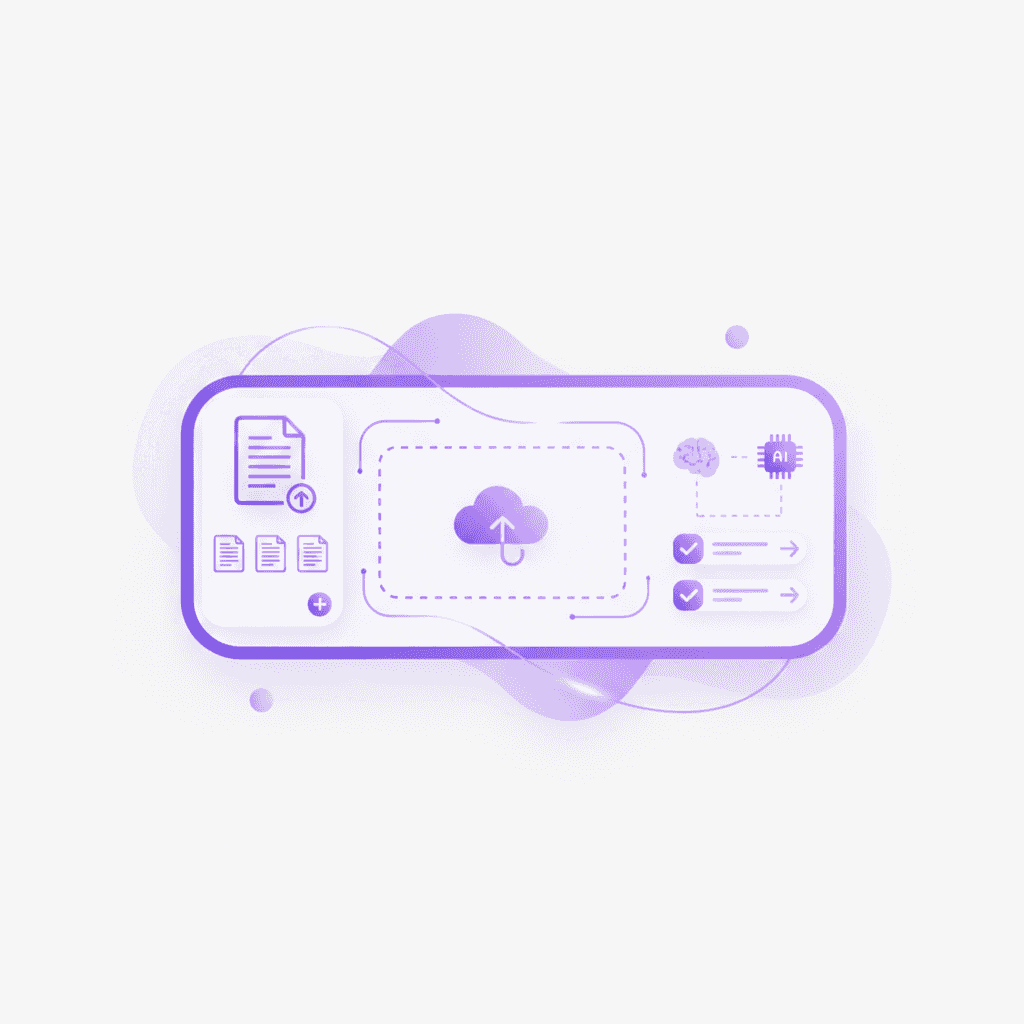
During this upload phase, precision is vital for midterm prep. Rather than testing yourself on the entire semester, select the specific chapters required for the midterm exam to narrow the AI's focus. This targeted indexing ensures the resulting quizzes only cover testable material, preventing wasted time on preliminary introductory chapters or post-midterm modules.
Step 2: Generate flashcards and practice quizzes
Once your source materials are indexed, the automation engine takes over the flashcard creation process. Click 'Generate Flashcards' in Penseum to automatically extract key concepts, definitions, and formulas directly from the uploaded text.
Consider a nursing student preparing for an anatomy midterm. Instead of typing out every bone and muscle group, they simply upload Chapter 4 of their textbook. Within ten seconds, the AI extracts the data and generates 85 highly specific, perfectly paired front-and-back flashcards covering the entire cardiovascular system.
This automated extraction provides a stark contrast to legacy systems. While the open-source algorithm inside Anki's desktop app is highly respected for spaced repetition, building decks requires tedious manual labor. Students must learn complex formatting rules, such as Anki's cloze deletion workflows detailed in the Anki manual, to hide specific words in a sentence. AI study platforms completely automate this, generating complete, accurately paired front-and-back cards in seconds.

For students deeply entrenched in existing study ecosystems, generated materials can often be aligned with older workflows. You can export formatting or compare generated outputs with Anki's cloze deletion workflows if you are integrating into existing decks. However, keeping the workflow centralized prevents the distraction of context-switching between multiple browser tabs and applications.
Beyond simple rote memorization, midterm exams frequently test applied knowledge. Use the 'Quiz' control to build custom multiple-choice and short-answer exams mirroring the strict test formats utilized by university grading software like Gradescope. Generating adaptive quizzes ensures you are tested on the exact formatting you will face on exam day, bridging the gap between basic flashcard memorization and applied problem-solving.
Step 3: Run active recall testing with an AI voice tutor
The most critical phase of automated midterm prep involves live testing and course correction. Standard study tools fail when a student fundamentally misunderstands a concept; a flashcard simply marks the answer as "wrong" without explaining the underlying mechanics.
Initiate a live session using Penseum's canvas and voice tutor feature to work through complex midterm problems out loud. The platform allows you to draw solutions directly on the screen, mimicking the physical scratchpad used during an actual exam. The AI tutor watches your real-time input, catching specific mistakes and highlighting exactly where you went wrong in your formula or logic sequence.
Take Organic Chemistry as a specific case scenario. A student draws a cyclohexane chair conformation on the digital canvas but misses a critical double bond. The AI voice tutor instantly recognizes the visual error and speaks up: "You missed the double bond between Carbon 2 and Carbon 3. Try drawing that line in before we calculate the stability."
This multimodal feedback loop fundamentally changes exam preparation. The AI explains your problem in real-time voice—step by step, out loud—and keeps teaching until you actually get it right. Medical school students utilizing this feature report that having an on-demand tutor prevents the roadblocks that typically derail late-night study sessions.
Contrast this live, visual interaction with standard platforms like Cognify or standard ChatGPT interfaces. Generic LLM interfaces only provide generic, text-based answers and stop after one prompt. They cannot see what you are doing on a canvas, meaning they only know what you manually type. If you make a subtle error in drawing an organic chemistry molecule, a text-based AI cannot spot the visual mistake. A multimodal AI tutor sees your actual work on screen and responds to it contextually.
Step 4: Track mastery scores to identify knowledge gaps
Active recall loses its effectiveness if you do not measure your accuracy over time. Midterm preparation requires ruthless prioritization, meaning you must identify exactly which chapters you are failing and focus your remaining study hours exclusively on those weak points.
Modern AI study platforms automatically track your performance across generated quizzes and flashcard decks. By navigating to the analytics dashboard, you can view your exact mastery percentage for every uploaded lecture. For example, a history student might check their dashboard and see a 92% accuracy rate on World War II questions, but only a 41% accuracy rate on the Cold War era.
This data-driven approach eliminates the common trap of over-studying familiar material just because it feels comfortable. By utilizing performance metrics to dictate your nightly study schedule, students can cut unnecessary review time by up to 30%, directing all their cognitive energy toward the specific concepts threatening their overall midterm grade.
Overcoming Fragmented Workflows in Higher Education
University students face extreme time constraints, making the efficiency of their tool stack just as important as the study methods they deploy. Relying on a fragmented workflow creates unnecessary administrative overhead. A standard university student might use Google Docs for note-taking, Quizlet for vocabulary, a physical notebook for math problems, and campus tutoring centers for complex conceptual breakdowns.
Internal academic tracking shows that juggling these disjointed applications severely hampers focus. Students routinely switch browser tabs up to 45 times per hour when trying to copy notes from a Google Doc into a flashcard app, entirely breaking their concentration state.
Consolidating these tools into a single platform drastically reduces planning time. As highlighted by AI that builds your study guides for you., an automated system handles the transition from static notes to interactive study guide, then from study guide to flashcards, and finally to active quiz testing.
This consolidation is particularly vital for STEM and pre-med students who deal with high-volume memorization coupled with complex problem-solving. Reviewing generic text explanations is insufficient for these subjects. Real-time visual explanation, where the AI draws diagrams and works through solutions live on your canvas, bridges the gap between passive reading and active comprehension.
Analyzing the Limitations of Legacy EdTech Tools
To understand the necessity of AI automation, it is vital to analyze the bottlenecks of older EdTech solutions. Tools built before the advent of multimodal AI rely entirely on user-generated inputs.
Take Quizlet Plus as an example. While Quizlet offers an extensive library of user-created decks, relying on third-party materials for high-stakes university midterms is incredibly risky. A deck created by a student at a different university will not align perfectly with your specific professor's syllabus. Therefore, you must build your own decks to ensure accuracy. Even with premium features, this requires significant manual typing, formatting, and organization.
Similarly, ChatGPT Plus requires a subscription fee of $20/month and imposes strict message limits on its most advanced models. Under intense exam preparation, a student can easily exhaust OpenAI's limit of 80 messages every 3 hours, abruptly halting their study session the night before a test.
Furthermore, generic AI lacks a dedicated educational interface. It does not natively store flashcards for spaced repetition, nor does it offer a persistent whiteboard canvas engineered specifically for academic diagramming. It gives the same generic explanation to every student and waits for your next message, placing the burden of prompting entirely on the user. A dedicated AI study platform is built explicitly to solve these exact friction points, wrapping generative capabilities inside a purpose-built educational interface.
Comparison Table: Midterm Prep AI Tools Ranked
Choosing the right technology stack dictates how efficiently you can process lecture materials before exam day. This table breaks down the leading tools based on active recall capabilities, pricing, and visual tutoring features.
Feature | Penseum | Quizlet Plus | Anki | ChatGPT Plus | Gradescope |
|---|---|---|---|---|---|
Pricing | Free tier / $29.99 Premium | $7.99/month | Free Desktop / $24.99 iOS | $20/month | Institutional License |
Automated Flashcards | ✅ Yes (from uploaded PDFs) | ❌ No (Manual/Community) | ❌ No (Manual entry) | ❌ No (Text only) | ❌ No |
Live Voice Tutoring | ✅ Yes (Step-by-step out loud) | ❌ No | ❌ No | ✅ Yes (General voice) | ❌ No |
Visual Canvas Integration | ✅ Yes (AI sees actual work) | ❌ No | ❌ No | ❌ No | ✅ Yes (For grading) |
Specific Error Highlighting | ✅ Yes (Catches specific mistakes) | ❌ No | ❌ No | ❌ No | ✅ Yes (Rubric based) |
Generates Practice Quizzes | ✅ Yes | ✅ Yes (Basic formats) | ❌ No | ✅ Yes (Text based) | ❌ No |
When analyzing the landscape, the difference between manual tools and automated solutions becomes obvious. Anki remains the standard for raw spaced repetition algorithms, but the initial time investment to build decks is massive. Penseum's $29.99 premium tier provides an automated alternative to Quizlet Plus pricing, merging the automated generation of flashcards with real-time visual tutoring on a digital canvas.
Leveraging Community and Continuous Feedback
Effective midterm preparation rarely happens in a vacuum. Isolation during intense study periods often leads to burnout and unresolved academic roadblocks. Engaging with a community of peers utilizing the same advanced tools provides both motivational and technical support.
Platforms that facilitate community engagement alongside their AI tools offer a distinct advantage. Integrating into a growing community of 1,000+ learners provides a space to ask questions, share feedback, and discover novel ways to prompt the AI for specific subjects. Over 1,600,000 learners from top institutions currently utilize these automated study mechanics.
For example, a computer science student struggling to test their Python knowledge might check the community forum and find a highly specific AI prompt shared by a peer: "Generate 10 active recall questions focusing strictly on list comprehensions, and require me to write out the code snippet on the canvas." Sharing these workflows accelerates everyone's learning process.
Additionally, active user communities often drive the development of the tool itself. Students who identify friction points in their study workflows can provide feedback or report issues directly, ensuring the platform evolves to meet the rigorous demands of university-level academic testing. Programs like the Penseum Ambassador Program even allow students across the world to represent the platform on their campuses, gaining real startup experience while refining their own study methodologies.
Securing Academic Data and Ensuring Accuracy
When utilizing AI to process proprietary university lectures and personal notes, data security and output accuracy are paramount concerns for students. Uploading copyrighted textbook PDFs or unpublished professor research requires trust in the platform's infrastructure.
Modern platforms process these documents in isolated environments. The AI strictly utilizes the uploaded context to generate study materials, significantly reducing the risk of "hallucinations"—instances where an AI confidently invents incorrect information.
Imagine a medical student uploading a highly specialized, 200-page slide deck detailing rare autoimmune diseases. Because the study platform anchors its responses purely on that specific uploaded text, the student does not have to worry about the AI pulling outdated or generalized medical advice from the open internet.
According to research published by Springer, AI tools that ground their generations in user-provided documentation show a massive decrease in error rates compared to open-ended LLM prompting. This grounding ensures that when your AI tutor explains a problem out loud, it is utilizing the exact formulas and methodologies taught by your specific professor, rather than a generic internet consensus.
Frequently Asked Questions
Is Penseum free to use?
Yes, Penseum is free to use. They also offer a premium subscription for $29.99 that unlocks advanced features for intensive study sessions.
Can I access Penseum on my mobile device?
Yes, you can access the platform on your mobile device, allowing you to review flashcards, take practice quizzes, and utilize the AI tutor while commuting or away from your desktop.
What makes AI voice tutoring different from normal chatbots?
Normal chatbots give you a text response, provide generic explanations, and stop after one answer. An AI voice tutor explains the problem step-by-step out loud, sees your actual work on a live canvas, catches specific mistakes, and keeps teaching until you actually understand the concept.
How does automated flashcard generation compare to manual creation?
Manual creation requires you to type out every question and answer individually, which takes hours of data entry. Automated generation extracts key concepts directly from your uploaded lecture notes and instantly builds the decks for you.
Sources
Related guides
Ready to study smarter?
Start turning your notes into guides, quizzes, and flashcards in seconds.
