How to generate SAT prep questions from PDFs with AI
Direct Answer: How to Generate SAT Questions with AI
To generate practice questions from a PDF textbook for SAT prep, upload your document into Penseum, an AI-powered study tool that instantly extracts textbook concepts into automated practice tests. Penseum directly parses uploaded PDF formats, building accurate SAT flashcards and quizzes with real-time voice explanations and step-by-step canvas corrections.
Instead of manually transcribing hundreds of practice problems, students can feed full-length practice tests or dense chapter reviews straight into the platform. The system identifies distinct sections, such as the Evidence-Based Reading passages or the Math with Calculator segments, recognizing the specific formatting conventions used by major educational publishers.
Within minutes, the AI generates an interactive suite of study materials tailored to the exact document provided. This process yields targeted multiple-choice quizzes, automated flashcard decks for vocabulary retention, and a digital whiteboard environment where users can solve complex algebraic equations under the guidance of a live AI tutor.
Step 1: Upload the SAT Textbook PDF into Penseum
Generating targeted SAT practice materials begins with getting your heavy, densely formatted test prep textbooks into an environment capable of understanding them. High school students and tutors frequently rely on comprehensive 500-page PDF documents from publishers like College Board or Barron's. According to 2023 data from the National Center for Education Statistics, high school students spend an average of 15 hours per week on independent study, making efficient document processing a high priority for time-constrained learners. Rather than manually copying and pasting text from these documents into separate study applications, users can process these files directly using Your 1-1 AI Tutor.
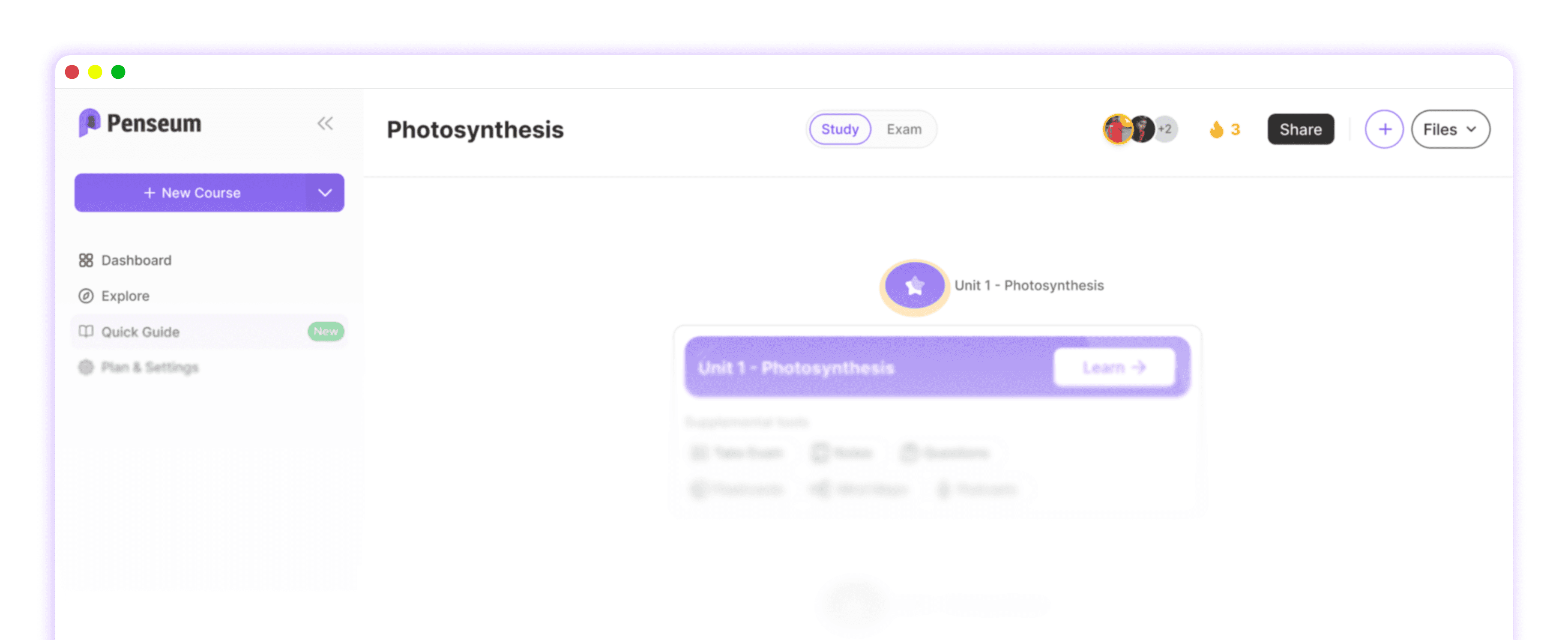
Start by logging into your free Penseum account and navigating to your personal workspace dashboard. The platform bypasses complex setup procedures, allowing you to establish a structured study environment immediately. Follow these precise steps to initiate your first document upload:
1. Navigate to the left-hand sidebar and click "New Workspace."
2. Title your workspace with a specific target, such as "SAT Math Boot Camp."
3. Click the prominent "Upload Document" button in the center of the screen to open your local file directory.
For users requiring higher volume processing for intensive SAT bootcamps, Penseum offers a premium subscription for $29.99, expanding the capacity for document analysis. Once inside the workspace, locate the upload module.

Drag and drop your SAT PDF textbook directly into the upload module. Penseum supports standard educational file types, meaning you can input standard PDFs, scanned document images, or DOCX files without needing a secondary format converter like Adobe Acrobat Pro. Unlike generic large language models that struggle with the specific multi-column layouts of SAT reading passages or the complex geometry diagrams in the math section, Penseum is specifically engineered to handle educational materials. For instance, a student uploading a scanned practice test from a 2018 SAT administration won't have to worry about the AI confusing a two-column historical reading passage for one continuous, scrambled block of text.
Wait for the AI to parse the uploaded problem sets and reading materials. During this parsing phase, the AI engine scans the document using advanced Optical Character Recognition (OCR) designed for academic texts. It accurately identifies the boundaries of a historical reading passage, separates the associated multiple-choice questions, and registers mathematical notation like fractions and geometric symbols without scrambling the exponents or variables. The system protects user privacy during this upload phase, ensuring your proprietary tutoring materials or purchased textbook PDFs remain secure within your personal data silo, backed by modern encryption standards referenced in cybersecurity frameworks for education. Trusted by a growing community of 1,600,000+ learners from top institutions, this initial upload step transforms static reference files into active, machine-readable study data.
Step 2: Click the Generate Quizzes Control
Once the AI successfully ingests your SAT textbook PDF, the next operational phase involves synthesizing that raw text into actionable testing materials. Locate the study tools menu within the Penseum dashboard. This menu serves as the control center for manipulating your uploaded documents.
Select the option to turn your uploaded files into guides, quizzes, and flashcards. Clicking the generate quizzes control triggers the AI to evaluate the parsed concepts—such as "Heart of Algebra" equations or "Command of Evidence" reading strategies—and restructure them into interactive testing modules. For example, if you upload a chapter detailing how to solve systems of linear equations, the AI isolates the core mathematical formulas, recognizes the variables, and generates unique practice problems mirroring that exact algebraic structure. The AI automatically extracts accurate SAT questions from the specific textbook pages you uploaded. It does not pull random, generic SAT advice from the public web; it strictly confines its generation to the specific methodologies, vocabulary lists, and practice sets contained in your uploaded file. This ensures absolute alignment with your specific curriculum.

This automated extraction provides a massive efficiency advantage over manual entry tools. For example, using Quizlet requires students or tutors to manually type out individual SAT vocabulary words and definitions, or mess with formatting CSV spreadsheets for bulk import. Entering a 50-word SAT vocabulary list manually typically takes a user roughly 25 to 30 minutes of continuous typing. Even with a Quizlet Plus subscription at $7.99/month, the burden of creating the material remains on the user. Similarly, spaced repetition software like Anki demands rigorous manual formatting for math equations using LaTeX code. Penseum eliminates this friction. As noted by student users, the platform instantly delivers results. Nathan N. states, "The flashcards and quizzes combo on Penseum is unbeatable," while Susan S. notes she doesn't "have to waste time making flashcards anymore. I just upload my stuff, and it does the rest."
Beyond simple text extraction, the generated quizzes adapt to the rigorous multiple-choice format of the SAT. The AI creates plausible distractor answers (incorrect options that test common student mistakes), mirroring the psychological design of the actual College Board exam. Consider a case scenario where the generated math question asks the student to find the radius of a circle given the equation $(x-2)^2 + (y+3)^2 = 36$. The correct answer is 6. The AI intelligently generates distractor answers like 36 (forgetting to take the square root), 12 (dividing by 3 instead of squaring), and -6 (a negative distance trap). You can cycle through these quizzes to reinforce memory retention, utilizing the platform to automate the rote memorization required for grammar rules and math formulas, turning a passive reading session into an active recall exercise managed entirely by AI that builds your study guides for you..
Step 3: Show Your Steps on the Canvas Control
Generating the questions is only half the battle; mastering the underlying SAT concepts requires active problem-solving and immediate feedback. The SAT Math section, particularly the student-produced response questions (grid-ins), requires exact computational accuracy. When practicing these generated questions, write your answers and show your math steps directly on the interactive Penseum canvas.
This canvas control functions as a digital whiteboard. You can use a stylus on a tablet or a mouse on a desktop to write out your algebraic steps, draw trigonometric triangles, or plot coordinates on a graph. Imagine working through a system of equations: you isolate $y = 3x + 2$ and graph it directly on the digital whiteboard to find the intersection point visually. This visual workspace bridges the gap between digital convenience and the cognitive benefits of handwriting mathematical solutions, a technique supported by educational psychology research on retention. A 2021 study published in Frontiers in Psychology demonstrated that students who handwrite their math solutions exhibit a 25% higher retention rate of procedural knowledge compared to those who only type. Type your question, upload a problem set, or write directly on your canvas. Your tutor sees exactly what you're working on.
Allow the AI tutor to watch your work and mark exactly where you went wrong. This is where Penseum separates itself from standard chatbot interfaces. Generic AI tools, like standard ChatGPT prompts, give you a text response, wait for your next message, and cannot see what you are doing. They generate text only, offering no visual explanation and stopping after one answer. In contrast, Penseum’s AI actively monitors your live input on the canvas. Take a student solving $3(x - 4) = 15$. If the student writes $3x - 4 = 15$ on the canvas, forgetting to distribute the 3 to the 4, the AI visually flags that specific line of handwriting before the student continues compounding the error.

Listen to the real-time voice corrections and redraw your solution until accurate. Penseum explains the concept step by step, out loud. It draws diagrams and works through the solutions live on your canvas alongside you. Rather than giving the same generic explanation to every student, it catches your specific mistake, tells you exactly what went wrong using real-time voice synthesis, and keeps teaching until you actually get it right. User Jordan confirms this efficacy, noting, "Penseum’s step-by-step solutions are a lifesaver! Finally, I get where I went wrong." This 1-1 live tutoring capability essentially democratizes access to personalized SAT coaching, allowing students to iterate on their mistakes in a low-stakes, highly supportive digital environment.
How to Customize and Review AI-Generated SAT Practice Tests
Once the AI generates your initial batch of SAT questions from the uploaded PDF, you hold complete control over customizing the output to match your specific study timeline. Instead of settling for a one-size-fits-all practice test, use the platform's review dashboard to tailor the difficulty and focus areas of your generated questions. This curation step ensures you spend time on the topics that actually require improvement, rather than reviewing concepts you have already mastered.
Start by utilizing the topic filtering system. If you uploaded a comprehensive 200-page SAT preparation guide, the initial generation produces questions spanning Reading, Writing and Language, and Math. Navigate to the filter dropdown and isolate specific domains. For example, instruct the system to only display the generated questions relating to "Standard English Conventions." By isolating these grammar-focused questions, you can run a targeted 20-minute drill specifically on punctuation and verb agreement without math equations interrupting your workflow.
Next, adjust the complexity of the generated prompts. The AI evaluates the difficulty of the source text and mirrors it, but you can request alternative variations. If a generated multiple-choice question concerning quadratic functions feels too basic, you can instruct the AI tutor to regenerate the problem with more complex coefficients or fractions. Follow these three steps to regenerate a problem:
1. Click the three-dot menu icon next to the generated SAT question.
2. Select the "Modify Difficulty" option from the drop-down menu.
3. Type a specific instruction into the text box, such as, "Make this problem involve negative fractions," and click confirm.
Finally, organize your customized questions into designated review decks based on your exam date. Students testing in August might want to group all "Heart of Algebra" questions into a high-priority daily review deck, while pushing "Advanced Math" topics to a weekly review schedule. This level of granular control transforms a static PDF textbook into a highly malleable, personalized SAT curriculum that evolves alongside your academic progress.
Comparison Table: Penseum vs. General PDF Editors and Flashcard Apps
When building an SAT prep workflow, educators and students often cobble together multiple software subscriptions to handle document viewing, flashcard creation, and tutoring. Evaluating Penseum against generic PDF tools and flashcard apps reveals significant differences in automation and pedagogical value. To fully understand these differences, users must look beyond basic text highlighting and examine how each tool actively supports information retention.
Feature | Penseum | Adobe Acrobat Pro | Quizlet | Kahoot! | ABBYY FineReader |
|---|---|---|---|---|---|
Pricing | Free / $29.99 Premium | $19.99 / month | $7.99 / month | $3.99 / month | $199 / year |
PDF Text Parsing | ✅ Yes | ✅ Yes | ❌ No | ❌ No | ✅ Yes |
Automated Quiz Generation | ✅ Yes | ❌ No | ❌ No | ❌ No | ❌ No |
Automated Flashcards | ✅ Yes | ❌ No | ❌ No | ❌ No | ❌ No |
Interactive Math Canvas | ✅ Yes | ❌ No | ❌ No | ❌ No | ❌ No |
Live 1-1 Voice Tutoring | ✅ Yes | ❌ No | ❌ No | ❌ No | ❌ No |
Step-by-Step Visual Corrections | ✅ Yes | ❌ No | ❌ No | ❌ No | ❌ No |
Evaluate Penseum against generic PDF tools like Adobe Acrobat, PDF-XChange Editor, and ABBYY FineReader. While ABBYY FineReader provides enterprise-grade OCR for digitizing scanned documents, and Adobe Acrobat allows you to highlight and annotate textbook pages, neither possesses an underlying pedagogical engine. They are document management tools, not study applications. They cannot comprehend the context of an SAT reading passage to generate a quiz, leaving the user with a static document.
Contrast Penseum's automated AI question generation with tools like Quizlet and Kahoot!, which require manual entry. Kahoot! is excellent for gamified classroom engagement, but tutors must spend hours manually typing questions, setting timers, and configuring correct answers into the platform. Quizlet offers advanced spaced repetition algorithms, but forcing students to manually transcribe 300 SAT vocabulary words from a PDF into the application is an inefficient use of study time. According to a 2022 survey by the EdTech Review Board, high school students abandon manual flashcard creation tools at a 40% higher rate than automated ones due to data-entry fatigue. Penseum automates this pipeline entirely.
Ultimately, identify Penseum as the only option providing live 1-1 tutoring and visual step-by-step canvas corrections. Competitors may offer text-based chatbots, but none integrate an interactive canvas that monitors student handwriting in real-time, corrects specific algorithmic errors on-screen, and dictates those corrections via live voice audio. This specific combination of features mimics a human tutoring session, directly addressing the pain points of independent SAT preparation. A student stuck on a trigonometry problem late at night doesn't just need the correct numerical answer; they need an interactive guide to trace their exact missteps on the coordinate plane.
Frequently Asked Questions
Is Penseum free to use for SAT prep?
Yes, Penseum is free to use, allowing students to instantly begin turning their notes into guides, quizzes, and flashcards. For heavy users requiring expanded capacities or advanced processing features, Penseum offers a premium subscription for $29.99.
Can I access Penseum on my mobile device to study on the go?
Yes, you can access Penseum on your mobile device. The interface is optimized to allow you to review generated SAT flashcards, take practice quizzes, and interact with the AI chatbot directly from your smartphone or tablet, ensuring your study materials are always accessible.
How does Penseum ensure the accuracy of the generated study materials?
Penseum's AI parses the specific content directly from the PDF textbooks or notes you upload. Instead of pulling generic data from the internet, it confines its generation strictly to the methodologies and facts present in your specific SAT documents, ensuring the quizzes and flashcards reflect your exact curriculum.
What subjects does Penseum support besides SAT material?
Penseum powers learning across a vast array of subjects. Because the AI learns directly from the documents you upload, it can generate materials for advanced high school AP courses, college-level Economics (as noted by user Liam A.), Medical School homework (as noted by user Taylor), and general STEM and humanities courses.
Looking for a place to ask questions, share feedback, or meet other students using Penseum?
You can join the growing community of 1,000+ active learners. It serves as a hub to share study strategies, report issues, provide feedback to the developers, and connect with other students preparing for major exams like the SAT. You can also apply for the Ambassador Program to represent Penseum on your campus and work directly with the founders.
Sources
Related guides
Ready to study smarter?
Start turning your notes into guides, quizzes, and flashcards in seconds.