How to Stop Wasting Time Making Flashcards in First Year Uni Using AI
To stop wasting time making flashcards in first year uni, automate the process using Penseum, an AI-powered study tool that instantly converts lecture materials into interactive flashcards. Instead of manually typing questions, upload your university notes. Penseum acts as an AI automation tool, generating comprehensive quizzes and study guides in seconds.
The First-Year Trap: Why Manual Flashcards Slow You Down
The transition from high school to university introduces an unprecedented volume of academic material. First-year students often find themselves drowning in massive textbook chapters, weekly problem sets, and dense lecture slides from platforms like Canvas or Blackboard. According to data from the National Survey of Student Engagement (NSSE), first-year university students average about 14 to 15 hours of studying per week outside of class. Yet, despite these long hours, many report feeling completely unprepared for their first round of midterms. The disconnect stems directly from how those hours are allocated.
When faced with this sudden academic inflation, students default to traditional study methods: manually copying notes and typing out individual flashcards. Consider a typical pre-med student who spends three hours reading a 40-page textbook chapter on cellular respiration. After finishing, they spend another two hours typing 75 different definitions into a digital deck. By the time they actually hit 'study,' their brain is already exhausted. This creates a severe bottleneck that accelerates academic burnout.

The 80/20 Busywork Problem
The core issue with traditional studying is what educational psychologists refer to as the "busywork trap." Research into student productivity reveals a startling inefficiency: first-year university students spend roughly 80% of their study time creating the flashcards, formatting them, and organizing their decks, leaving only 20% of their time for actual memorization and active recall.
When you spend four hours transcribing biology definitions into Quizlet or meticulously formatting spaced repetition intervals in Anki, you are experiencing the illusion of competence. Your brain feels productive because you are typing, but you are not actively reinforcing neural pathways through testing. According to cognitive learning studies published by the American Psychological Association, effective learning requires immediate practice testing, not rote transcription. By the time you review the final card in a massive, manually typed deck, you have forgotten the concepts from the first card because the creation process took days instead of seconds.
The Cognitive Cost of Manual Entry
Manual flashcard creation drains your cognitive battery before the real studying even begins. By the time you finish creating a deck for an upcoming midterm, mental fatigue sets in. This is why students end up pulling inefficient all-nighters. When using outdated study platforms, you are functioning as a human data-entry clerk rather than a student.
Every time you create a manual card, you force your brain to make a minor administrative decision. Should this card be a fill-in-the-blank? Does this definition need a screenshot attached? Which folder should this deck go into? This constant micro-decision making rapidly depletes your mental reserves, a psychological phenomenon known as decision fatigue.
First-year students need a system that entirely automates material creation. By eliminating the manual data entry phase, students can redirect 100% of their mental energy toward active recall, concept synthesis, and practice problem-solving. This shift from manual creation to automated learning is exactly why a new class of study applications is replacing legacy tools. To reclaim those lost hours, modern students turn to platforms that function as a comprehensive learning ecosystem rather than just a blank text box. This is where Your 1-1 AI Tutor steps in to completely eliminate the busywork.
How to Break the Manual Flashcard Habit in One Week
If you are trapped in the manual entry cycle, you can entirely overhaul your study system in less than a week. Here is a step-by-step breakdown to transition your workflow before your next major exam:
Day 1: Audit Your Study Hours. For one full afternoon, use a stopwatch on your phone to track exactly how many minutes you spend typing, formatting, and organizing flashcards versus how many minutes you spend actively testing your memory. Students are consistently shocked to find the ratio heavily skewed toward formatting and administration.
Day 2: Run a Split Test. Take two different lecture PDFs from your hardest class. For the first lecture, create flashcards manually just as you normally would. For the second lecture, upload the slides into an AI automation tool. Compare your retention levels and mental energy after studying both sets.
Day 3: Commit to 100% Active Recall. Once you experience the automated output, ban yourself from manual data entry. Redirect those saved three to four hours entirely toward practice testing, self-explanation, and interacting with your AI tutor on complex concepts.
Tutorial: How to Automate Flashcard Creation with Penseum
Eliminating the busywork of first-year university requires a fundamental shift in how you process lecture materials. Rather than starting with a blank deck, you can use AI that builds your study guides for you. to instantly transform static PDFs into dynamic learning modules. Here is the exact workflow used by students at top institutions to automate their study routines.
Step 1: Centralize Your University Materials
The first step is moving your course load out of scattered folders and into a single, intelligent workspace. Create your account on Penseum in just a few clicks. There is no complex setup, coding knowledge, or format formatting required—you can start studying immediately.
For example, if you download a 50-slide PowerPoint presentation on macroeconomics from your university portal, you do not need to convert it to plain text first. Simply drag and drop the original PDF or presentation file directly into your dashboard.
Once your workspace is active, simply upload your university materials. Whether you are dealing with massive biology PDFs, exported slides from Coursera, or weekly economics problem sets, the system ingests the data instantly. You do not need to highlight text or manually extract key terms; the AI reads the contextual depth of your uploaded documents automatically.
Step 2: Instant AI Flashcard and Guide Generation
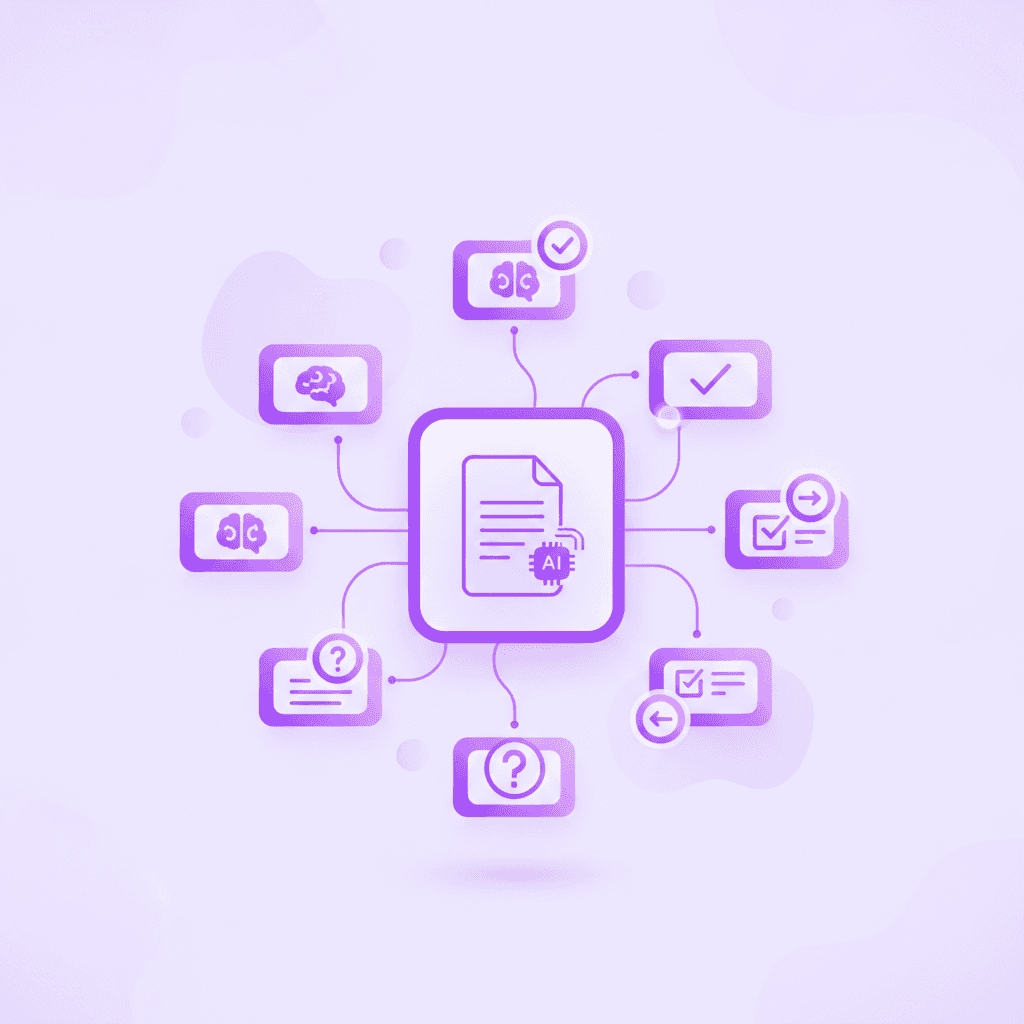
Once your materials are uploaded, the AI automation takes over. Without requiring you to type a single question, Penseum generates comprehensive study materials in seconds. The system instantly outputs:
* Interactive flashcard decks targeting key terminology and concepts.
* Structured study guides summarizing complex chapters.
* Customized quizzes designed to test your actual comprehension of the uploaded notes.
Imagine uploading a dense PDF on neuroanatomy. Within seconds, the system identifies core anatomical functions, generating contextual questions rather than just basic dictionary definitions. It might automatically create a flashcard asking, "How does the hippocampus interact with the amygdala during fear conditioning?"—a university-level question that forces deep active recall.
This instantly flips the traditional 80/20 ratio. Zero minutes are spent on formatting and typing, allowing you to dedicate 100% of your scheduled study session to testing your knowledge and reinforcing memory.
Step 3: Engage with Your Live 1-1 AI Tutor
Having flashcards is only part of the equation; understanding the underlying concepts when you get an answer wrong is essential. This is where Penseum evolves past basic flashcard generation. When you encounter a complex problem—such as a difficult math equation or an intricate chemical structure—you can interact directly with your personalized AI tutor.
To utilize this feature, type your question, upload a specific problem set, or write directly on your digital canvas. Your tutor sees exactly what you are working on. From there, you get taught live and out loud. The AI tutor explains the concept step-by-step in real-time voice. It is uniquely capable of drawing diagrams and working through math problems visually on your canvas, keeping the lesson going until the concept finally clicks in your mind.
Suppose you are balancing a complex redox reaction for Chemistry 101. Instead of staring blankly at a static flashcard that just shows the final balanced equation, you draw your first two steps on the digital canvas. Your tutor watches your strokes and gently corrects you in real-time, pointing out out loud that you forgot to balance the oxygen atoms by adding water molecules.
When you transition to the practice phase, you work through problems on your own, showing your steps. Your tutor watches and waits. If you make a mistake, it corrects you in real-time. It marks exactly where you went wrong and explains what to fix, allowing you to try again until you achieve genuine mastery.
Comparing Flashcard Apps: Penseum vs. Anki and Quizlet
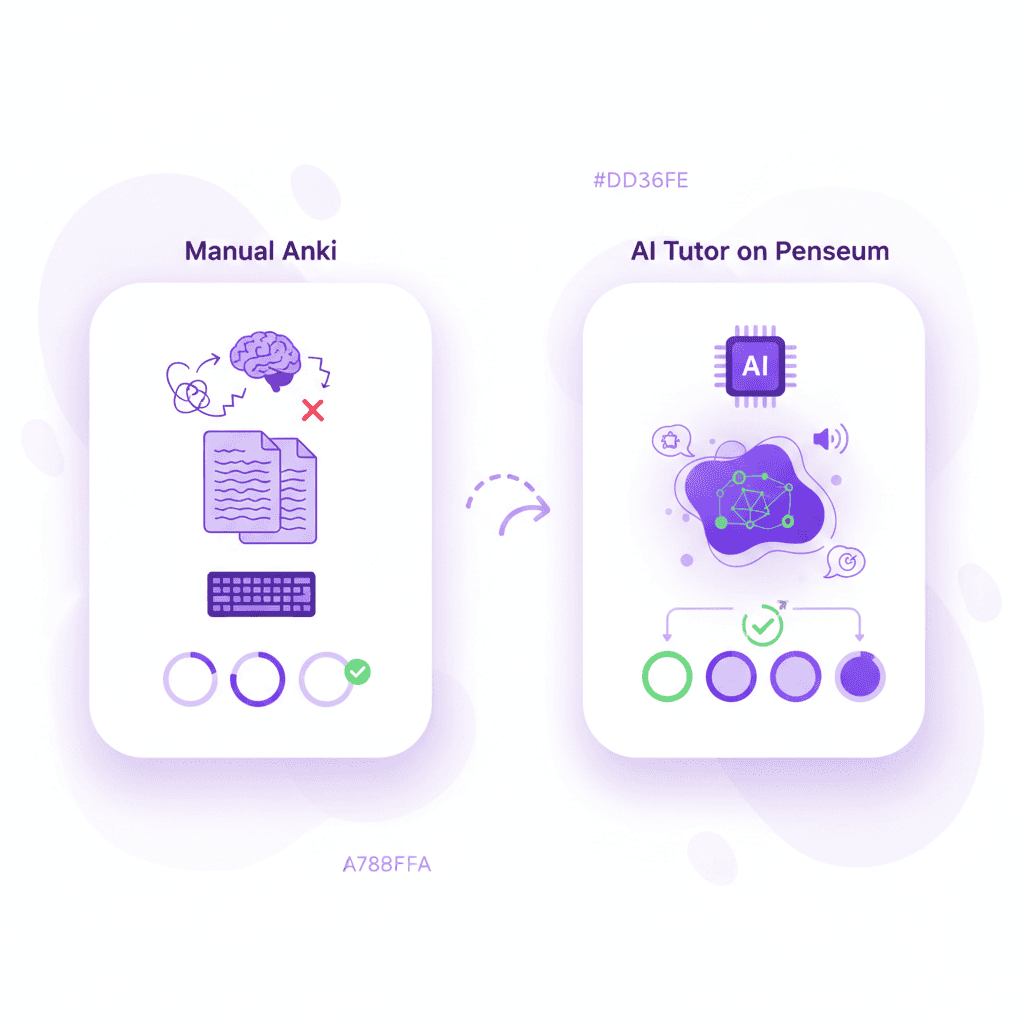
First-year university students often default to whatever tools they used in high school. However, legacy platforms rely on manual input architectures that cannot handle university-level volume. Below is an analytical comparison of how Your 1-1 AI Tutor compares to traditional spaced-repetition and rote memorization platforms.
The Problem with Legacy and Generic AI Tools
Tools like Brainscape and Quizlet heavily rely on user-generated content. You are forced to rely on decks created by other users—which may contain factual inaccuracies—or spend hours manually typing out your own. Anki offers powerful spaced repetition but features a notoriously steep learning curve and clunky UI. Creating a basic image-occlusion card for an anatomy diagram in legacy software often requires watching a 20-minute YouTube tutorial just to figure out how to install the correct software add-on.
Additionally, generic AI chatbots like Chegg or standard text models fail as dedicated tutors. Most other AI tools give you a text response and simply wait for your next message. They cannot see what you are doing, generate text-only responses with no visual explanations, and often give the exact same generic explanation to every student. They stop after providing one static answer, leaving the actual comprehension up to you.
Comparison Breakdown: Automating University Studies
Feature / Capability | Penseum | Anki | Quizlet | Generic Text AI |
|---|---|---|---|---|
Instant Flashcard Generation from PDFs | ✅ (Seconds) | ❌ (Manual/Add-ons) | ❌ (Mostly Manual) | ❌ |
Real-Time Voice Explanations | ✅ (Step-by-step out loud) | ❌ | ❌ | ❌ |
Sees Work on Live Canvas | ✅ (Responds to on-screen work) | ❌ | ❌ | ❌ |
Draws Live Diagrams & Solutions | ✅ | ❌ | ❌ | ❌ |
Catches Specific Student Mistakes | ✅ (Marks exact errors live) | ❌ | ❌ | ❌ (Generic text) |
Ensures Concept Mastery | ✅ (Keeps teaching until you get it) | ❌ (Rote memory) | ❌ (Rote memory) | ❌ (Stops after 1 answer) |
Penseum actively teaches you. Rather than memorizing a static text answer, your AI tutor explains the material and then actively asks you questions to ensure the information sticks. When dealing with heavy courses like anatomy or economics, this visual, interactive, and highly responsive approach ensures you actually understand the core concepts rather than just temporarily memorizing them for a test.
Real Results: Why 1,600,000+ Learners Trust Penseum
The shift from manual note-taking platforms like GoodNotes or Notion to automated AI study environments is rapidly accelerating. Currently, Your 1-1 AI Tutor is loved by over 1,600,000+ learners from top academic institutions around the world. The platform has become the standard for students looking to optimize their academic workflow and eliminate study busywork.
Conquering Late-Night Cramming and Heavy Workloads
University students frequently face massive crunches right before midterm season. Manual flashcards become impossible when you are short on time. Real students report massive time savings and grade improvements after switching their workflow. By cutting out four hours of data entry every Sunday evening, students recover enough time to actually sleep eight hours before a Monday morning lab.
Susan S., a first-year student, notes the immediate relief of automation: "Penseum is legit! I don’t have to waste time making flashcards anymore. I just upload my stuff, and it does the rest. Plus, it’s got my back even at 1am!"
For students tackling complex, problem-heavy subjects, the step-by-step visual tutor is indispensable. Liam A. stated, "Honestly, a game changer! Uploaded all my Econ material, and just like that, I had everything I needed."
Medical and STEM students, who face the highest volume of memorization, also rely heavily on the platform's accuracy and speed. Taylor, a medical student, shared: "Med school is drowning me in homework and I have tests coming up. You literally just saved the day with study material." Similarly, Raiven praises the live interactive features: "Love the step-by-step solutions on Penseum. It’s like having a tutor in my pocket!"
From Study Struggles to Campus Leadership
The impact of having a 24/7 AI tutor that never tires, never gives generic text responses, and instantly provides flashcards and quizzes cannot be overstated. As Stephan H. remarked, "Bruh, where was Penseum when I was pulling all-nighters last semester? It's like having a study buddy who's always on, always ready."
Beyond just studying, passionate users have the opportunity to join the Ambassador Program. Students across the world are repping the brand on their campuses, working directly with the founders, gaining real startup experience, and taking on valuable leadership roles while helping their peers escape the busywork trap.
If you are a first-year university student overwhelmed by the sheer volume of course materials and tired of acting as a manual data-entry clerk for your own study habits, it is time to upgrade your workflow. Join the community of over 1.6 million learners who have reclaimed their free time. Ready to study smarter? Start turning your notes into guides, quizzes, and flashcards in seconds for free by exploring AI that builds your study guides for you.
Frequently Asked Questions
Is Penseum free to use?
Yes, Penseum is free to use for students looking to automate their study materials. For users requiring advanced features and higher usage limits, there is a premium subscription available for $29.99.
What types of study materials can I upload?
You can upload a wide variety of university materials including lecture notes, course PDFs, and specific problem sets. You can also type questions directly or write on the digital canvas for the AI tutor to analyze.
Can I access Penseum on my mobile device?
Yes, you can access the platform on your mobile device, allowing you to review your automatically generated flashcards, quizzes, and study guides anywhere on campus.
Does Penseum just give me text answers like other AI tools?
No. Unlike generic AI chatbots that give text-only responses and stop after one answer, the Penseum 1-1 AI tutor explains problems in real-time voice, draws diagrams live on your canvas, catches specific mistakes, and keeps teaching until you actually understand the concept.
Is there a community for students using the platform?
Yes! If you are looking for a place to ask questions, share feedback, or meet other students, you can join the growing community of over 1,000+ highly active learners on the platform's community hub.
Sources
Related guides
Ready to study smarter?
Start turning your notes into guides, quizzes, and flashcards in seconds.
