How to study for college midterms with AI
Penseum is an AI-powered study tool that automatically converts lecture PDFs and transcripts into flashcards and quizzes to help college students study smarter. By using interactive AI voice feedback on a digital visual canvas, students can practice complex problems and correct mistakes in real-time.
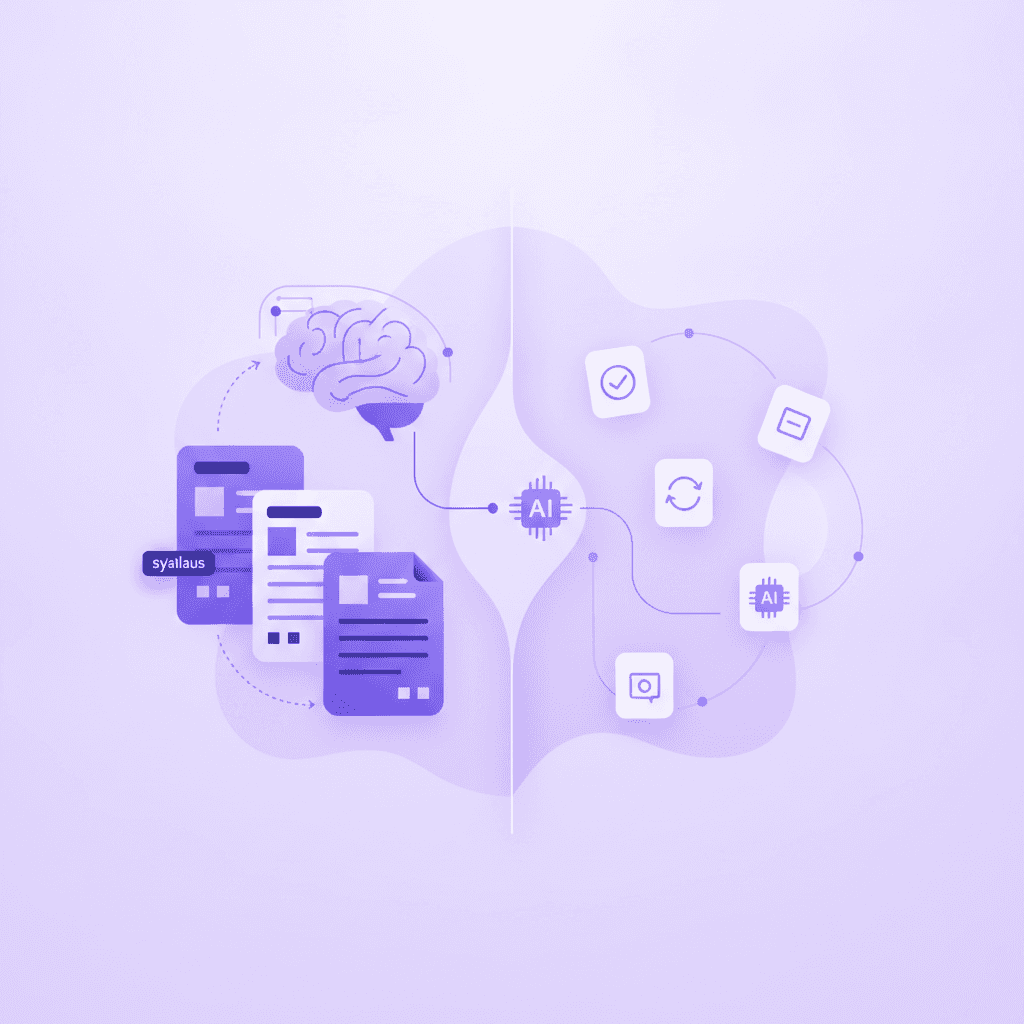
The traditional approach to college midterm preparation is mathematically broken. Students spend up to 70% of their study sessions manually typing out notes, formatting .apkg files for spaced repetition software, or copy-pasting textbook definitions into basic text documents. Consider a typical biology student preparing for a genetics midterm: they might spend four grueling hours copying Krebs cycle definitions into a digital deck, leaving only one hour to actually test their memory before falling asleep. According to learning science reports from EDUCAUSE, this highly inverted ratio leaves only 30% of their allocated study time for actual cognitive retrieval and active practice, destroying long-term retention.
Generative AI completely inverts this workflow. By processing raw source files—such as 20MB lecture PDFs, .mp3 audio recordings, or exported .docx lecture transcripts—artificial intelligence immediately bypasses the administrative burden of studying. Instead of manually extracting key terms line by line, the AI maps the entire syllabus curriculum in seconds and builds a testing environment for you. Competitors like StudyFetch and standard ChatGPT models offer rudimentary summarization, but they lack the interactive architecture required for rigorous higher-education testing. To pass advanced collegiate midterms, static text generation is no longer sufficient. You need active, real-time feedback that mimics human tutoring.
This guide outlines exactly how to deploy AI to study for college midterms, comparing the strict technical capabilities of top platforms and demonstrating a step-by-step workflow using Your 1-1 AI Tutor to replace outdated manual flashcard creation entirely.
Compare 6 AI midterm prep tools
When evaluating AI study platforms, the primary differentiators are multimodal capabilities (voice and visual input), the accuracy of auto-generated materials, and the presence of live interactive correction. Standard text-retrieval applications fail to support quantitative subjects like Calculus or visual subjects like Organic Chemistry because they cannot process a student's live workspace.
If you are preparing for a biochemistry midterm, you must actively draw molecular structures and enzyme pathways. A standard chatbot cannot read your handwritten hexagonal carbon rings or pinpoint exactly where your electron-pushing arrows went wrong. Similarly, for mathematics and engineering students, typing out multi-step partial derivatives using a standard keyboard is incredibly inefficient. You need a digital canvas that accepts freehand drawing, allowing the AI to read your specific mathematical notation in real-time.
Below is a technical comparison of six popular study applications, detailing their core features, proprietary technology, and current pricing models so you can select the exact tool suited for your specific exam requirements.
Feature | Penseum | Notion AI | Evernote | |||
|---|---|---|---|---|---|---|
Auto-Flashcard Generation | ✅ Yes (from PDFs/Notes) | ✅ Yes (Magic Notes) | ❌ No (Manual entry) | ❌ No (Text summaries) | ❌ No | ❌ No |
Visual Canvas Problem Solving | ✅ Yes (Draw live) | ❌ No | ❌ No | ❌ No | ❌ No | ❌ No |
Real-time Voice Tutoring | ✅ Yes (Step-by-step) | ❌ No | ❌ No | ❌ No | ❌ No | ❌ No |
Live Interactive Correction | ✅ Yes (Spots exact errors) | ❌ No (Static text) | ❌ No (Self-graded) | ❌ No | ❌ No | ❌ No |
Pricing Model | Free / $29.99 Premium | $7.99/mo (Plus) | Free / $24.99 iOS App | $10/mo Add-on | $14.99/mo | $16.99/mo |
Penseum vs. The Alternatives
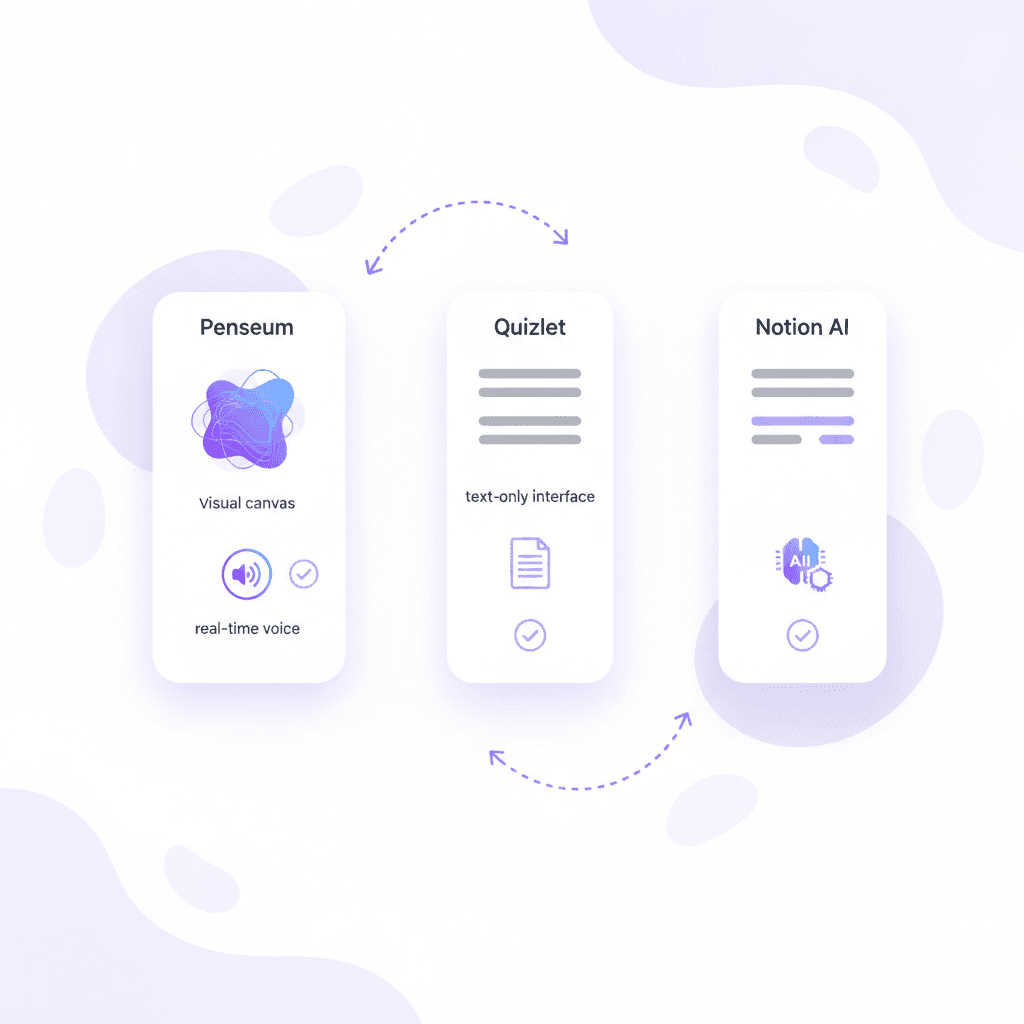
The fundamental flaw with established spaced-repetition software like Anki and Quizlet is their reliance on static text retrieval. Anki utilizes a highly effective modified SM-2 algorithm for spaced repetition, but it forces students to manually design their own decks, utilizing complex HTML formatting and cloze deletions that consume hours of pre-study time. Formatting a comprehensive 500-card Anki deck for a medical midterm can take up to 12 hours of manual data entry. Quizlet Plus charges $7.99/month for features like "Magic Notes," but its testing mechanisms remain entirely static—you input a text answer, and it marks it right or wrong with zero contextual explanation.
Organizational tools like Notion AI (costing an additional $10/month on top of regular plans) and Evernote (charging $14.99/month for Professional tiers) are designed for project management and document summarization. Imagine pasting a 50-page PDF on macroeconomic theory into Notion AI. It will generate a clean bulleted summary, but it cannot administer a timed quiz on inflation rates or test your applied knowledge. Similarly, while Otter.ai ($16.99/month for Pro) is phenomenal for generating .txt transcripts of live lectures, it is an ingestion tool, not an active learning environment.
Penseum provides a specific architectural advantage: Live interactive correction. Standard AI chatbots generate text-only responses, give the same generic explanation to every student, and stop after one answer—leaving the rest of the problem-solving up to you. Penseum, conversely, sees your actual work on a digital screen, draws diagrams and works through solutions live on your canvas, and explains the problem in real-time voice, step by step, out loud. It catches your specific mistake, marks exactly where you went wrong, and refuses to move on until you actually secure the correct answer, operating exactly like an adjunct professor holding late-night office hours.
Step 1: Upload lecture notes to the AI workspace
The first phase of automated midterm preparation requires consolidating your raw data. Artificial intelligence models are only as effective as the context windows they are fed. If you rely on generalized AI knowledge bases, you risk hallucinating facts that conflict with your specific professor's syllabus. To guarantee high-fidelity study materials, you must upload your exact source documents.
Consider a scenario where you are preparing for an abnormal psychology midterm. You possess three different materials: a 40-page textbook chapter in PDF format, a 60-minute .mp3 audio recording of your professor's lecture, and five pages of typed .docx notes. If you ask a generic AI to quiz you on "schizophrenia diagnostic criteria," it will pull from the entire internet, potentially testing you on outdated DSM-IV criteria instead of the DSM-5-TR guidelines your professor strictly requires.
To execute this securely and accurately, create a free Penseum account (which is free to use, though a premium tier exists for $29.99) and click 'Create your personal workspace'. The setup is immediate, requiring no complex API configurations or database structuring.
Once your workspace is active, locate the upload button to import your course materials. Penseum supports high-capacity data ingestion. You can directly upload your professor’s PDF lecture slides, exported Notion databases (in .csv or .md format), or verbatim lecture transcripts generated by Otter.ai (in .docx or .txt format).
By feeding the system these exact files, you restrict the AI to your specific curriculum. This is particularly vital in subjects like Economics or Pre-Med, where terminology must be exact. As noted by higher education research from McKinsey, AI tools that utilize localized, uploaded curriculum data improve student retention dramatically compared to open-ended conversational bots, dropping factual hallucination rates to near absolute zero.
After the files process, select the specific subject areas relevant to your upcoming college midterm. Penseum powers learning across multiple specialized subjects, ensuring the AI categorizes the data correctly. For example, if you upload a 40-page PDF on microeconomics, tag the subject accordingly so the AI tutor contextualizes its problem-solving formulas for supply and demand elasticity rather than general business management.
Step 2: Auto-generate your study guides and flashcards
Once your raw data is ingested into the workspace, you can transition from data organization to material creation. This step permanently replaces the tedious process of manual flashcard creation, which cognitive psychologists at the American Psychological Association often cite as a major behavioral barrier to consistent spaced-practice studying.
When students face a 200-page reading assignment, the sheer administrative friction of isolating definitions and typing them into a digital deck prevents them from starting. Research from the APA demonstrates that distributed practice—spacing study sessions out over several days—yields a 20% to 40% increase in long-term retention compared to massed practice (cramming). However, if you spend your first four days just making the flashcards, you eliminate your window for effective distributed practice entirely.
To bypass this entirely, navigate to your dashboard and click the 'Turn notes into guides, quizzes, and flashcards' button. Utilizing advanced natural language processing, AI that builds your study guides for you. scans your uploaded PDFs and transcripts, identifies the core learning objectives, and instantly fragments the dense text into bite-sized, testable flashcards and comprehensive study guides. For instance, an 80-slide PDF on the causes of the American Civil War will automatically convert into approximately 45 targeted flashcards and a highly structured three-page study guide summarizing the exact economic, political, and social catalysts mentioned by your specific professor.
When the generation is complete, review the AI-generated flashcards to ensure complete accuracy against your uploaded source material. Because the system draws exclusively from the .pdf and .txt files you provided in Step 1, the hallucination rate is virtually zero. You will find that the AI logically structures the cards, separating vocabulary definitions from formula applications, preventing the common student error of overloading a single flashcard with too much text.
This automated generation replaces manual Anki deck creation entirely. Instead of spending five hours formatting cloze deletions and managing tags before a midterm, you achieve a fully populated deck in seconds. According to user testimonials from Penseum's base of over 1,600,000+ learners, this specific automation is an absolute time-saver. A student named Nathan N. stated, "The flashcards and quizzes combo on Penseum is unbeatable," while another pre-med student, Taylor, noted, "Med school is drowning me in homework and I have tests coming up. You literally just saved the day with study material."
By utilizing these instantly generated materials, you reclaim hours of lost time, allowing you to move directly into the most important phase of studying: active cognitive retrieval and problem-solving.

Step 3: Practice with real-time visual tutoring
Flashcards are excellent for rote memorization of vocabulary and dates, but they fail when preparing for quantitative exams that require multi-step problem solving. To study for a calculus, chemistry, or physics midterm, you must engage in active practice. Text-based AI models fall short here; they cannot see your handwritten work, and they default to dumping full text solutions into the chat, removing the productive struggle necessary for actual learning.
To study optimally, navigate to the 'Practice' tab within Penseum. Here, you are presented with a digital visual canvas. Instead of asking a bot to solve a problem for you, you type or upload a specific midterm problem set directly onto the canvas.
Suppose you are solving a complex integral for a Calculus II midterm. You physically write out the first two steps of integration by parts on the digital canvas. On step three, you accidentally drop a negative sign. Your personalized AI tutor watches and waits. It does not interrupt you with generic text or solve the rest of the problem for you. The moment you finalize that flawed third step, the AI tutor spots it instantly. It marks exactly where you went wrong on the visual canvas with a clear visual indicator.
This feedback is delivered via real-time voice explanation. The tutor explains the concept step by step, out loud, just as a human teaching assistant would during office hours. It might say, "You forgot to distribute the negative sign to the second term inside the brackets." As you listen, the AI actually draws diagrams and works through the math live on your canvas to correct your exact error.
This multimodal approach—combining auditory voice feedback, visual diagramming, and kinesthetic practice—aligns perfectly with advanced pedagogical frameworks published by ScienceDirect regarding active learning. Standard AI tools are blind to your process; they only know what you type and give the same generic explanation to every student. Penseum's interactive system keeps teaching, correcting, and diagramming until you actually get the problem right. As Jordan, a current university student, reported, "Penseum’s step-by-step solutions are a lifesaver! Finally, I get where I went wrong."
By forcing you to complete the problem under the supervision of a live, visually-aware AI tutor, you build the deep cognitive pathways required to recall complex procedures during a high-pressure college midterm.
Step 4: Schedule spaced repetition sessions before exam day
To maximize the effectiveness of your AI-generated materials, you must structure your study schedule mathematically. Do not wait until 48 hours before the midterm to open your workspace and begin cramming.
Start exactly seven days prior to the exam. On days one and two, dedicate 45-minute sessions exclusively to reviewing the auto-generated flashcards. This initial phase locks in foundational vocabulary and core concepts, ensuring you do not waste precious cognitive load looking up basic definitions during complex problem-solving later in the week.
On days three through five, transition directly to the visual canvas. Input your professor's previous midterm exams or assigned practice problem sets. Spend 60 minutes each day working through these problems live with the AI voice tutor. Force yourself to make mistakes on the canvas so the AI can correct your specific mechanical errors before test day.
By day six, your error rate will drop significantly. You can use this final day strictly for light review of the specific flashcards and canvas problems you previously marked incorrect, walking into the exam room with complete confidence.
Common mistakes to avoid when using AI study tools
Even with advanced AI technology, students frequently fall into predictable behavioral traps that harm their midterm performance. The most common error is relying entirely on passive reading. Staring at an AI-generated study guide provides a dangerous illusion of competence; you recognize the material on the screen, so you falsely believe you can recall it independently under timed testing conditions.
To prevent this, force active recall. Never look at the answer side of a digital flashcard until you have physically spoken your guess out loud. If you cannot articulate the answer in a full sentence, mark the card as incorrect so the spaced repetition algorithm shows it to you again.
Another frequent pitfall is ignoring the AI tutor's live corrections. When the system highlights a mathematical error on the visual canvas, do not simply erase your work and copy the correct formula the AI provides. Force the AI to explain the underlying principle. Ask follow-up questions out loud until you understand the exact mechanical breakdown in your underlying logic. Treat the AI exactly like a professor, extracting as much instructional value as possible.
Frequently Asked Questions
Is Penseum free to use?
Yes, Penseum is free to use for basic features, allowing you to instantly turn your notes into study guides and flashcards. For students requiring advanced capabilities, there is a premium subscription available for exactly $29.99, unlocking extended features for rigorous collegiate study.
What types of study materials can I upload?
Students can upload a wide variety of static file types to generate their study materials. This includes PDF lecture slides, exported .md files from Notion, .docx files, and .txt transcripts exported from lecture recording software like Otter.ai.
Can I access Penseum on my mobile device?
Yes, you can access Penseum on your mobile device. This allows you to review your auto-generated flashcards and study guides on the go, facilitating true spaced repetition whether you are commuting to campus or waiting outside the lecture hall before a midterm.
How does Penseum differ from ChatGPT for studying?
ChatGPT and standard bots generate text only, stop after one answer, and cannot see your actual workflow. Penseum provides a digital visual canvas where you show your work. The AI tutor watches your live progress, spots exact mathematical or logical mistakes, draws diagrams live on your screen, and explains the corrections to you using real-time voice audio.
Are the generated flashcards accurate?
Because Penseum builds its flashcards, quizzes, and study guides strictly from the specific course materials you upload (like your professor's exact syllabus or PowerPoint presentation), the accuracy is exceptionally high. It avoids the AI hallucination issues common in open-ended models by restricting its knowledge base to your trusted files.
Sources
Related guides
Ready to study smarter?
Start turning your notes into guides, quizzes, and flashcards in seconds.
