How to Switch from Quizlet to Penseum in 2026: Complete Migration Guide & Roadmap
Direct Answer: How to Switch from Quizlet to Penseum 2026
To switch from Quizlet to Penseum in 2026, export your flashcards as text and upload them into your Penseum workspace. Penseum is a live 1-on-1 AI tutor that instantly converts static notes into interactive study guides and provides real-time voice explanations alongside step-by-step canvas corrections.
The actual data transfer takes less than five minutes for a standard semester’s worth of materials. By navigating to your Quizlet study set, clicking the "More Actions" menu (represented by three horizontal dots), and selecting the "Export" function, you generate a raw text file formatted with standard comma or tab delimiters. Copying this text prepares your study history for instant migration.
Once you drop this text file into your Penseum dashboard, the AI immediately maps your terms and definitions into its interactive learning environment. Instead of simply reviewing static digital cards, you unlock a dynamic ecosystem where the AI verbally quizzes you, writes out math proofs on a shared digital whiteboard, and pinpoints exact memory gaps during active recall sessions.
Quizlet vs. Penseum: Why 1.6 Million Learners Are Switching
The landscape of digital education is undergoing a massive shift as students abandon traditional memorization tools for interactive, artificial intelligence-driven platforms. While legacy platforms like Quizlet have dominated the static flashcard market for over a decade, they fundamentally rely on passive rote memorization. According to cognitive retention studies published by Frontiers, passive learning results in significantly lower long-term knowledge retention compared to active, supervised problem-solving.
This educational gap explains why over 1,600,000+ learners from top institutions have transitioned to Your 1-1 AI Tutor. Rather than simply flipping digital cards, students now demand platforms that can actively watch their on-screen work, identify unique mathematical or conceptual errors, and audibly explain how to fix them. Recent 2025 data from the National Center for Education Statistics (NCES) indicates that over 68% of undergraduate students report passive reading alone fails to prepare them for advanced STEM examinations. Penseum solves this by forcing active engagement.
Consider a second-year pre-med student studying human anatomy. On a legacy platform, they flip a card to read the definition of the "mitral valve." On Penseum, the AI tutor displays a 3D structural diagram on the canvas, asks the student to trace blood flow, and uses voice recognition to correct their pronunciation of cardiovascular terminology in real time.
Standard AI solutions and chatbots fall short of modern pedagogical needs. When evaluating standard generative AI against specialized learning platforms, research from EDUCAUSE on active recall shows that text-only AI generators often fail to provide adequate contextual help. Generic AI tools provide text-only responses, stop after giving one generic answer, and cannot physically see the student's scratchpad. In contrast, Penseum acts as a live tutor in your corner. It explains your problem in real-time voice out loud, draws diagrams directly on your canvas, and refuses to give up until the student actually understands the concept.
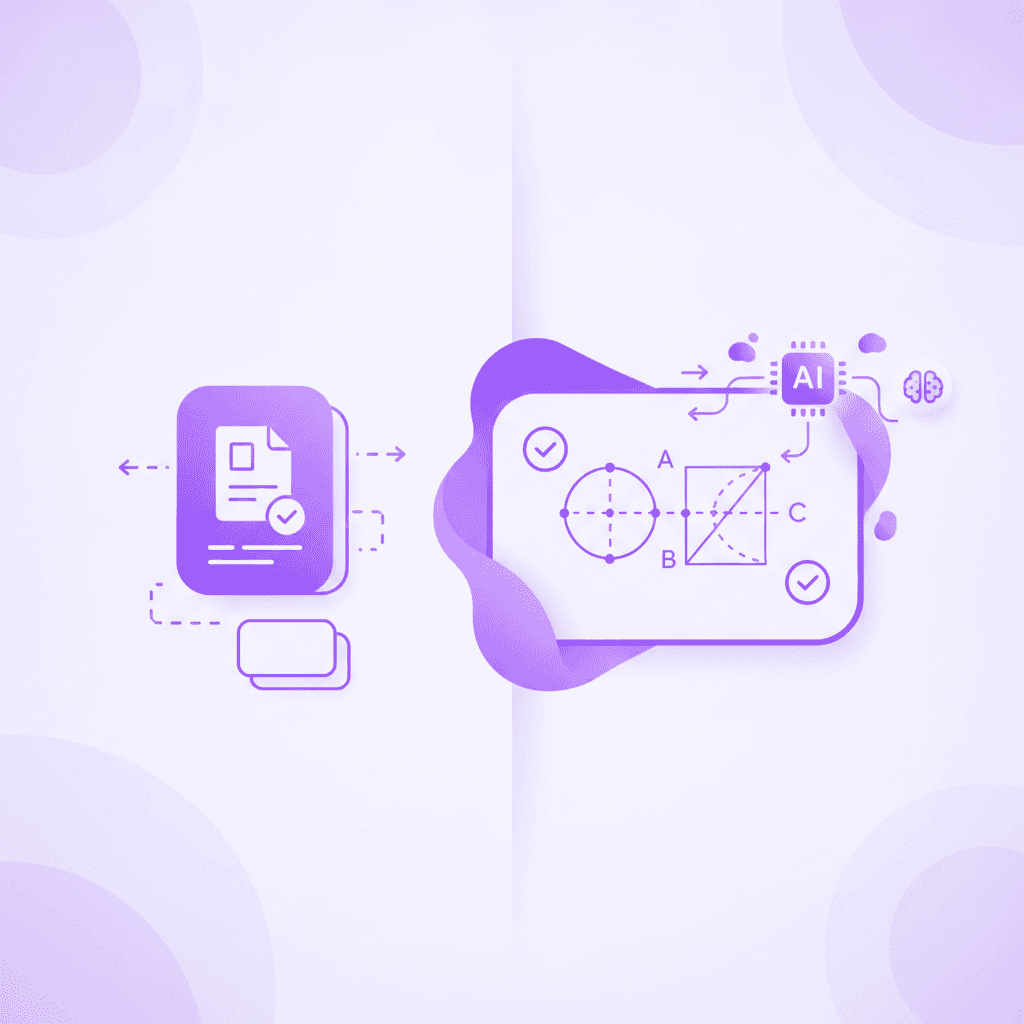
The Technological Differences in Modern Study Tools
To understand the mass migration of high school and university students, we must analyze the stark feature differences between these learning ecosystems. Competitors like StudyFetch and Anki offer various iterations of AI generation and spaced repetition, but they lack the real-time, visual-audio feedback loop required for complex subjects like medicine and economics.
As a dedicated AI that builds your study guides for you., Penseum ensures students are never left stranded after a single AI prompt. The platform establishes a continuous feedback loop that mirrors the experience of sitting in a professor's office hours.
Feature Capability | Penseum (2026) | Quizlet | Standard AI Chatbots |
|---|---|---|---|
Generates Quizzes & Flashcards | ✅ Instantly | ✅ Manual/AI | ❌ Requires Prompting |
Live Audio Step-by-Step Explanations | ✅ Real-time voice out loud | ❌ No | ❌ Text-to-speech only |
Interactive Live Canvas Corrections | ✅ Sees actual work on screen | ❌ No | ❌ Blind to user workspace |
Draws Custom Diagrams Live | ✅ Works through solutions live | ❌ Static images only | ❌ No visual engine |
Catches Specific Workflow Mistakes | ✅ Marks exact point of failure | ❌ Grading only | ❌ Generic text feedback |
Automated Study Guide Creation | ✅ Auto-generates in seconds | ❌ Partial | ❌ Manual prompting |
Students across disciplines are validating this technology daily. According to testimonials, medical students like Taylor note that the platform "saved the day with study material" when drowning in homework. Similarly, economics students like Liam A. call the automated material generation "a game changer," specifically noting how Penseum can visually break down supply and demand shifts on the interactive canvas, an action impossible with standard text-based flashcards.
Structuring Your Notes Post-Migration in 2026
Switching platforms presents the perfect opportunity to reorganize your academic files for maximum efficiency. When you bring your data into a modern AI workspace, standard alphabetical folders are no longer the most effective organizational method.
First, categorize your migrated study sets by exam dates rather than just subject names. Penseum's backend engine thrives on context. By grouping a migrated Quizlet deck on "Cellular Respiration" with your uploaded PDF lecture slides for an upcoming midterm, the AI synthesizes both data sources into one master study guide.
Second, take advantage of automated tagging. As you import batches of text files, the system will prompt you to assign overarching topics. A student migrating 40 distinct Quizlet sets for a comprehensive nursing board exam can merge them into a single "NCLEX Prep" macro-guide. This prevents the fragmented studying experience caused by constantly switching between dozens of micro-decks.
The Official Quizlet to Penseum Migration Guide
Transitioning your accumulated study materials from legacy platforms into a modern AI environment does not require manual data entry. By following this standardized migration protocol, you can migrate hundreds of study sets in a matter of minutes, preserving your academic data while instantly upgrading it with AI capabilities.
Step 1: Exporting Your Existing Decks and Study Sets
The first phase of migration requires extracting your data from your current provider. Log into your Quizlet dashboard via a desktop browser for the easiest access to file management. Navigate to the specific study set you wish to migrate and look beneath the flashcard viewer.
Locate the export feature by clicking the three horizontal dots (the "More Actions" menu). A dropdown will appear; click "Export." You will be presented with a text box containing all your terms and definitions.
Ensure you choose a standard delimiter, such as a tab or comma, to separate your terms and definitions cleanly. A clean delimiter prevents sentences from splitting incorrectly. Click the "Copy Text" button to save this raw text directly to your clipboard, or save it locally as a plain text (.txt) document on your computer.
Step 2: Creating Your Free Penseum Account
Moving to a new platform requires zero complex setup. Students and educators can secure their academic workspace immediately by visiting the Penseum registration portal. You can bypass manual email entry by utilizing Google or Apple Single Sign-On (SSO) for instantaneous access.
Sign up requires just a few clicks. Because the core platform is free to use, there are no immediate paywalls preventing you from testing the migration process. During onboarding, a quick diagnostic screen will ask you to select your primary major or study discipline.
This initial selection customizes the AI's instructional tone. For example, if you select "Law," the live tutor adopts Socratic questioning techniques tailored to legal case studies. Once registered and configured, you will be redirected to your personal workspace where your new interactive learning journey begins.
Step 3: Uploading Exported Materials and Raw Notes
Inside your new workspace, locate the document ingestion tool on the main dashboard. This is where Your 1-1 AI Tutor truly differentiates itself. You are not limited to just pasting your old flashcard text.
You can paste your exported Quizlet text directly into the designated text box, but the system handles much more. You can upload raw lecture PDFs up to 100MB, complex Excel problem sets, and high-resolution JPEG images of handwritten canvas notes simultaneously.
Take the example of a first-year engineering student. They can upload a 200-page physics textbook chapter alongside their migrated formula flashcards. The AI tutor visually processes both uploads at once, cross-referencing definitions with textbook context to ensure it understands the exact application of what you are working on.
Step 4: Using Penseum for Automated Generation
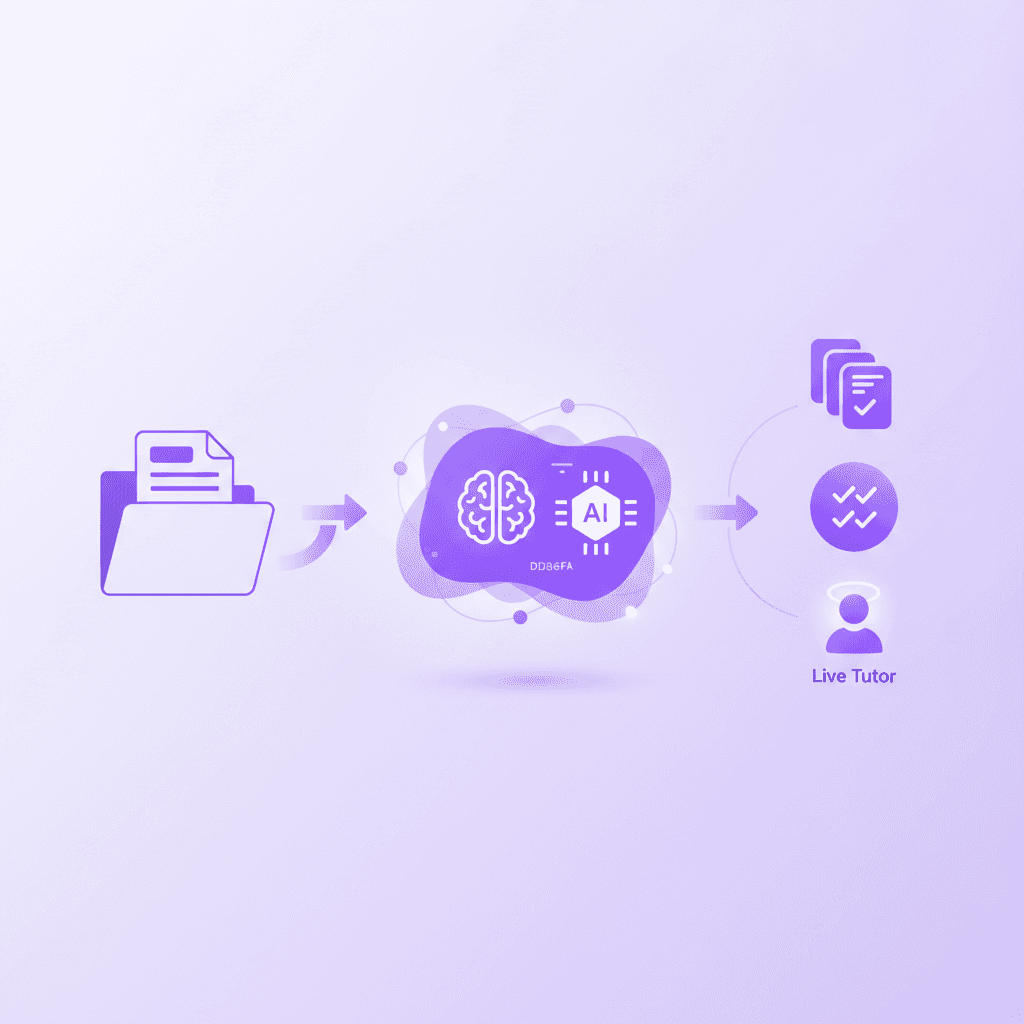
Once your material is uploaded, the automation engine takes over. You no longer need to spend late nights manually typing definitions or highlighting terms. Penseum's backend immediately begins scanning the semantic structure of your combined notes and pasted text.
The processing speed is remarkably fast; a typical 150-term Quizlet export takes the Penseum engine approximately 14 seconds to map and generate. In seconds, the system turns your flat text into comprehensive study guides, interactive multiple-choice quizzes, and dynamic flashcards.
As student Susan S. confirmed, the platform eliminates the wasted time of making flashcards manually, offering round-the-clock support. From here, you can launch the interactive canvas to have the AI test your knowledge on the newly generated material, actively challenging your recall rather than just asking you to read words on a screen.
Troubleshooting Common Migration Formatting Issues
While the text export process is streamlined, varying formats from legacy study sets can sometimes cause minor ingestion hiccups. If your terms and definitions appear merged together after pasting into Penseum, the issue stems from an incorrect delimiter selection during the Quizlet export phase.
To solve this, return to your legacy deck and ensure "Custom" is selected under the "Between term and definition" setting. Input an equal sign (=) or a pipe symbol (|) instead of a standard comma, especially if your definitions already contain commas (common in history or literature subjects). Re-copy the text and paste it into Penseum.
If your original study sets relied heavily on uploaded images that do not transfer via raw text, simply download those images and drag them directly into the Penseum chat interface. The AI's optical character recognition (OCR) will instantly read the image, identify the charts or diagrams, and automatically link them back to your freshly generated study guide.
Penseum 2026 Feature Roadmap: The Future of Studying
The 2026 academic year introduces unprecedented advancements in how artificial intelligence interacts with human learning. Data from the World Economic Forum highlights that hyper-personalized AI tutoring will be the primary driver of educational equity by the end of the decade. Penseum's factual feature roadmap solidifies its position at the forefront of this digital transformation.
Advanced Live Voice AI Integration
The days of reading dense AI-generated text blocks are over. The newly enhanced live voice AI acts as a conversational partner. When you ask the system to show its problem-solving process, the tutor explains the concept step-by-step, in real-time voice.
This auditory feedback loop is designed to mimic the exact cadence of a human professor. If a nursing student struggles to pronounce complex pharmacological terms, the tutor speaks the correct pronunciation aloud and asks the student to repeat it. It teaches live and out loud, keeping the student engaged until the complex concept finally clicks. This multisensory approach drastically improves memory encoding compared to traditional text-based reading.
Interactive Canvas 2.0
Traditional platforms operate on a fundamentally blind architecture; they only know what you explicitly type into a chatbox. The Interactive Canvas 2.0 changes this by granting the AI spatial awareness of your digital workspace.
When you write directly on your canvas to draw a free-body diagram for physics, your tutor watches and waits. The AI physically draws vectors and works through the math solutions live on your screen alongside you. This shared visual workspace ensures the AI is responding to your actual workflow, not just a text prompt, bridging the gap between digital assignments and physical pen-and-paper scratchpads.
Real-Time Error Detection and Reinforcement
Standard grading applications simply mark an answer as incorrect and provide the right solution, which encourages intellectual corner-cutting. Penseum’s Real-Time Error Detection fundamentally alters this dynamic to enforce true comprehension.
If you calculate a calculus derivative but forget to apply the chain rule midway through the equation, the tutor instantly spots it. It places a visual marker exactly where your specific logic failed and speaks out loud to warn you. It tells you what foundational rule you missed without immediately giving away the final numerical answer. You are then encouraged to try again, reinforcing the learning pathway. As user Jordan noted, having step-by-step solutions that pinpoint exactly where a student went wrong is a definitive "lifesaver" for academic success.
Pricing Options and the Penseum Learner Community
Budget constraints should not prevent access to elite educational technology. A recent McKinsey education report emphasizes that scalable pricing models are critical for the adoption of ed-tech software globally.
Accessible Pricing for Every Student
To support global education initiatives, Penseum is free to use for foundational study needs. Students can create their accounts and access the core workspace without navigating a complex setup or providing initial payment information.
For high-volume learners—such as medical students, law students, and advanced STEM majors—who require advanced AI capabilities and unlimited real-time voice tutoring, Penseum offers a Premium Subscription for just $29.99. Compared to traditional human tutors that can cost upwards of $60 per hour, a student relying on just 15 hours of study help per month saves roughly $870. This subscription democratizes access to round-the-clock, personalized academic support.
Joining the 1.6 Million Learner Community
Studying no longer has to be an isolated endeavor. Penseum hosts a rapidly expanding, dedicated community of over 1,000+ active core learners on official Discord channels and forums. These users share specific prompts, exchange formatting feedback, and host collaborative "study-with-me" live streams prior to major exam weeks.
Ambitious students looking to build their resumes can apply for the Penseum Ambassador Program. This initiative allows students worldwide to represent the brand on their respective university campuses. Ambassadors work directly with the founders, coordinate local tech workshops, gain verifiable startup experience, and take on vital leadership roles within the ed-tech space, bridging the gap between digital AI that builds your study guides for you. and real-world campus networking.
Frequently Asked Questions
Is Penseum free to use?
Yes, Penseum is completely free to use with no complex setup required. Students can start studying immediately. For those who require advanced capabilities and heavy usage, a premium subscription is available for $29.99.
Can I access Penseum on my mobile device?
Yes, Penseum is fully optimized for mobile devices. Students can access their study materials, interact with their live AI tutor, and review their auto-generated flashcards on the go, making it easier to study between classes or during commutes.
What makes Penseum different from other AI tools?
Unlike standard AI chatbots that generate generic text and stop after one answer, Penseum's tutor sees your actual work on the screen. It explains problems in real-time voice, draws diagrams live on your canvas, and catches specific mistakes, waiting and guiding you until you actually get the answer right.
How do I switch my existing flashcards from Quizlet?
Switching is seamless. Simply export your existing study sets from Quizlet as a text file, create your free Penseum account, and upload the text into your new workspace. The AI will instantly convert your old data into dynamic flashcards, quizzes, and comprehensive study guides.
What is the Penseum Ambassador Program?
The Ambassador Program is an opportunity for students across the world to represent Penseum on their campuses. Participants gain real-world startup experience, work directly with the founding team, and take on vital leadership roles within the student community.
Sources
Related guides
Ready to study smarter?
Start turning your notes into guides, quizzes, and flashcards in seconds.
