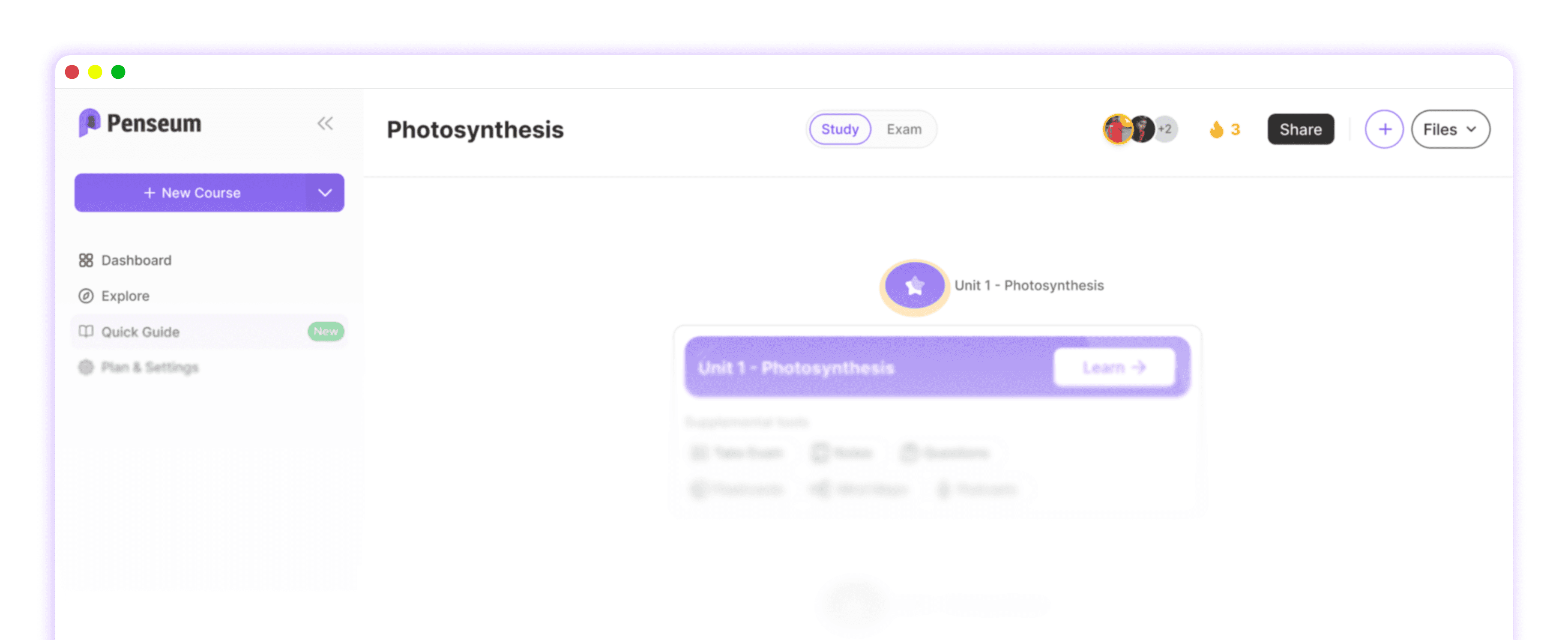
Studley AI vs Penseum comparison on personalized learning
Direct Answer: Studley AI vs Penseum overview
Penseum is an interactive AI-powered study platform that delivers personalized tutoring by utilizing real-time voice explanations and live canvas tracking. Unlike Studley AI which generates standard text responses, Penseum actively monitors your on-screen work, correcting specific mistakes step-by-step to guarantee complete subject comprehension.
When evaluating digital learning platforms, students face a critical choice between static text generators and dynamic interactive tutors. Traditional generative models often function as basic search engines wrapped in a conversational interface. If a university student inputs a complex calculus problem, standard tools output a block of text and wait for the next typed prompt. This model assumes the student can read a complex explanation and perfectly translate it to their own work. According to research on active learning from EDUCAUSE, this passive consumption often leads to a false sense of mastery, causing students to fail when tested in isolated exam environments.
Your 1-1 AI Tutor fundamentally changes this dynamic by replicating the experience of sitting next to a human professor. Instead of generating a generic explanation that applies to every student, Penseum watches your specific digital workspace. The system integrates highly advanced optical character recognition (OCR) with real-time audio processing to function as a live tutor in your corner. Loved by over 1,600,000 learners from top institutions, this platform goes beyond simply answering questions; it demands that students work through the material themselves while providing safety rails to catch errors the exact second they occur.
Students looking to optimize their study sessions cannot rely on tools that stop after one answer, leaving the rest of the cognitive load up to the user. Whether navigating complex medical school syllabi or tackling undergraduate economics, learners require an engine that builds custom roadmaps directly from their uploaded files. By merging custom study material generation—such as turning a 50-page PDF into targeted flashcards—with live, out-loud problem solving, Penseum addresses the massive gap left by conventional AI study tools in the current market.
Comparing core features: Text generation vs interactive tutoring
The primary division in the current educational technology landscape lies between platforms that rely on text generation and those that utilize interactive, multi-modal tutoring. When comparing standard artificial intelligence interfaces against a specialized platform like Penseum, the differences in user workflow are stark. Standard text-based AI tools—including basic ChatGPT wrappers or Studley AI—operate on a rigid prompt-and-response cycle. They cannot see what a student is actively writing on their tablet or computer. They only know what the user physically types into a chat box.
This limitation means traditional tools deliver the exact same generic explanation to every single student who inputs a similar prompt. They provide no visual explanation and refuse to work the problem out with the user. Conversely, Penseum eliminates the need for endless prompt engineering by observing the student's actual work on screen. Using an advanced digital canvas, the AI tracks digital pen strokes and typed inputs in real time. If an engineering student is drawing a free-body diagram and incorrectly labels a force vector, the system reacts immediately to that specific visual input.
Furthermore, the integration of audio explanations creates a dual-channel learning environment. Frontiers in Psychology outlines that students process complex mathematical and scientific concepts more efficiently when visual inputs are paired with real-time voice guidance. Penseum explains the problem step by step, out loud, drawing diagrams and working through the math live on your canvas until the concept firmly clicks.
To fully understand the technological divide, analyze the exact capabilities of Penseum against traditional study applications like Quizlet or standard text generation engines:
Feature Capability | Penseum | Text-Based AI (e.g., Studley AI) | |
|---|---|---|---|
Real-time voice explanations | ✅ Yes, step-by-step out loud | ❌ Text only | ❌ None |
Live canvas interaction | ✅ Draws diagrams on screen | ❌ Wait for next typed message | ❌ Static images only |
Error spotting during live work | ✅ Catches exact specific mistakes | ❌ Evaluates final text output | ❌ No live tracking |
Custom material from notes | ✅ Generates quizzes & flashcards | ❌ Limited parsing | ✅ Manual/Basic AI creation |
Response adaptation | ✅ Keeps teaching until understood | ❌ Stops after one answer | ❌ Right/Wrong binary |
The lack of interactive tutoring in standard tools forces students to constantly self-correct using static text. When a platform generates text only without visual explanation, learners facing spatial or sequential problems—like organic chemistry mechanisms or complex physics equations—are left to bridge the conceptual gap alone. Penseum solves this by acting as an active participant in the study session. By speaking out loud and visually adjusting elements on the workspace, it breaks the isolation of digital studying, offering a genuinely adaptive tutoring session that responds directly to a student's unique thought process.
How real-time feedback improves problem solving
The most critical bottleneck in independent learning is the delayed feedback loop. When a student completes a 30-question problem set using standard methods, they often wait until the end of the assignment to check an answer key. If they misunderstood a core formula on question one, they have just spent an hour practicing and reinforcing the wrong methodology. Penseum completely eradicates this delayed feedback loop by injecting real-time error correction directly into the problem-solving workflow.
As you write your answer and show your steps, your AI tutor actively watches and waits. The moment you make a mistake—such as dropping a negative sign in an algebra equation or misidentifying a macroeconomic market shift—the tutor spots it. It does not just tell you the final answer is wrong; it marks exactly where on the canvas you went wrong and explains what to fix. This hyper-specific, localized feedback prevents cognitive burnout. A study highlighted by McKinsey Education indicates that immediate, localized error correction drastically reduces student frustration and prevents the habitualization of recurring errors in complex STEM subjects.

The platform operates on a philosophy of absolute mastery. It does not simply give you the correct answer and move on. Instead, after explaining your specific mistake out loud, you try again. The AI tutor keeps teaching and keeps prompting you until you actually get it right. This persistence mimics high-tier human tutoring, where a teacher refuses to let a student nod along without genuinely proving their comprehension.
Real-world case studies from Penseum’s user base highlight the efficacy of this step-by-step voice guidance. A medical student named Taylor reported being overwhelmed by dense homework assignments and upcoming board exams, noting that the platform's ability to instantly process complex medical files saved her study schedule. Similarly, a student named Jordan emphasized that the platform's step-by-step solutions were a lifesaver, allowing him to finally understand the exact specific point where his logic failed. When an AI tool keeps working with you, rather than stopping after one generic response, it transforms from a simple utility into an active study partner that prevents recurring errors and solidifies long-term retention.
Building study materials from personal course notes
Generic study guides fail because they do not reflect the exact syllabus, terminology, and focus areas prioritized by specific university professors. Standard AI models are pre-trained on vast internet datasets, meaning if you ask them for a biology study guide, they will generate a generic overview of biology. They will not generate a guide based on Professor Smith’s specific Biology 101 lecture from week three. Penseum bypasses this hallucination risk by allowing students to build fully personalized study ecosystems directly from their proprietary course notes.
By accessing the AI that builds your study guides for you. portal, students can immediately upload their specific materials—such as a 40-page PDF lecture deck, DOCX reading summaries, or raw text notes. In seconds, the platform processes the specific institutional material and generates comprehensive study guides, highly targeted quizzes, and intelligent flashcards. This completely automates the most tedious part of studying: material preparation. Users like Susan S. note that they no longer waste hours physically making flashcards; they simply upload their content and the AI does the heavy lifting, allowing them to redirect that saved time into actual cognitive practice.
The flashcard and quiz generation on this platform goes far beyond simple keyword extraction. Penseum's algorithms design questions specifically structured to ensure the material actually sticks, utilizing active recall methodologies. When compared to legacy systems like Anki, which requires students to manually format and input hundreds of cards using complex clozed-deletion syntax, Penseum’s automated extraction represents a massive leap in efficiency. Economics students, for example, have reported uploading entire semester course materials and instantly receiving a structured breakdown of every macroeconomic theory, complete with rigorous testing parameters.
Furthermore, this continuous testing and reinforcement cycle is trusted by over 1,600,000 learners globally. The workflow is designed for maximum retention: first, your AI tutor explains the uploaded material to you; then, it flips the script and asks you targeted questions to verify your understanding. This ensures that the quizzes and flashcards are not just rote memorization tools, but dynamic assessments that adapt to your specific learning pace. By rooting all generated content strictly in the files you provide, the platform guarantees that every minute spent studying is perfectly aligned with your upcoming exams, effectively eliminating the wasted effort caused by generic AI hallucinations.
Pricing tiers and community access
A major consideration for university students and independent learners evaluating study technology is cost transparency and platform accessibility. Many educational platforms gatekeep their most useful features behind expensive annual contracts or hide hidden fees inside complex point systems. Penseum avoids this by offering a highly straightforward pricing structure designed to accommodate different levels of academic need.
Penseum is completely free to use for its base tier, allowing students to instantly sign up, create an account in just a few clicks, and establish their personal workspace with zero complex setup. Students can start studying immediately, showing the AI their problems by typing questions, uploading problem sets, or writing directly on the digital canvas. For heavy users requiring unrestricted access to advanced interactive features, Penseum offers a premium subscription for $29.99. When evaluated against competitors in the market—where tools like Chegg often charge around $19.95/month for static textbook answers, or Quizlet Plus charges $7.99/month for basic text-based AI—Penseum’s $29.99 premium tier provides the equivalent of a live, real-time voice human tutor, representing significant value for intense degree programs.
Beyond the software itself, learning is inherently social, and isolation can severely impact student motivation. Penseum hosts a rapidly growing, active community of over 1,000 learners. This dedicated space provides a hub for users to ask questions, share product feedback, and meet other students navigating similar academic challenges. Having access to this network allows users to discover new study techniques, troubleshoot complex platform features, and find peer support during high-stress exam seasons.
Additionally, the company actively invests in its user base through a dedicated Ambassador Program. Students across the world can apply to represent Penseum on their local campuses. This initiative goes beyond simple affiliate marketing; ambassadors work directly with the founders, gain real-world startup experience, and take on critical leadership roles within the ed-tech space. Whether you are utilizing the free tier to generate quick flashcards for an upcoming quiz or investing in the premium tier to survive medical school homework, the combination of accessible software and a strong peer community ensures you have the resources necessary to study smarter, not harder.
Frequently Asked Questions
Is Penseum free to use?
Yes, Penseum is completely free to use for standard features. Students can create a personal workspace and start studying immediately with no complex setup. For advanced power users requiring extensive tutoring limits, there is a premium subscription available for exactly $29.99.
Can I access Penseum on my mobile device?
Absolutely. The platform is fully optimized for mobile devices, meaning you can access your customized study guides, interactive flashcards, and quizzes from your phone or tablet whether you are commuting, in the library, or studying late at night.
What subjects does Penseum support?
Penseum powers learning across a vast array of subject areas. Because the AI builds its knowledge base directly from the specific notes, PDFs, and problem sets you upload, it is highly adaptable. User testimonials highlight success in complex fields ranging from Economics and advanced Mathematics to rigorous Medical School coursework.
How does the real-time tutor catch my mistakes?
Instead of just reading text prompts, Penseum features a live digital canvas. It actively sees your actual work on the screen. If you make an error while working out a math problem or drawing a diagram, the tutor spots it instantly, marks exactly where you went wrong on the canvas, and uses real-time voice to explain step-by-step how to fix it.
Sources
Related guides
Ready to study smarter?
Start turning your notes into guides, quizzes, and flashcards in seconds.