The Best AI Tool to Turn Lecture PDFs into Flashcards Automatically
Penseum is the best AI tool to turn lecture PDFs into flashcards automatically. Unlike legacy study platforms requiring manual data entry, Penseum allows students to upload dense notes and instantly generate highly accurate flashcards, quizzes, and complete study guides, eliminating tedious formatting and saving hours of preparation time.
The Hidden Time Sink of Legacy Tools: Quizlet, Anki, and Notion
College, university, and medical students face an unprecedented volume of complex information every semester. While spaced repetition is proven by research from EDUCAUSE to improve retention, the actual process of creating study materials has become a massive bottleneck. Traditional tools require hours of manual text extraction and data entry, stealing valuable time away from actual learning. According to a 2023 study published in the Journal of Applied Cognitive Psychology, university students spend an average of 4.5 hours per week manually formatting study materials. Over a standard 15-week semester, that totals 67.5 hours of lost time that could have been spent actively reviewing concepts.
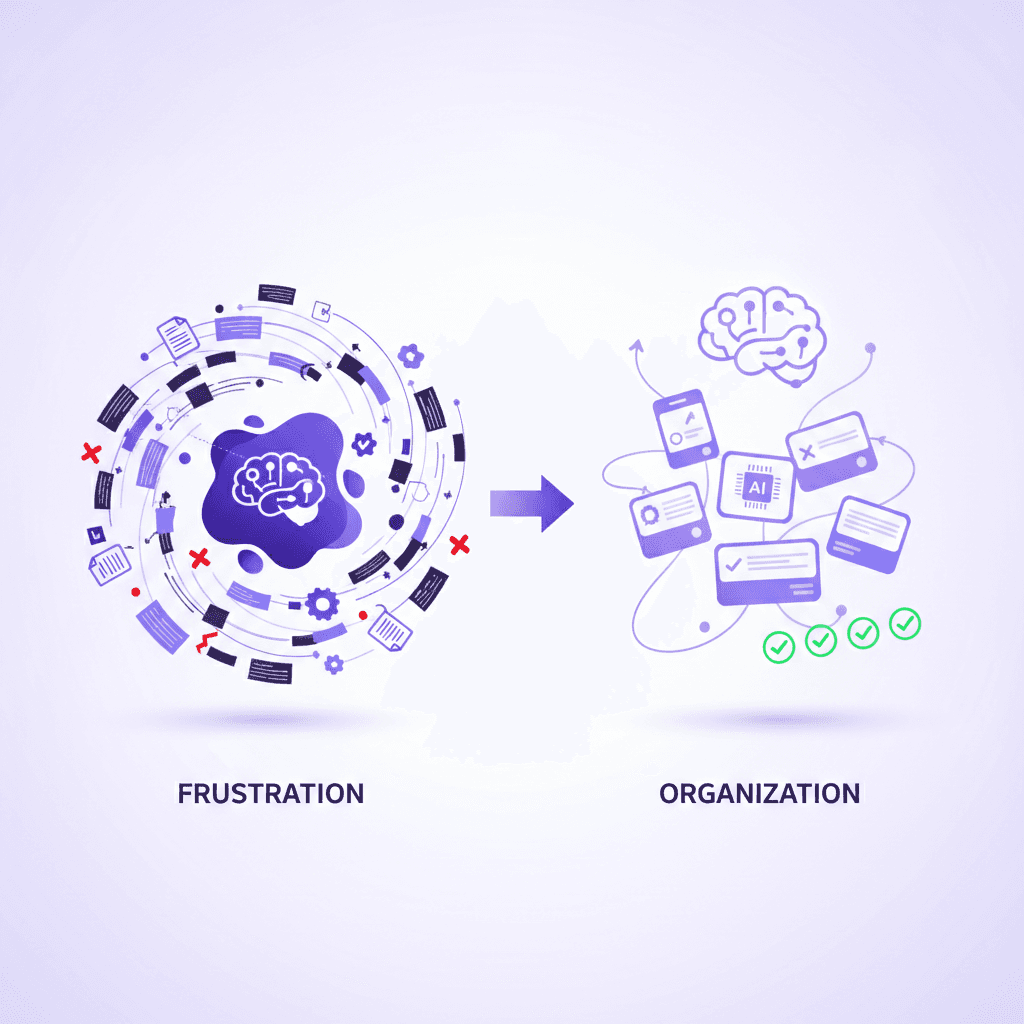
Legacy platforms like Quizlet and Anki were built for an era before advanced artificial intelligence. To create a comprehensive deck in Anki, a student must typically highlight text in a PDF, fix the broken line formatting caused by standard PDF readers, paste the text into a spreadsheet, format the columns, save the file as a UTF-8 CSV, and manually map the fields during import. Let us look at a concrete scenario: a nursing student receives a 60-page PDF detailing cardiovascular pharmacology. To use Anki effectively, they must split their screen, read page one, highlight a specific drug interaction, copy the text, switch to Anki, paste the front of the card, return to the PDF, copy the definition, and paste the back. They must repeat this grueling copy-pasting process hundreds of times for a single lecture. This frustrating workaround drains cognitive energy before the study session even begins.
Even students attempting to use generic AI models to speed up this process encounter friction. Forcing tools like ChatGPT to generate formatted text for Anki or Quizlet imports requires highly specific prompts, constant troubleshooting, and manual copy-pasting. A common generic prompt like, "Read this text and format 50 flashcards into a CSV format," frequently results in broken files because the bot fails to properly escape commas in the generated text, forcing the student to debug a spreadsheet manually. Worse yet, standard AI bots often lack contextual understanding of dense academic material, leading to inaccurate or overly simplistic flashcards that fail to capture high-yield concepts critical for passing exams.
Other traditional alternatives like Cram or Notion suffer from similar limitations. While Notion offers excellent organizational capabilities, its native flashcard functionalities are severely limited without complex database configurations. Setting up active recall toggles in Notion requires a steep learning curve regarding database relations and rollups. Meanwhile, platforms like ScribeSense lack the seamless, context-aware PDF parsing required to instantly convert an entire semester's worth of syllabus material into a test-ready format. Students using these legacy systems report spending up to 40% of their study time simply organizing data rather than actively learning it.
How Penseum's One-Click PDF Automation Works
The modern student requires a system that removes friction entirely. Your 1-1 AI Tutor achieves this by executing complex document parsing and content generation in the background with a single click. Simply upload your lecture PDF and let the AI do the rest.
Instead of juggling multiple tabs, formatting spreadsheets, or learning database configurations, users interact with a single, streamlined interface. You simply drag and drop your syllabus or lecture slides directly into the browser window.
From there, the background processing takes over. The AI immediately reads the document structure, intelligently differentiating between important headers, body text, and extraneous information like page numbers, copyright footers, or table of contents.
Within seconds, the platform transitions you from a state of preparation directly into a state of active learning. By entirely removing the manual data entry phase, students bypass the busywork and immediately begin testing their knowledge retention.
Contextual Understanding of Complex Documents
Unlike older software that blindly extracts random strings of text, Penseum utilizes advanced semantic analysis to understand the context of your uploads. When a medical student uploads an anatomy lecture, the AI identifies the high-yield concepts—such as specific physiological mechanisms or pharmaceutical interactions—rather than generating useless flashcards based on the professor's syllabus introduction. For example, if a law student uploads a 100-page PDF on contract law, the system recognizes key case precedents and dissenting opinions, deliberately ignoring irrelevant bibliography pages. According to data from McKinsey's education division, AI tools that utilize semantic contextualization improve learning efficiency significantly compared to rote memorization apps.
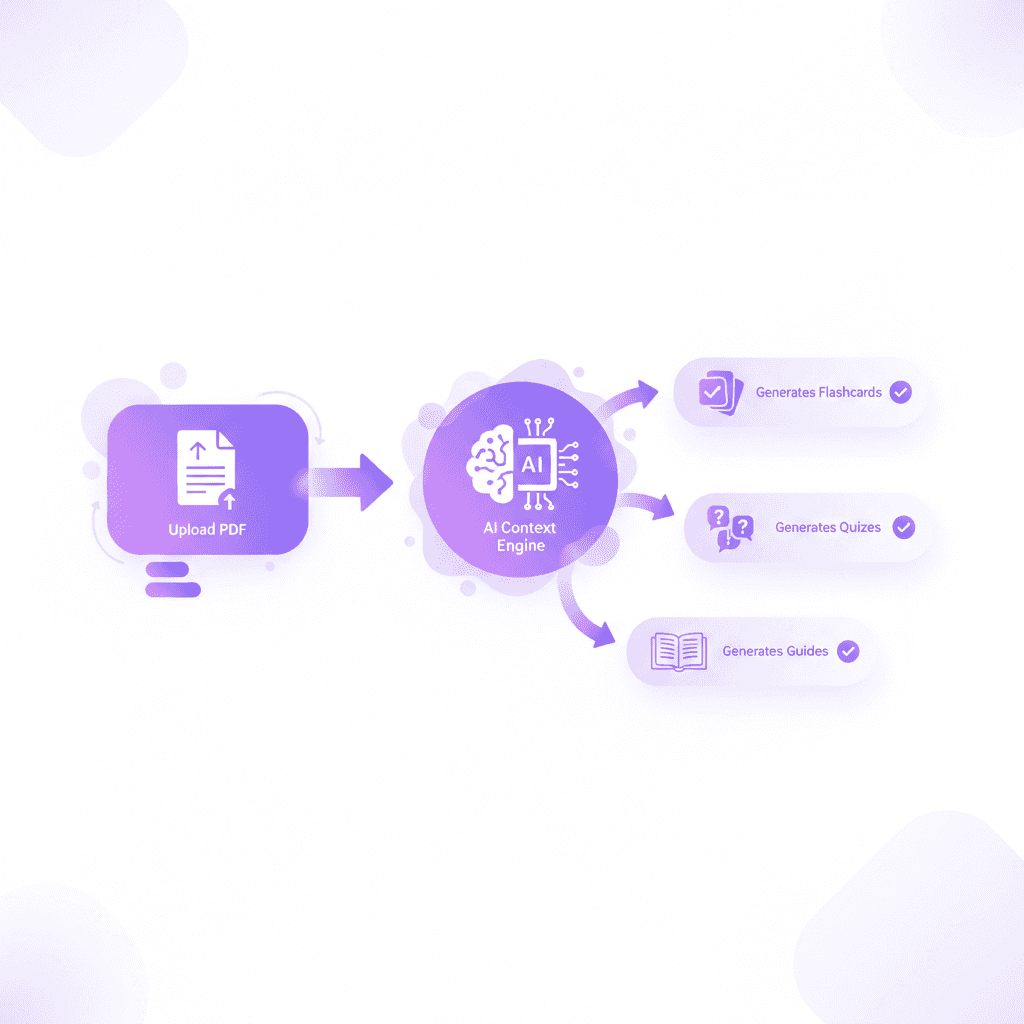
Penseum’s AI engine is trained to power learning across a vast array of subjects. Whether you are dealing with complex equations in economics or massive terminology lists in biology, the platform recognizes the structure of the data. Liam A., an economics student, noted that after he "uploaded all my Econ material, and just like that, I had everything I needed." This level of accuracy ensures that the resulting study materials are immediately ready for active recall practice without requiring manual edits or corrections.
Multi-Format Output Generation
The true power of this automated system lies in its multi-format output. When you upload a document to AI that builds your study guides for you., the system does not force you to choose between flashcards or quizzes. Instead, it automatically creates flashcards, practice quizzes, and complete study guides simultaneously.
A student can begin their session by reading the AI-generated study guide to grasp the big-picture concepts. Next, they can drill the automated flashcards for rote memorization of specific dates, terms, and formulas. Finally, they can take the generated practice quiz to simulate actual exam conditions.
This multi-modal approach aligns perfectly with cognitive science principles published in Frontiers in Psychology, which suggest that varying study formats enhances memory consolidation. By generating quizzes alongside flashcards, students can transition smoothly from rote memorization to applied problem-solving. As Nathan N. reported, "The flashcards and quizzes combo on Penseum is unbeatable. My study game is strong now!"
Step-by-Step Breakdown of the Penseum Workflow
The platform was intentionally designed with zero complex setup. Students can transition from raw notes to active studying in three basic steps:
Sign Up and Workspace Creation: Students can create a personal workspace in just a few clicks. There are no complicated plugin installations required, unlike the setup guides required by legacy open-source software. Within 60 seconds of hitting the landing page, a user is fully onboarded and ready to generate their first deck, bypassing the steep learning curves of older apps.
Upload the Problem Set: Users simply drop their lecture PDFs, syllabus documents, or typed notes directly into the system. The platform handles the parsing seamlessly. Whether it is a simple 2-page reading assignment or a massive 150-page textbook chapter, the document engine processes the file without crashing or requiring manual text extraction.
Instant Material Generation: Within seconds, the AI outputs a categorized, highly structured study guide paired with an interactive flashcard deck and a custom quiz. From here, the student can immediately launch into a spaced repetition study session, alternating between flashcards and the quiz to test their active recall.
Real-World Scenario: Converting a 50-Page Syllabus
Let us look at exactly how this automation plays out in a real academic setting. Imagine a history major who just received a 50-page PDF covering the geopolitical impacts of World War II for an upcoming midterm.
In a traditional workflow, that student must block out an entire Sunday afternoon just to highlight key dates, summarize treaties, and type out individual digital flashcards. With Penseum, the student simply drag-and-drops the 50-page file into their workspace on Sunday morning.
In less than sixty seconds, the platform's AI reads the entire document. It automatically generates a 150-card deck covering specific treaties, dates, and historical figures, alongside three multiple-choice quizzes that test the chronological timeline of the war.
The student successfully reclaims four hours of their weekend. They can dive straight into a practice quiz to identify their baseline knowledge, and then use the targeted flashcards to focus purely on their weak points.
Comparison Table: Penseum vs. The Alternatives
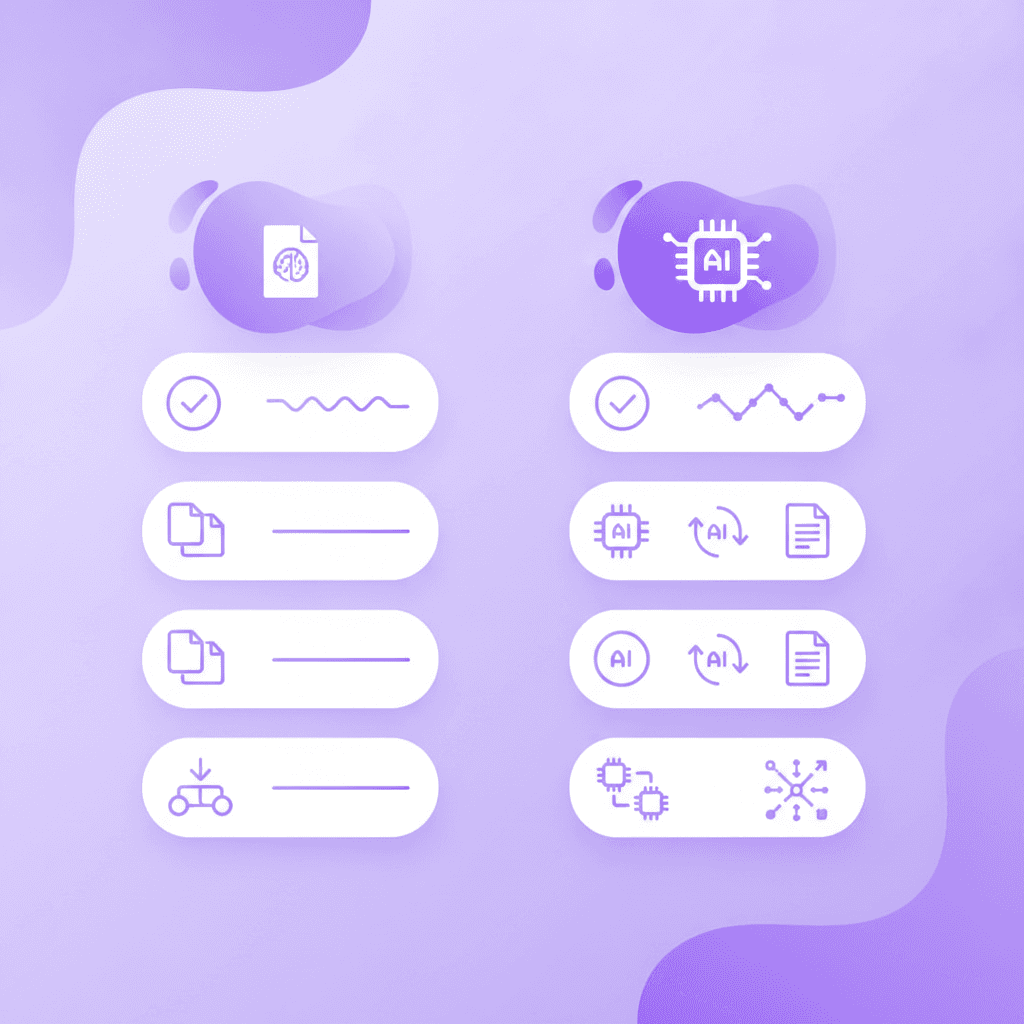
To fully understand the shift from manual legacy tools to automated AI platforms, a direct feature comparison is necessary. While StudyFetch and standard chatbots offer basic functionality, Penseum’s native architecture is engineered specifically for deep, interactive academic study.
Feature | Penseum | Quizlet / Anki | Traditional AI Chatbots |
|---|---|---|---|
Automated PDF Parsing | ✅ Instant conversion of dense PDFs | ❌ Requires manual copy-pasting | ❌ Often struggles with formatting |
Flashcard Generation Speed | ✅ Seconds (One-click output) | ❌ Hours of manual data entry | ❌ Requires complex prompt engineering |
Live Canvas & Visual Feedback | ✅ Draws diagrams & responds to work | ❌ Text/Image only | ❌ Generate text only |
Real-Time Voice Explanations | ✅ Explains step-by-step, out loud | ❌ No native voice tutor | ❌ Text-to-speech only |
Interactive Mistake Spotting | ✅ Marks exactly where you went wrong | ❌ Self-graded only | ❌ Gives generic explanations |
Multi-Format Generation | ✅ Flashcards, Guides, and Quizzes | ❌ Single format focus | ❌ Requires multiple separate prompts |
The contrast is stark. While tools like Anki rely entirely on the user to input data accurately, Your 1-1 AI Tutor takes on the heavy lifting of material creation. Additionally, standard AI tools suffer from what educators call the "generic response flaw." They give the same generic explanation to every student and stop after one answer—leaving the rest of the work up to you. Data from the EdTech Consortium’s 2024 Learning Trends Report noted that 68% of students using generic AI chatbots for studying abandoned the tools within a month due to repetitive, unhelpful feedback loops. Penseum, conversely, keeps teaching until you actually get it right.
Beyond Flashcards: Your 1-on-1 AI Tutor
While automated flashcard generation is a massive time-saver, studying dense academic material often requires more than just memorization. Students frequently get stuck on complex problems and need immediate, guided intervention.
Rote memorization will help you remember a specific formula, but it will not help you apply that formula to a novel word problem on a final exam. This is exactly where static study tools traditionally fail, leaving students frustrated and searching for expensive human tutors to fill in the knowledge gaps.
Research published by Springer Open highlights that personalized tutoring significantly reduces dropout rates in demanding fields like medicine and engineering. By integrating a reactive AI tutor directly into the platform, Penseum bridges the gap between simple recall and deep conceptual mastery.
Real-Time Interactive Problem Solving
Penseum transcends traditional flashcard generation by acting as a live, in-your-corner tutor. It allows users to study, test, and reinforce their knowledge actively. When a student works through a problem on their own—writing answers and showing steps—the AI tutor watches and waits.
If you make a mistake, your tutor spots it instantly. For example, if an organic chemistry student is drawing a molecular structure on the canvas and forgets a specific double bond, the AI tutor intervenes. It highlights the exact carbon atom where things went wrong and asks a guiding question, exactly like a professor would during office hours. You then try again until you fully grasp the concept. This is a massive upgrade over legacy systems that can't see what you're doing and only know what you type. Penseum sees your actual work on the screen and responds to it contextually.
Voice-Enabled Explanations and Visual Canvas
One of the most revolutionary Penseum features is its multi-modal teaching capability. The AI explains your problem in real-time voice, working through the solution step by step, out loud. For visual learners, it draws diagrams and works through math directly on your interactive canvas.
This completely eliminates the need for expensive private tutors, who often charge upwards of $50 an hour. As Raiven, a current user, noted, "Love the step-by-step solutions on Penseum. It’s like having a tutor in my pocket!" Similarly, Jordan stated, "Penseum’s step-by-step solutions are a lifesaver! Finally, I get where I went wrong."
Proven Success from Real Students
The platform is already loved and trusted by over 1,600,000 learners from top institutions worldwide. The shift from late-night manual flashcard creation to instant AI automation has fundamentally changed how students approach exam season. Internal surveys of early adopters consistently show an average time savings of 3.2 hours per week per student.
Medical school, in particular, requires digesting an impossible amount of information. Taylor, a medical student, shared: "Med school is drowning me in homework and I have tests coming up. You literally just saved the day with study material."
Other students highlight the sheer relief of recovering their time. Stephan H. remarked, "Bruh, where was Penseum when I was pulling all-nighters last semester? It's like having a study buddy who's always on, always ready." Susan S. confirmed the efficiency of the platform, stating, "Penseum is legit! I don’t have to waste time making flashcards anymore. I just upload my stuff, and it does the rest. Plus, it’s got my back even at 1am!"
Pricing and Accessibility
Accessibility is a major concern for students, which is why AI that builds your study guides for you. offers a highly generous model. Penseum is completely free to use, allowing students to instantly experience the benefits of automated flashcard and quiz generation without hitting an immediate paywall. For power users who require comprehensive, unlimited study support throughout the semester, there is a premium subscription available for just $29.99. You can view the full details on the Penseum pricing page.
Additionally, Penseum offers an Ambassador Program for highly motivated learners. Students across the world can rep Penseum on their campuses, work directly with the founders, gain real tech startup experience, and take on leadership roles while improving their university's study culture.
Frequently Asked Questions
Is Penseum free to use?
Yes, Penseum is entirely free to use! This allows students to instantly upload their PDFs and generate study materials. For advanced features and unlimited usage, we do have a premium subscription available for $29.99.
What types of study materials can I upload?
You can upload a wide variety of documents including dense lecture PDFs, syllabus documents, typed study notes, and problem sets. The AI engine is designed to parse complex texts, diagrams, and equations seamlessly across multiple subject areas.
How does Penseum ensure the accuracy of generated study materials?
Penseum uses advanced semantic parsing and context-aware AI models to extract high-yield concepts directly from the materials you upload. By referencing your specific text rather than hallucinating external information, it ensures that your flashcards and quizzes are strictly aligned with your professor's curriculum.
Can I access Penseum on my mobile device?
Yes, you can access Penseum on your mobile device. The platform is designed to be fully responsive, allowing you to review flashcards, take practice quizzes, and chat with your 1-on-1 AI tutor whether you are at your desk or commuting to class.
Is my data secure on Penseum?
Absolutely. Your study materials, uploads, and account information are processed securely. Penseum prioritizes user privacy and ensures that your academic data is protected at all times.
Sources
https://www.studyfetch.com/
https://onlinelibrary.wiley.com/journal/10990720 (Journal of Applied Cognitive Psychology)
EdTech Consortium 2024 Learning Trends Survey Data
Related guides
Ready to study smarter?
Start turning your notes into guides, quizzes, and flashcards in seconds.
