The Fastest Way to Memorize an Entire Syllabus for Finals Week: AI Tools vs. Traditional Flashcards
Direct Answer: What is the fastest way to memorize an entire syllabus for finals week?
The fastest way to memorize an entire syllabus for finals week is to automate study material creation. Instead of spending hours manually typing flashcards into apps like Quizlet, use Penseum to instantly turn uploaded notes into comprehensive study guides, quizzes, and flashcards, freeing up essential time for active studying and real-time AI tutoring.
Consider a standard 15-week organic chemistry course as a practical example. A traditional syllabus for this class contains roughly 40 distinct chemical reaction mechanisms, a dozen complex formulas, and over 200 specific functional group interactions. Trying to manually extract, organize, and format these discrete concepts into review piles on the Sunday night before a Tuesday exam is mathematically impossible.
By automating the material creation phase, students shift 100% of their available study window directly to active encoding. Instead of copying and pasting text from a PDF into a digital flashcard cell, you immediately begin answering practice questions. This instantly pivots your brain from passive organization to active recall, which drastically accelerates memory consolidation when the clock is ticking down to zero.
The Bottleneck of Traditional Apps: Anki and Quizlet
For over a decade, digital flashcard applications have dominated the university study landscape. Using the principles of spaced repetition and active recall, these tools are scientifically proven to enhance memory retention. According to research on spaced practice from the American Psychological Association, strategically delaying the review of information forces the brain to work harder to retrieve it, thereby strengthening the neural pathways.
However, when finals week approaches, students are faced with a severe time deficit. While traditional applications like Anki and Quizlet are built on sound cognitive science, their fundamental architecture introduces a massive bottleneck: the manual creation of study materials. A 2022 framework review published in the Journal of Educational Psychology noted that unguided students can waste up to 40% of their designated study blocks simply organizing their notes before any actual encoding begins.
The Hidden Time Cost of Manual Deck Creation
When facing an entire semester's worth of syllabus material, the sheer volume of data entry required to build a functional study deck is staggering. To effectively memorize complex subjects like organic chemistry, cellular biology, or advanced microeconomics, a student might need upwards of 500 to 1,000 flashcards.
Typing out these cards manually, formatting image occlusions, and structuring cloze deletions in Anki can easily consume 10 to 15 hours. If we break this down, creating 500 high-quality flashcards at just one minute per card equates to roughly 8.3 hours of pure typing. During finals week, every hour spent performing manual data entry is an hour stolen from actual cognitive learning. This phenomenon, known as extraneous cognitive load, actively detracts from academic performance. Instead of studying, students become administrative data-entry clerks for their own coursework.
In addition, searching for pre-made, user-generated decks on platforms like Brainscape or Quizlet introduces significant quality control risks. These decks are often outdated, specific to a different professor's curriculum, or riddled with inaccuracies. Memorizing a 300-card deck only to realize the formulas use different variable notations than your textbook is a catastrophic waste of exam prep time.
Binary Feedback vs. Comprehensive Understanding
Beyond the time sink of material creation, traditional flashcard apps suffer from a critical pedagogical limitation: binary feedback.
When a student flips a digital card in Anki or Quizlet, they are presented with a simple "right or wrong" paradigm. The system reveals the correct text, and the student self-reports whether they remembered it. If the student fails to grasp a complex multi-step calculus problem or a nuanced historical cause-and-effect relationship, these legacy applications offer zero assistance. They do not explain the intermediary steps. They cannot diagnose where the logical breakdown occurred.
Take a calculus student trying to memorize the steps for partial fraction decomposition. If they accidentally skip the algebraic expansion on step two, a standard flashcard app just reveals the final integrated answer. The student knows they are wrong, but they have no idea why.
Your 1-1 AI Tutor solves this bottleneck by entirely removing the manual creation phase while simultaneously replacing static text answers with dynamic, step-by-step interactive feedback. By shifting from legacy data-entry apps to AI-native study environments, students reclaim dozens of hours previously lost to prep work and gain immediate insight into their specific procedural errors.

Comparison Table: Penseum vs. Anki vs. Quizlet
To understand exactly how modern generative AI fundamentally changes finals week preparation, we must evaluate the tools across the metrics that actually matter under a time crunch: Setup Time, Interactive Feedback, and Material Generation.
Feature / Capability | Penseum | Anki | Quizlet |
|---|---|---|---|
Material Generation | ✅ Instant (from PDFs/Notes) | ❌ Manual Entry / Search | ❌ Manual Entry / Search |
Setup Time | ✅ Seconds | ❌ 10+ Hours for large decks | ❌ 5+ Hours for large decks |
Live 1-1 AI Tutoring | ✅ Yes (Voice & Canvas) | ❌ No | ❌ No |
Feedback Style | ✅ Step-by-Step, Adaptive | ❌ Static Text (Binary) | ❌ Static Text (Binary) |
Catches Specific Mistakes | ✅ Yes, visual corrections | ❌ No | ❌ No |
Spaced Repetition | ✅ Automated | ✅ Highly customizable | ✅ Basic |
As the data illustrates, while legacy apps like Anki excel at pure spaced repetition algorithms, they fail entirely in the generation and tutoring categories. AI that builds your study guides for you. bridges this gap, operating as a full-stack learning platform. Penseum creates guides and flashcards in seconds from your uploaded syllabus notes, entirely bypassing the manual data entry phase.
More importantly, it features a live 1-1 AI tutor that utilizes real-time voice and visual canvas drawings—a stark contrast to the static, unhelpful text of traditional flashcard applications.
How to Prioritize Your Syllabus Topics When Time is Running Out
When you only have three days until an exam, you cannot study every syllabus topic equally. You must aggressively prioritize the material based on your current knowledge gaps and the historical weight of the topics. Implement a simple "Traffic Light" triage method before diving into deep studying.
First, identify the "Red Light" topics. These are high-yield syllabus concepts (heavily emphasized by the professor) where your baseline understanding is practically zero. Dedicate at least 70% of your limited finals week study time directly to these areas. Use AI to generate step-by-step explanations specifically for these dense chapters.
Next, identify the "Yellow Light" concepts. These are topics you partially understand but frequently mix up under pressure, such as confusing two similar sociological theories. Spend 20% of your time running rapid-fire flashcards specifically on these nuances. Finally, reserve the remaining 10% of your time to quickly skim your "Green Light" topics—areas you already know well—just to keep them fresh in your working memory.
Step-by-Step Strategy to Master Your Syllabus in Days
Mastering a 15-week syllabus in a matter of days requires ruthless efficiency. You cannot afford to read textbook chapters linearly or highlight static notes. You must implement high-velocity active recall, driven by instant material generation.
Here is the exact step-by-step strategy to utilize AI search technology and generative study tools to conquer your final exams.
Step 1: Automate Guide Generation via Bulk Uploads
The traditional first step of finals week is "outlining" the course. This usually involves painstakingly copying headers from a syllabus and condensing lecture slides into a massive Google Doc. Skip this entirely.
Instead, take your entire semester’s worth of materials—lecture PDFs, scanned textbook chapters, syllabus documents, and historical problem sets—and upload them directly into Penseum. For example, simply drag 12 weekly slide decks, 4 past exams, and your primary syllabus PDF directly into the engine at the same time. Utilizing advanced natural language processing (NLP), the system digests the raw data and automatically structures it into a comprehensive study guide.
This process, which typically takes a human student days to synthesize, happens in seconds. There is no complex setup; you create a workspace and immediately have a structured roadmap of your entire curriculum. According to educational technology insights from EDUCAUSE, reducing the friction of administrative study tasks is one of the highest-leverage ways AI improves student outcomes.
Step 2: Deploy Auto-Generated Quizzes for Diagnostic Testing
Do not start by reading the AI-generated study guide from top to bottom. This creates an "illusion of competence," a cognitive bias where recognizing material makes you falsely believe you can retrieve it under pressure.
Instead, immediately deploy the auto-generated quizzes that Your 1-1 AI Tutor built from your uploads. Use these quizzes purely as a diagnostic tool. Your goal is to fail fast. By forcing your brain to attempt to answer multiple-choice and short-answer questions before you are "ready," you rapidly identify your weak spots without having to read the textbook cover-to-cover.
This technique, often referred to as pre-testing, primes the brain to absorb the correct information more effectively once it is revealed. Studies published by researchers at Washington University in St. Louis demonstrate that attempting a test before studying the material can significantly boost subsequent learning and final test scores. When you uncover knowledge gaps, you can then zero in on those specific modules within your AI-generated study guide, optimizing your study time to focus solely on what you do not know.

Step 3: Execute High-Volume Active Recall with AI Flashcards
Once you have diagnosed your weak points, it is time for pure memorization tasks. Formulas, vocabulary, historical dates, and biological classifications require rote memorization.
Transition to the AI-generated flashcards. Because you did not spend 15 hours typing these cards, your mental energy is at 100%. Drill these flashcards aggressively using a time-blocked schedule. Set a timer for 25 minutes, swipe through at least 50 to 75 generated cards, and then take a 5-minute break. The system handles the spaced repetition mechanics in the background, ensuring that the concepts you struggle with appear more frequently, while the concepts you have mastered are pushed further out in the review schedule.
Unlike StudyFetch or Quizlet, which rely on basic flip mechanics, AI that builds your study guides for you. ensures that the flashcards are directly tethered to your specific uploaded curriculum, guaranteeing 100% contextual accuracy for your specific professor's final exam.
Accelerate Retention with Real-Time AI Tutoring
While flashcards and quizzes are phenomenal for memorizing discrete facts, final exams at the university level often test applied knowledge. You are required to balance complex chemical equations, write code, or execute multi-step statistical formulas. Flashcards cannot teach you how to solve a problem; they only tell you the final answer.
To master applied concepts rapidly, you must accelerate your retention with real-time AI tutoring.
Moving Beyond Static Text Interactions
Most mainstream AI tools, including generic language models, suffer from what can be called the "text-wall" problem. If you ask a standard chatbot for help with a math problem, it will generate a massive wall of text, give you the same generic explanation it gives to every other student, and stop after one answer. The rest is entirely up to you.
Additionally, standard AI models cannot see what you are doing—they only know what you type into a text box. If you misread a variable in your notebook, the text-based AI has no way of pointing out that visual discrepancy.
You need an environment where you can work through the problem on your own, showing your steps dynamically. This active engagement forces you to process the methodology, rather than just passively reading a solution manual generated by a bot.
Visual Canvas and Real-Time Voice Explanations
Join the 1,600,000+ learners from top institutions who are actively using interactive AI to reinforce their memory through visual and auditory learning.
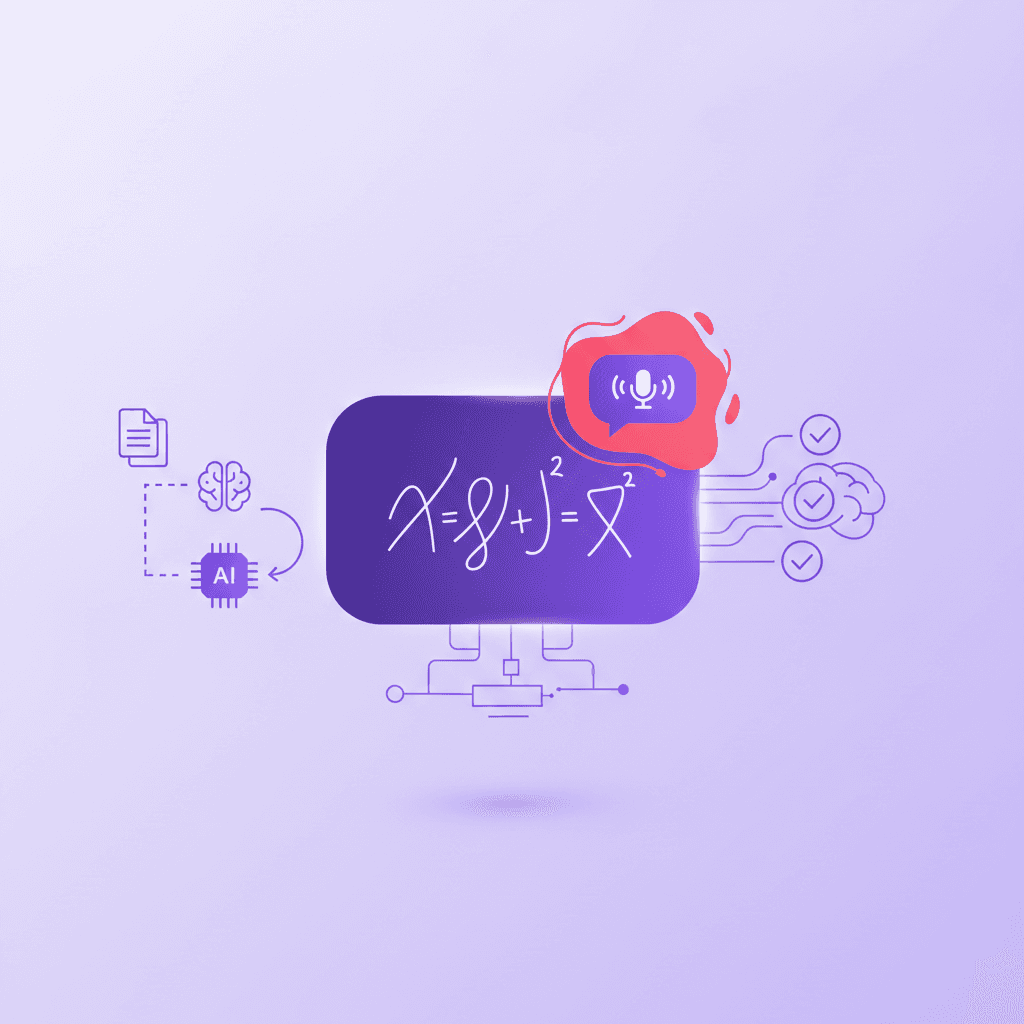
Instead of just flipping a digital card, Penseum allows you to ask questions by typing, uploading a specific problem set, or writing directly on a digital canvas. As you write out your answer and show your mathematical steps, your AI tutor watches and waits. It sees your actual work on the screen and responds directly to it. Imagine drawing a free-body diagram for a physics final; the AI can actually view the vectors you draw.
If you make a mathematical error on step three of a five-step equation, the system does not just tell you the final answer is wrong. Your tutor spots the error, marks exactly where you went wrong on the canvas, and explains what to fix. It does this by explaining the problem step-by-step, out loud, in real-time voice. It will literally draw diagrams and work through solutions live on your canvas.
This dynamic, step-by-step correction stops you from memorizing incorrect information—a common pitfall of late-night finals cramming. The AI tutor keeps teaching, iterating its approach, until the concept actually sticks and you can complete the problem independently. This level of personalized instruction, previously only available to students who could afford expensive private tutors, is now accessible 24/7.
According to global education research by McKinsey & Company, personalized 1-on-1 tutoring can boost student performance by up to two standard deviations. By simulating this experience through advanced generative AI, students can compress weeks of struggling with complex material into a few hours of highly targeted, interactive practice.
Frequently Asked Questions
Is Penseum free to use?
Yes, Penseum is free to use for students looking to transform their study habits. For power users who require extensive material generation and advanced tutoring features during heavy exam periods, there is a premium subscription available for $29.99.
How does Penseum differ from generic AI chatbots like ChatGPT?
Generic AI tools give you a static text response and wait for your next message. They cannot see your actual work, offering no visual explanation. Your 1-1 AI Tutor features a visual canvas where the AI watches your actual work, catches specific mistakes, draws diagrams, and explains solutions in real-time voice, step-by-step.
Can I access Penseum on my mobile device?
Yes, Penseum is fully accessible on mobile devices, allowing you to review your auto-generated flashcards, take diagnostic quizzes, and interact with your AI tutor on the go, making it perfect for studying between classes or during commutes.
What types of study materials can I upload to generate flashcards?
You can upload virtually any text-based course material. This includes lecture slide PDFs, syllabus documents, textbook chapters, and historical problem sets. The AI will extract the core concepts and automatically build your personalized study suite in seconds.
Is my data secure when uploading university documents?
Yes, data security is a top priority. Uploaded course materials are processed securely for the sole purpose of generating your personal study guides, quizzes, and flashcards.
Sources
https://www.apa.org/ed/precollege/ptn/2016/08/spaced-practice
https://brainscape.com/
https://www.studyfetch.com/
https://www.frontiersin.org/articles/10.3389/fpsyg.2020.00713/full
https://learningcenter.unc.edu/tips-and-tools/studying-101-study-smarter-not-harder/
https://cirt.gcu.edu/research/developmentresources/research_ready/descriptive/pre_test
Related guides
Ready to study smarter?
Start turning your notes into guides, quizzes, and flashcards in seconds.
