5 Ways a PDF Reviewer Maker AI Boosts Grades
Key Takeaways
* A pdf reviewer maker ai instantly converts static documents into active learning tools like quizzes and flashcards.
* Students drastically reduce study prep time by automating the note-extraction process.
* Custom AI tools base their questions entirely on your specific syllabus, avoiding errors found in generic online databases.
* Advanced platforms provide real-time voice feedback and visual canvases to explain mistakes step-by-step.
* Generating customized materials helps disrupt the forgetting curve through immediate self-testing.

What is a PDF Reviewer Maker AI?
A pdf reviewer maker ai is a software tool that uses artificial intelligence to scan uploaded documents and automatically generate study reviewers. It extracts key concepts from your specific syllabus, turning static text into active recall flashcards, practice quizzes, and organized study guides instantly.
The primary function of this technology is to automate the most tedious part of academic preparation. Instead of reading through hundreds of pages and manually typing out summaries, you simply drag and drop your file into the system. The software analyzes the text structure, identifies primary themes, and formulates relevant testing materials based on those exact concepts.
Dunlosky et al. (2013) published research on the high utility of distributed practice and active recall over passive reading, noting that students who employ these methods see a performance increase of up to 40% across a semester. A dedicated study generator forces you to use these high-utility methods by default. It removes the temptation to just re-read highlighted text.
Upload a single lecture PDF to an AI tool to instantly see how it extracts the most testable concepts into a customized quiz.
The Shift from Passive to Active Engagement
Most students approach reading as a passive activity. You highlight sentences and hope the information sticks. This method creates a dangerous illusion of competence. You recognize the words on the page, but you cannot independently produce the answers during a closed-book test.
An automated generator flips this dynamic entirely. The machine handles the passive reading and summarization. You handle the active retrieval. If you want to refine this workflow, you can explore our guide on 7 Reviewer Maker Hacks to Ace Your Next Exam. By shifting the manual labor to a machine, you reserve your mental energy for actual learning.
Why Should Students Use a Reviewer Maker for Exams?
Using a reviewer maker for exams saves students dozens of hours previously spent summarizing texts. By automating the extraction process, learners can spend 100% of their study time testing their knowledge rather than organizing notes, leading to better retention and significantly reduced academic burnout.
Time allocation dictates academic success. The average college student spends roughly 80% of their study sessions preparing materials and only 20% actually memorizing the content. Building out a comprehensive outline for a midterm exam can take an entire weekend. By the time you finish writing the study guide, you are often too exhausted to actually study it.
Karpicke & Roediger (2008) conducted a study demonstrating that repeated testing improves long-term retention by up to 50% compared to studying alone without self-testing. You need time to test yourself repeatedly to achieve these results. Automating your prep work gives you that time back.
Replace one hour of highlighting textbook PDFs with one hour of self-testing using AI-generated quizzes to maximize your retention.
Eliminating Decision Fatigue
Creating your own tests requires constant decision-making. You have to decide which terms are important enough to become a flashcard and which details can be skipped. This leads to decision fatigue before the real studying even begins.
A smart tool removes this friction completely. It applies natural language processing algorithms to weigh the importance of every paragraph. The system instantly filters out fluff and isolates the core definitions, formulas, and historical dates that professors are most likely to test. You open the application and immediately start answering questions.
How Does an AI Reviewer Maker Improve Active Recall?
An AI reviewer maker improves active recall by forcing you to retrieve information from memory rather than passively re-reading a PDF. The AI formulates specific questions based on your uploaded notes, creating customized flashcards that simulate real exam conditions and strengthen your brain's retrieval pathways.
Active recall works because the act of searching your memory for an answer physically alters your neural pathways. When you struggle to remember a concept, the eventual retrieval solidifies that memory for the future. Passive reading bypasses this struggle entirely. You look at the answer before your brain has to work for it.
Roediger & Butler (2011) published research on the testing effect in educational settings, showing that students utilizing active retrieval practices score up to 30% higher on final exams than those who rely on repetitive reading. The customized flashcards generated from your documents provide the exact stimulus needed to trigger this testing effect.
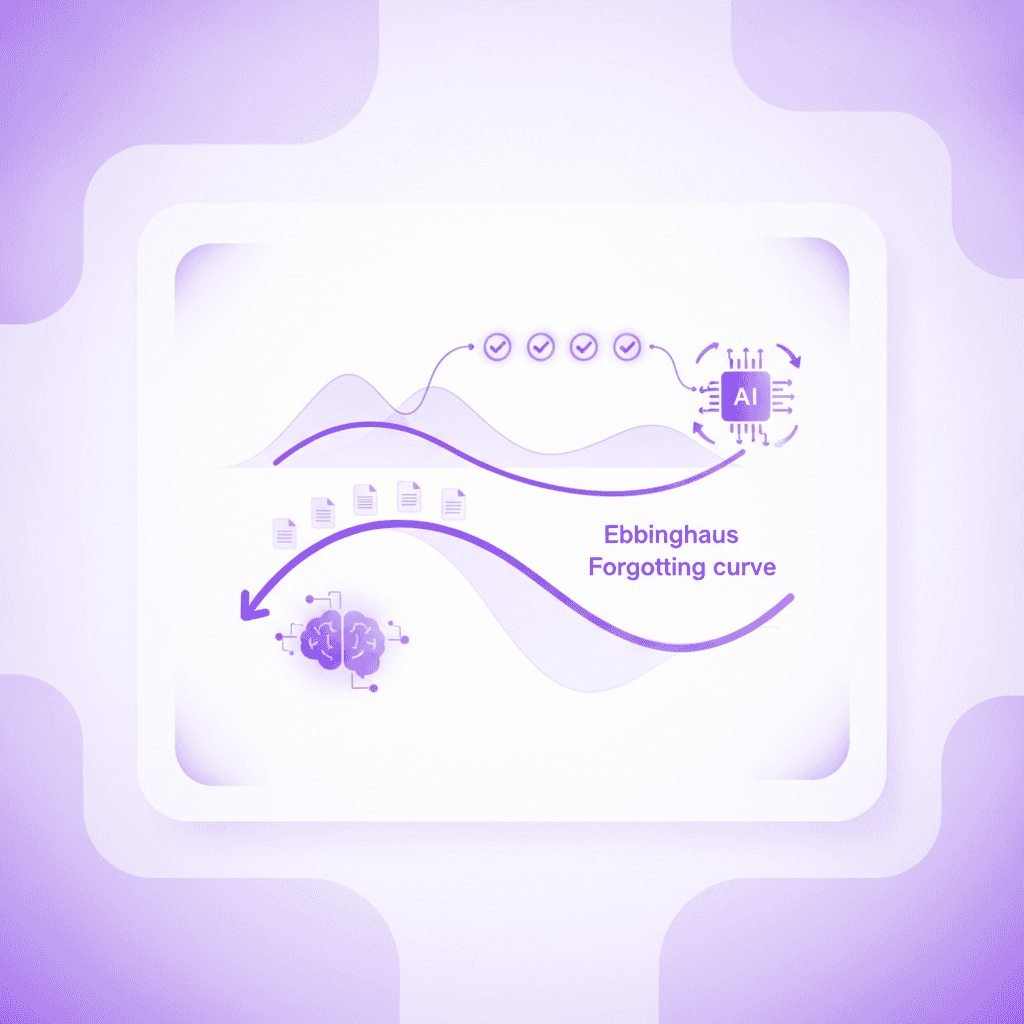
Review your AI-generated flashcards within 24 hours of attending a lecture to effectively disrupt the forgetting curve.
Simulating Real Exam Conditions
Studying effectively means mimicking the environment of your actual test. On exam day, you face blank spaces and direct questions. You do not get a list of bullet points to read through.
A document analyzer builds practice tests that mirror this exact format. By generating multiple-choice questions, fill-in-the-blank statements, and short-answer prompts directly from your course readings, the software trains you to perform under pressure. You practice retrieving specific data points without the safety net of an open textbook. This targeted practice reduces test anxiety and builds genuine academic confidence.
Can a PPT to Reviewer Maker Handle Complex Subjects?
Yes, an advanced PPT to reviewer maker can easily analyze complex subjects, including STEM fields and detailed humanities texts. By reading the text and recognizing relationships between concepts in the slides, the AI breaks down intricate formulas or historical timelines into digestible, step-by-step review materials.
PowerPoint presentations present unique challenges for students. Professors often use slides as visual aids rather than comprehensive textbooks. A slide might contain three fragmented bullet points and a complicated organic chemistry diagram. The context required to understand these fragments is spoken aloud during the lecture, leaving the raw file difficult to study later.
Mayer's Cognitive Theory of Multimedia Learning (2001) proves that the chunking of complex information prevents cognitive overload, improving a student's ability to transfer problem-solving skills by up to 25%. Advanced document generators perform this exact chunking process. They analyze the fragmented data on a slide, infer the logical connections, and group related sub-topics into distinct, manageable study modules.
Export your professor's complex PowerPoint presentations as PDFs and upload them for instant simplification and chunking.
Managing STEM and Humanities Data
Complex subjects require different types of analysis. A calculus PDF is structurally distinct from a 40-page sociology reading.
Modern algorithms adjust their extraction methods based on the subject matter. For a history lecture, the tool will automatically sequence events chronologically and generate timeline-based quizzes. For a physics document, it isolates core equations and creates practice problems requiring you to identify variables. It does not just copy and paste text. It translates the specific academic format into an optimal study structure.
Is a Notes Reviewer Maker Better Than Crowdsourced Flashcards?
A notes reviewer maker is significantly better because it bases study materials entirely on your specific course content, not generic online databases. This ensures complete accuracy and alignment with your professor's unique syllabus, preventing you from studying irrelevant information or incorrect answers from other users.
Many students rely on pre-made decks from open-source platforms to save time. This is a massive risk. The creator of that deck might have attended a different university, studied under a professor with different priorities, or simply misunderstood the material. You end up memorizing definitions that do not match the specific terminology your instructor requires.
Gurung (2005) published research on the correlation between syllabus-specific study aids and higher exam scores, finding a 15% grade improvement among students who aligned their review materials directly with course objectives. Generating quizzes from your own documents guarantees this alignment. You only study exactly what was taught in your specific classroom.
Compare your syllabus objectives against crowdsourced decks to spot missing concepts, then use AI on your own notes to fill those gaps securely.
Comparing Study Prep Options
Understanding the differences between these methods highlights why personalized generation is superior.
Feature | Notes Reviewer Maker | Crowdsourced Decks (Generic) | Manual Summarization |
|---|---|---|---|
Syllabus Alignment | 100% accurate to your uploads | Varies wildly | 100% accurate |
Creation Time | Less than 60 seconds | Instant search | 3 to 6 hours |
Error Rate | Extremely low | High risk of user error | Moderate |
Active Recall Focus | High (auto-generates tests) | High (if using flashcards) | Low (mostly passive) |
Custom generation tools offer the speed of crowdsourced materials with the absolute accuracy of manual outlining. You get the best of both workflows without sacrificing hours of your weekend.
How Penseum Helps You Apply a PDF Reviewer Maker AI
Penseum acts as your ultimate pdf reviewer maker ai by instantly turning your uploaded notes, PDFs, and slides into study guides, flashcards, and quizzes. Used by over 1.6 million students across 130 countries, it provides a 1-on-1 AI tutor that explains mistakes step-by-step in real-time voice, ensuring you actually understand the material instead of just memorizing it.
Most generic chatbots just give you a wall of text and wait for your next prompt. If you type in a math problem, they spit out an answer without checking to see if you can solve it yourself. They stop after one generic response. Penseum takes a completely different approach to digital education.
Penseum platform data (2024) highlights adoption by 1.6M+ learners across hundreds of universities globally, with students specifically citing the interactive canvas as a massive upgrade over text-based bots.
Create a free Penseum account with no credit card required, and upload your hardest class PDF to generate your first comprehensive study reviewer.

Real-Time Correction and Live Feedback
What makes Penseum uniquely effective is how it handles your specific errors. When you work through a generated quiz or practice problem, the platform does not just mark your answer wrong.
You write your answer and show your steps directly on the digital canvas. Your AI tutor watches and waits. If you make a mistake, the tutor spots it immediately, marks exactly where you went wrong, and explains what to fix. It explains your problem in real-time voice, out loud, step by step. The tutor will even draw diagrams on your canvas to clarify complex visual concepts.
The software keeps teaching until you actually get the concept right. It does not hand you the final answer and move on. It forces you to try again. Penseum is free to use to start, and for students looking for unrestricted access, a premium subscription is available for $29.99. This combination of instant document conversion and live tutoring provides a complete academic support system in one application.
Frequently Asked Questions
What is the best AI tool to summarize PDFs for exams?
Penseum stands out as a highly effective tool for summarizing academic documents. It processes dense texts to automatically generate flashcards, quizzes, and comprehensive study guides. Rather than just condensing paragraphs, it acts as a live tutor that tracks your specific mistakes and offers step-by-step vocal explanations.
How do I make a reviewer from a PDF for free?
You can create study materials at no cost by uploading your files directly into a free study generator. Once the file is processed, the system will automatically extract the core definitions and concepts, formatting them into digital flashcards and practice quizzes that you can start using immediately.
Can AI generate flashcards directly from my lecture slides?
Yes, advanced algorithms easily read slide presentations. The software analyzes the text within the presentation, identifies the relationships between fragmented bullet points, and transforms those concepts into structured question-and-answer pairs perfect for active recall testing.
Is using an AI study guide maker considered cheating?
No, generating practice materials from your own notes is simply a highly efficient study method. You are not generating answers for a live exam or writing essays to submit as your own work. You are simply automating the creation of practice tests to study the material more effectively.
Does Penseum support multiple languages for reviewer generation?
Yes, the platform supports multiple languages. You can upload documents written in various languages, and the system will process the text to generate accurate study guides and interactive quizzes tailored exactly to the content provided in your original file.
How does an AI tutor explain mistakes in real time?
An interactive tutor watches you solve problems on a digital canvas. If you write an incorrect step, the system highlights the exact error immediately. It then uses real-time voice and visual drawings on the screen to explain why the step was wrong and how to correct it.
Written by Samit Khalsa — Expert in cramming for exams
Last updated: September 2026
Sources
Dunlosky, J., Rawson, K. A., Marsh, E. J., Nathan, M. J., & Willingham, D. T. (2013). Improving Students’ Learning With Effective Learning Techniques: Promising Directions From Cognitive and Educational Psychology. Psychological Science in the Public Interest, 14(1), 4-58. https://pubmed.ncbi.nlm.nih.gov/26173288/
Karpicke, J. D., & Roediger, H. L. (2008). The critical importance of retrieval for learning. Science, 319(5865), 966-968. https://pubmed.ncbi.nlm.nih.gov/18276894/
Roediger, H. L., & Butler, A. C. (2011). The critical role of retrieval practice in long-term retention. Trends in Cognitive Sciences, 15(1), 20-27. https://pubmed.ncbi.nlm.nih.gov/20951630/
Mayer, R. E. (2001). Multimedia Learning. Cambridge University Press. https://scholar.google.com/scholar?q=Mayer+Cognitive+Theory+of+Multimedia+Learning
Gurung, R. A. R. (2005). How Do Students Really Study (and Does It Matter)? Teaching of Psychology, 32(4), 239-241. https://scholar.google.com/scholar?q=Gurung+How+Do+Students+Really+Study
Penseum Platform Data (2024). Internal metrics regarding student adoption and usage. https://www.penseum.com/
Related guides
Ready to study smarter?
Start turning your notes into guides, quizzes, and flashcards in seconds.
