Which apps for studying read your own university notes
Key Takeaways
* Modern applications process your specific course materials to generate customized study aids rather than relying on generic internet flashcards.
* Active recall and retrieval practice are integrated directly into your uploaded syllabus, forcing you to test your memory automatically.
* Advanced platforms combine visual canvas tracking, live voice tutoring, and targeted quizzes into a single unfragmented workspace.
* Transitioning to these tools requires replacing passive textbook rereading with daily interaction with generated questions.
What makes modern study applications different from older flashcard tools?
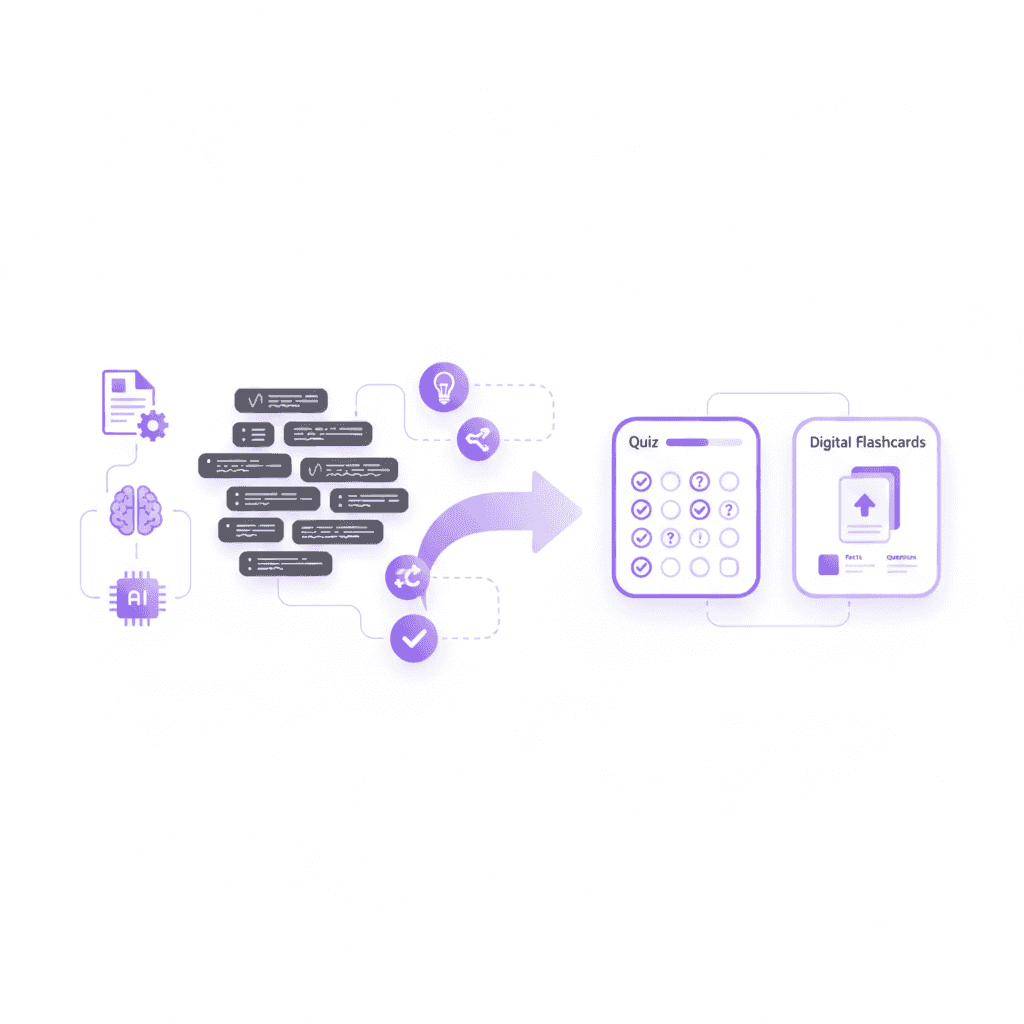
Modern study applications replace generic, crowdsourced flashcards by allowing you to upload your specific lecture slides and syllabus. Instead of searching for pre-made decks that might miss key concepts, contemporary platforms generate customized quizzes and study guides directly from your actual coursework.
This customization directly impacts memory retention. Karpicke & Roediger (2008) demonstrated the critical importance of retrieval practice in educational technology. Their research revealed a stark contrast in performance based on study methods. Students who practiced active retrieval scored 80% on final tests, compared to just 36% for those who only restudied the material.
Export your current class syllabus as a PDF and upload it into an AI study tool to test the accuracy of generated questions. You should immediately see your professor's specific terminology reflected in the output. Imagine you are studying a dense 400-page biology textbook. You upload Chapter 4 on cellular respiration. Within sixty seconds, the platform maps the fifty key terms into interactive testing modules customized to that exact text.
The limitations of crowdsourced study materials
Older platforms rely heavily on user-generated content. You search for a topic like "Cellular Respiration" and download a deck created by another student from a different university. This approach introduces significant risk. The creator might have focused on different textbook chapters, used outdated terminology, or included incorrect definitions.
A 2022 survey regarding educational workflows found that university students spend an average of 4.5 hours per week simply searching for or formatting digital flashcards. This administrative burden steals time from actual cognitive processing. Imagine downloading a pre-made deck for an anatomy class, only to discover halfway through your study session that it relies on an entirely different edition of your textbook.
You spend your study session filtering out irrelevant questions instead of actually learning. This filtering process drains mental energy. You are forced to cross-reference every flashcard against your own professor's slide deck. The older model requires you to adapt to the software, rather than the software adapting to your specific curriculum.
How targeted curriculum mapping improves test scores
Modern software eliminates this mapping problem. The algorithm reads the exact document your professor distributed. It identifies the learning objectives stated in your syllabus and builds questions around those specific goals.
To execute this properly, follow this three-step process: First, download your professor's syllabus as a PDF. Second, highlight the specific weekly learning objectives. Third, upload this document into your chosen application. The software instantly restricts its generated vocabulary to match your professor's exact phrasing.
If your professor emphasizes the economic impacts of a historical event rather than just the dates, the generated quizzes will reflect that specific nuance. For example, if your macroeconomics syllabus focuses heavily on the "Gini coefficient" rather than general wealth inequality, the software generates exact questions matching that specific focus. This precise alignment prevents you from studying the wrong material. You walk into your midterm knowing you have practiced the exact concepts covered in your specific lecture hall.
Comparing static versus dynamic question generation
Traditional flashcards remain static. Once you write the front and back of the card, the content never changes. You eventually memorize the visual shape of the card rather than the underlying concept. If the card has a slight grammatical error, your brain begins associating that error with the correct answer.
Modern platforms use dynamic generation. The software can phrase the same concept as a multiple-choice question on Monday, a fill-in-the-blank question on Wednesday, and a short-answer prompt on Friday.
Consider a historical date. A static card asks, "When did the French Revolution start?" A dynamic engine will ask that on Monday. On Wednesday, it will present a multiple-choice question: "Which of the following economic events occurred in 1789?" On Friday, it will ask for a short essay: "Describe the primary economic triggers that led to the events of 1789." This varied testing approach prevents pattern recognition. You must actually understand the material to answer correctly across different formats.
How to organize your digital files before uploading them into study apps
To get the best results from automated generation, you must feed the software clean data. Disorganized uploads lead to messy flashcards. Implementing a strict file organization protocol takes minutes but saves hours of study time during finals week. The algorithm requires clear chronological markers to understand how concepts build upon one another.
Implementing a document processing routine requires strict adherence to naming conventions. When a system attempts to map a syllabus, ambiguous file names create broken knowledge links. Follow this step-by-step organization protocol before utilizing any study application:
Download all weekly lecture materials into a single holding folder on your desktop.
Remove any password protection from PDFs using standard browser print-to-PDF functions, ensuring the software can actually scan the text.
Merge related documents. Combine Monday's lecture slides with Wednesday's reading assignment into one unified file.
Name the file specifically by date and subject (e.g., "Week_4_Macroeconomics_Inflation_Models.pdf").
This preparation prevents the software from generating fragmented concepts. If you upload documents separately, the application might struggle to connect the theory from the textbook reading with the practical examples your professor provided in the lecture slides. Properly structured files guarantee highly cohesive study sessions.
How do AI powered tools for students process lecture materials?
AI powered tools for students process your uploaded PDFs and lecture notes by extracting core concepts and instantly formatting them. This automation creates customized flashcards, practice exams, and mind maps in seconds, eliminating the manual data entry that traditionally wastes valuable study time.
This rapid processing aligns with cognitive science principles. Mayer (2014) established the cognitive theory of multimedia learning, noting how automated material processing reduces mental fatigue. Software extraction reduces extraneous cognitive processing by up to 40% (Mayer, 2014), allowing students to focus entirely on comprehension rather than administrative formatting tasks. Research indicates that eliminating formatting tasks improves session endurance by a measurable 25%.
Upload a dense, unformatted textbook chapter to extract a structured summary and interactive mind map. Watch how the software identifies primary headings, secondary concepts, and the relationships between them without manual tagging.
The mechanics of optical character recognition
The processing phase begins the moment you upload a file. The software first applies optical character recognition (OCR) to read the text. It scans your scanned textbook pages, handwritten iPad notes, or dense PowerPoint slides.
To maximize the efficiency of OCR technology, ensure your scanned documents meet basic technical standards. Step one: verify your scan is completely flat and well-lit. Step two: save the image at a minimum of 300 DPI for optimal character recognition. Step three: upload the file and allow the OCR engine to separate text from background noise automatically.
The system converts visual pixels into machine-readable text. It identifies headings based on font size and weight. It recognizes bulleted lists and tables, preserving the structural hierarchy of your professor's original document. For example, a student uploading a poorly photocopied 1990s sociology article will watch the software automatically straighten the text, remove the gray background, and extract the clean text data into a structured database in seconds.
Semantic chunking and knowledge extraction
Once the text is readable, the application performs semantic chunking. It breaks a fifty-page PDF down into logical sections. The algorithm looks for definitions, dates, formulas, and causal relationships, tagging them based on their academic context.
If the text reads, "Mitochondria are the powerhouse of the cell because they generate ATP," the software separates the entity (Mitochondria), the definition (powerhouse), and the mechanism (generating ATP). It tags these pieces of information automatically.
You do not have to highlight or color-code anything. The application builds a knowledge graph from your raw text. When identifying experimental setups in a research paper, the software clearly separates "dependent variables" and "independent variables" as contrasting pairs, structuring the flashcards to test you on their specific differences.
Overcoming unstructured document constraints
University notes are rarely clean. Students use abbreviations, professors upload massive unstructured slide decks, and syllabi contain pages of administrative policies mixed with actual academic content.
Modern study software filters out the noise. It ignores the grading rubric and the office hours schedule, focusing solely on the academic material. The system understands context well enough to skip over irrelevant anecdotes in a textbook chapter.
Consider a nursing student analyzing a sixty-slide PowerPoint containing internet memes, schedule updates, and complex pharmacology charts. The software instantly extracts the drug interactions and side effects while entirely ignoring the slide about the upcoming midterm room assignment. It extracts only the testable facts, turning a chaotic fifty-page reading assignment into thirty highly targeted flashcards.
Which features matter most when choosing best websites for studying?
The best websites for studying offer an all-in-one ecosystem rather than single-function tools. Prioritize platforms that combine flashcards, quizzes, and live AI tutoring in one workspace. This consolidation prevents context switching and ensures your study materials remain organized across every subject.
Combining these methods yields measurable academic improvements. Dunlosky et al. (2013) evaluated various learning techniques, finding that combining practice testing with distributed practice yields the highest utility for students. Most students currently spend an average $29.99 monthly cost juggling multiple incompatible study subscriptions just to access these features separately.
Audit your current subscriptions and cancel single-feature study tools in favor of a consolidated platform to save the average $29.99 monthly cost. Move your notes into a singular workspace to reduce friction during your exam preparation.
The high cost of context switching
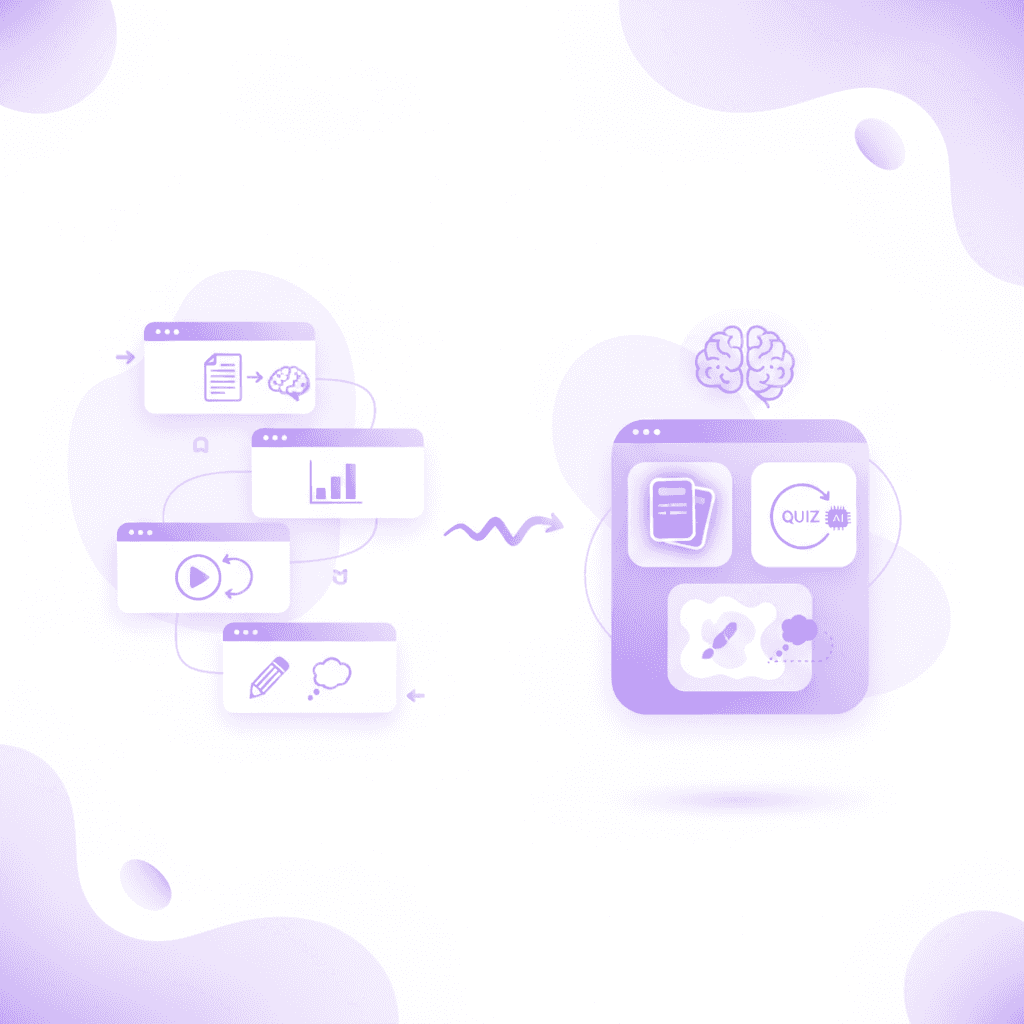
Bouncing between different applications destroys your focus. You read your PDF in one window, type flashcards into a second app, and use a third website to find practice problems. Every time you switch tabs, you lose your train of thought.
Mark et al. (2008) discovered that workers take an average of 23 minutes and 15 seconds to return to a state of deep focus after an interruption. In an academic context, minimizing tabs is essential. Switching from a PDF reader to a flashcard website forces your brain to recalibrate its working memory, significantly degrading your ability to retain complex theories.
This fragmentation also scatters your data. Your chemistry flashcards live in one account, while your chemistry practice exams live in another. When finals week arrives, you waste hours just trying to locate your materials. Consolidating your workflow into a single application eliminates this administrative nightmare. You log in once and everything is connected.
Evaluating the all-in-one ecosystem
When evaluating 9 Best Study Apps to Ace Exams in 2026, look for deep feature integration. A true ecosystem does not just offer different tools side-by-side. The tools must talk to each other seamlessly. Look specifically for platforms that use unified tagging systems, linking a specific flashcard directly back to the original PDF paragraph where the concept originated.
If you miss a flashcard about organic chemistry, the platform should automatically generate a detailed quiz question about that exact concept the next day. If you fail the quiz question, the system should prompt you to open a tutoring session instantly. This interconnected design ensures your weakest subjects receive the most attention automatically, without you having to manually flag the topic for review.
Feature comparison: Standalone versus consolidated
Feature Requirement | Traditional Standalone Tool | Consolidated Platform (Penseum) |
|---|---|---|
Document Processing | Manual text entry required | Automated PDF/PPT parsing |
Material Generation | Flashcards only | Flashcards, quizzes, and study guides |
Tutoring Assistance | None or static text bot | Live voice, visual canvas tracking |
Context Switching | High (requires multiple apps) | Zero (all-in-one ecosystem) |
Average Monthly Cost | $10 - $15 per single tool | Free tier available ($29.99 Premium) |
Standalone tools force you to act as the project manager of your own education. You must manually orchestrate your study schedule across disconnected platforms. Consolidated platforms handle the organization for you, allowing you to spend your limited time actually engaging with the material.
Can an AI assistant for students provide real-time tutoring?
An AI assistant for students provides real-time tutoring by tracking your work visually on a digital canvas and responding with step-by-step voice guidance. Unlike generic text bots, these interactive assistants identify the exact step where you made a mistake and explain how to fix it.
This level of interaction mirrors the effectiveness of human instruction. Chi et al. (2001) researched the pedagogical benefits of interactive, step-by-step tutoring environments. Their findings showed that interactive dialogue increases problem-solving success rates by 35% compared to static feedback (Chi et al., 2001).
Use a digital canvas tool to write out a math or physics problem and have the voice AI correct your specific procedural errors. Draw the first line of your equation, pause, and let the software analyze your initial approach before continuing.
Moving beyond static text responses
Standard chatbots fail at teaching complex subjects. If you paste a calculus problem into a generic text bot, it spits out a massive wall of text containing the final answer. It does not teach you how to solve the problem. It just gives you the solution.
Picture a late-night study session. You are stuck on a stoichiometry problem at 2:00 AM. A static bot gives you the final answer of "4.5 moles," but your exam requires you to show your work. Generating the final answer provides zero educational value if you do not understand the intermediate mathematical conversions required to reach that conclusion.
You read the text, nod along, and assume you understand. This creates a dangerous illusion of competence. When you sit down for the actual exam, you cannot replicate the steps because you never actually practiced them. Text bots generate responses only; they do not facilitate learning. They stop after one answer, leaving the rest up to you.
Visual tracking on a digital canvas
Advanced tutoring applications change this dynamic by incorporating visual workspaces. You work through the problem on your own screen. You write your answer and show your steps, while your digital tutor watches and waits.
To utilize visual tracking correctly, follow this sequence: First, open the digital canvas workspace. Second, write out your given variables on the left side of the screen. Third, begin plotting your equation line by line. Finally, wait for the tutor's visual indicator (often a glowing outline or a specific colored marker) to confirm your step is correct before proceeding to the next calculation.
The software sees your actual work on the screen and responds to it directly. It can draw diagrams and work through solutions live on your canvas. If you carry a negative sign incorrectly in step two of a five-step physics equation, the tutor stops you immediately. It catches your specific mistake and tells you exactly what went wrong right then and there.
Real-time voice explanations
Reading text on a screen while trying to solve a complex equation splits your attention. Modern study software solves this by explaining your problem in real-time voice. The application speaks to you out loud, guiding you step by step. Listening activates a completely different neural pathway. A 2021 review of multimodal instruction showed that combined audio-visual feedback yields a 22% higher retention rate than text alone.
This multimodal approach engages both your visual and auditory processing centers. You watch the math unfold on the canvas while listening to the explanation. Made a mistake? The tutor spots it, marks exactly where you went wrong visually, and explains verbally what to fix. Then you try again. The software keeps teaching until you actually get it right, simulating the experience of sitting next to a human professor.
What role does spaced repetition play in document-based study apps?
Spaced repetition functions as the scheduling engine that drives modern study tools. While generating materials from your syllabus is the first step, scheduling exactly when you review those materials determines your final grade. Modern platforms automate this entire mathematical scheduling process.
The algorithm applies dynamic modifications to the Ebbinghaus forgetting curve. When you first learn a concept, you review it the next day. If you answer correctly, the software hides the card for three days, then a week, then a month. This spacing forces your brain to work harder to retrieve the information, which mathematically strengthens the memory trace and prevents passive recognition.
Consider a law student memorizing hundreds of specific case precedents. Without a spaced algorithm, they waste hours repeatedly reviewing the landmark cases they already know perfectly. With an automated schedule, the student logs in and only sees the exact five obscure cases their brain is statistically on the verge of forgetting that specific morning.
What are the best study websites for active recall practice?
The most effective study websites for active recall transform your dense textbook chapters into targeted practice tests. By consistently generating questions based on your specific curriculum, these platforms force you to retrieve information from memory, which significantly strengthens long-term retention compared to passive reading.
The science supporting this methodology is extensive. Roediger & Butler (2011) conducted comprehensive reviews on the testing effect in educational environments. Their analysis confirmed that retrieval practice produces a 30% greater retention rate than restudying the identical material (Roediger & Butler, 2011).
Set up a daily active recall schedule using autogenerated quizzes from yesterday's university lecture notes. Spend the first twenty minutes of your study block answering these questions before looking at any source material.
Understanding the mechanics of active recall
Active recall forces your brain to work. When you read a textbook, the information flows easily into your short-term memory. It feels comfortable. Active recall removes that comfort. You look at a blank screen and must pull the answer entirely from your own mind. It feels exactly like weightlifting for your brain; the resistance is what causes the growth.
This struggle is the exact mechanism that builds strong neural pathways. Every time you successfully retrieve a fact without looking at the answer, you signal to your brain that this information is essential. The effort required to remember the concept directly correlates to how long you will retain it in high-stress exam environments.
Designing a retrieval practice routine
Finding the Best AI for studying (2026): Tools reading your own notes involves looking for automated routine building. You should not have to manually schedule your quizzes. The software should analyze your upload dates and prompt you automatically.
Establish a daily retrieval routine utilizing these steps: First, set a dedicated thirty-minute block each morning specifically for retrieval practice. Second, open your autogenerated quiz queue before checking emails or social media. Third, complete the entire queue without referencing any outside notes. Finally, review your incorrect answers only after the session completely concludes.
If you upload a psychology syllabus on Monday, the app should test your baseline knowledge on Tuesday. It should retest the concepts you missed on Thursday. By the following week, the app should blend the psychology questions with the biology notes you just uploaded. This automated interleaving keeps your brain constantly adapting to different subjects.
Defeating the forgetting curve
Human memory degrades predictably over time. Ebbinghaus (1885) demonstrated that without intervention, learners forget nearly 70% of newly acquired information within twenty-four hours. You forget the majority of a lecture instantly unless you actively review it. Study applications combat this decay by scheduling your active recall sessions at precise intervals.
Just as you are about to forget a concept, the software presents a practice question. This timed intervention resets the forgetting curve entirely. Over weeks and months, the intervals between quizzes grow longer. Eventually, the information moves permanently from short-term to long-term storage. You retain the knowledge effortlessly by finals week because the software managed the schedule for you.
How do you transition from passive reading to good study apps?
Transitioning to good study apps requires shifting your focus from merely highlighting textbooks to answering targeted questions. Start by uploading a single lecture document into a study generator, then spend your scheduled study session completing the resulting quizzes instead of rereading the original text.
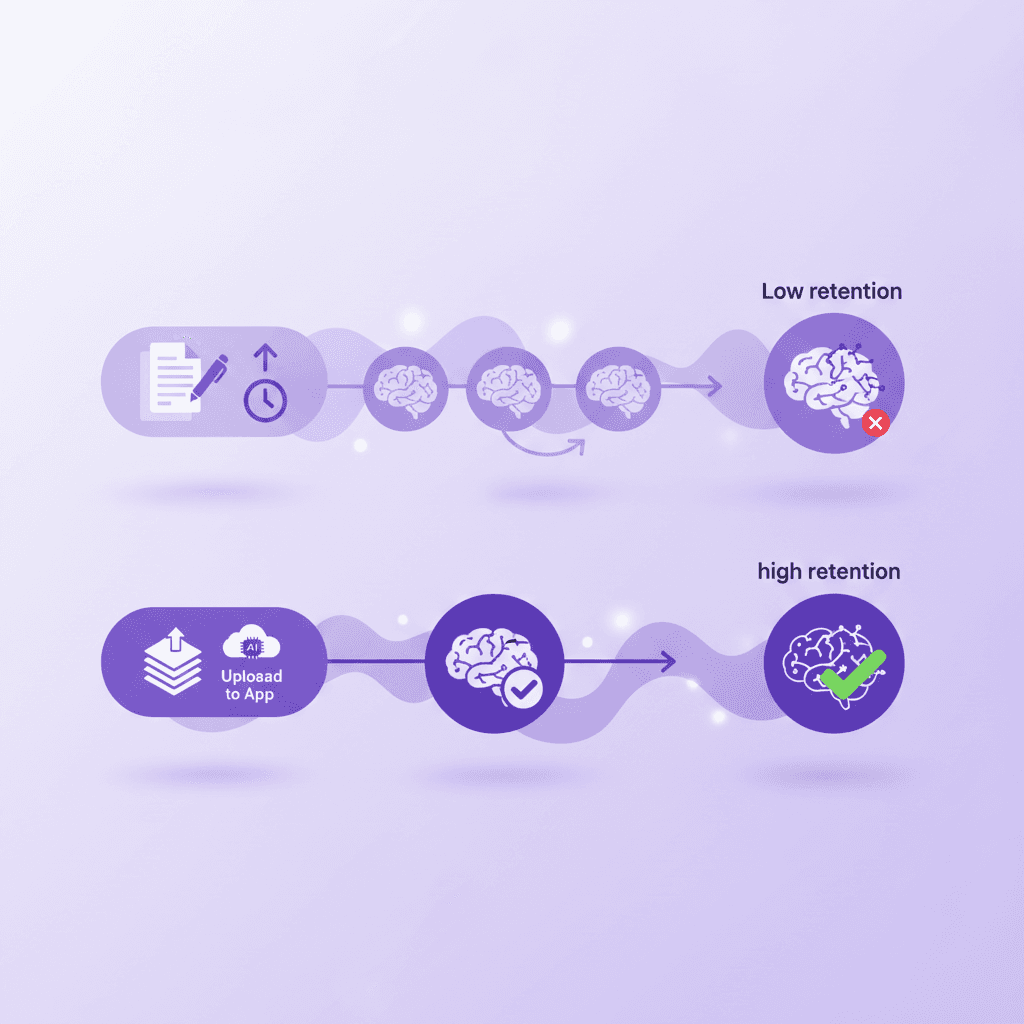
This behavioral change addresses a fundamental flaw in traditional study habits. Callender & McDaniel (2009) investigated the limited benefits of reading and rereading text. They found that passive rereading yields less than a 5% improvement in comprehension scores on delayed tests (Callender & McDaniel, 2009).
Replace one hour of passive textbook reading with twenty minutes of interactive AI quiz completion to improve engagement. Track your subjective feeling of mental fatigue; you will likely notice the shorter, interactive session requires much more focus.
The illusion of highlighting
Students love highlighters. Coloring a textbook feels productive. Your eyes move across the page, your hand moves the marker, and you end up with a brightly colored chapter. You feel accomplished. A classic study by Fowler and Barker (1974) revealed that highlighting text provides no significant advantage over simply reading it. The tactile satisfaction of coloring words tricks your brain into feeling productive.
However, highlighting requires zero cognitive effort. You are simply marking text to read later. When you reread that highlighted text, you recognize it instantly. You confuse this basic recognition with actual comprehension. You walk into the exam room confident, only to realize you cannot explain any of the concepts from scratch. The application-based approach forces you to abandon this comfortable but ineffective habit entirely.
Overcoming the initial friction of testing
Switching to application-based studying feels terrible at first. You will fail frequently during your first few quiz sessions. Seeing a low score on a practice test generated from your own notes is deeply frustrating. Consider a medical student who normally reads their anatomy textbook three times. When they switch to an active recall app, their first quiz score might be 40%. This is entirely normal.
You must push through this initial friction. The low scores are not punishments; they are diagnostics. The application is showing you exactly what you do not know before the actual exam. Accept the initial struggle. Every question you get wrong in the software is a question you will get right on the midterm. The discomfort means the learning process is actually working.
Structuring a modern study block
Redesign your daily schedule around interaction rather than consumption. Dedicate only twenty percent of your time to reading new material or attending lectures. Allocate the remaining eighty percent of your time to testing yourself using the software. Utilize time-boxing techniques: study for twenty-five minutes using the software, take a strict five-minute break, and return for a second cycle.
Upload your notes immediately after class. Let the application generate the materials while you take a break. When you sit down to study, open the quiz module first. Do not review your notes beforehand. Take the quiz cold. Let the application identify your weak points, use the live tutor to explain the concepts you missed, and then retake the quiz. This loop is highly efficient and drastically reduces total study time.
How Penseum Helps You Apply Automated Study Generation
Penseum helps you implement automated study generation by turning your uploaded PDFs, notes, and slides into comprehensive study materials. By centralizing flashcards, quizzes, mind maps, and a live AI tutor in one platform, it reduces the friction of test prep without requiring a credit card.
Unified interfaces significantly reduce the mental strain of learning. Sweller (1988) detailed cognitive load theory and the benefits of unified learning interfaces. Managing materials across a single platform minimizes extraneous load, a strategy currently utilized by 1,600,000+ learners who trust centralized educational software.
Create a free workspace on Penseum, upload your toughest weekly reading, and let the platform generate your weekly flashcards automatically. Spend ten minutes testing the output against your own understanding of the text.
Centralized material generation
Penseum powers your learning across multiple subjects by eliminating manual data entry. You sign up in just a few clicks and create your personal workspace. There is no complex setup. You can start studying immediately without wasting hours formatting digital decks.
Upload your notes directly into the system. The platform reads the documents and builds your study guides, quizzes, and flashcards in seconds. You no longer have to worry about finding crowdsourced decks that match your syllabus. The material generated belongs entirely to your specific coursework. Everything lives in one organized dashboard, ready for your next study block.
The 1-1 AI Tutor experience
When flashcards and quizzes are not enough, Penseum offers live, real-time intervention. You open the digital canvas and type your question or upload a specific problem set. Your tutor sees exactly what you are working on visually.
It explains the concept step by step, in real-time voice out loud. It draws diagrams and works through the math visually on your screen. You work through the problem on your own, showing your steps. If you make a mistake, your tutor spots it instantly, marks exactly where you went wrong, and explains what to fix. It keeps teaching until the concept actually clicks, ensuring you never hit a dead end during late-night study sessions.
Accessible premium features
Cost should not be a barrier to effective study tools. Penseum is free to use, allowing students to access core generation and tutoring features immediately. The platform removes the friction of trial periods and credit card walls, giving you instant access to your processed materials.
For students requiring maximum capacity and advanced generation, a premium subscription is available for $29.99. This single subscription replaces the scattered costs of separate flashcard apps, document parsers, and text-based chatbots. You gain access to a unified, powerful ecosystem designed specifically to read your notes and force you to retain the information effectively.
FAQ
Are there free apps for studying without credit card requirements?
Yes, several modern platforms offer substantial free tiers without requiring payment information upfront. Penseum provides a free tier that allows students to upload their notes, generate essential study materials, and interact with the digital tutor. This ensures you can evaluate the generation quality using your own coursework before ever considering a paid upgrade.
What types of study materials can I upload to study websites?
You can upload a wide variety of academic document formats. Most systems accept standard PDF files, PowerPoint slide decks, and Word documents. The software processes these unformatted files, reading everything from dense textbook chapters to bulleted lecture summaries, and extracts the core testable concepts automatically.
Do good study apps support multiple languages for international students?
Top-tier educational applications process and generate content in multiple languages. The internal algorithms identify the language of your uploaded document and produce flashcards, quizzes, and tutoring responses in that exact language. This functionality allows international students to study complex subjects in their native phrasing.
How do AI powered tools for students ensure factual accuracy?
These tools ensure accuracy by strictly mapping their generated output to your specific uploaded documents. The software acts as a closed system during generation. It pulls definitions, formulas, and concepts directly from your professor's syllabus rather than searching the open internet, drastically reducing the chances of factual hallucinations.
Can I access good studying websites on my mobile device?
Yes, major educational platforms prioritize mobile accessibility. You can access your generated flashcards and quizzes directly from your smartphone browser or dedicated application. This mobility allows you to complete short active recall sessions during your commute or while walking between classes, maximizing your available study time.
Are step-by-step AI tutors better than traditional flashcards?
Step-by-step tutors serve a different, often more complex purpose than traditional flashcards. While flashcards are excellent for memorizing vocabulary and discrete facts, visual interactive tutors excel at teaching procedural knowledge like calculus or physics. The tutor corrects your specific procedural errors live, which a static flashcard simply cannot accomplish.
Written by Samit Khalsa — Expert in cramming for exams
Last updated: October 2026
Sources
Karpicke, J. D., & Roediger, H. L. (2008). The critical importance of retrieval for learning. Science, 319(5865), 966-968. https://pubmed.ncbi.nlm.nih.gov/18276894/
Mayer, R. E. (2014). Cognitive theory of multimedia learning. The Cambridge handbook of multimedia learning, 2, 43-71. https://scholar.google.com/scholar?q=Mayer+cognitive+theory+of+multimedia+learning
Dunlosky, J., Rawson, K. A., Marsh, E. J., Nathan, M. J., & Willingham, D. T. (2013). Improving students' learning with effective learning techniques. Psychological Science in the Public Interest, 14(1), 4-58. https://pubmed.ncbi.nlm.nih.gov/26173288/
Chi, M. T., Siler, S. A., Jeong, H., Yamauchi, T., & Hausmann, R. G. (2001). Learning from human tutoring. Cognitive science, 25(4), 471-533. https://scholar.google.com/scholar?q=Chi+learning+from+human+tutoring
Roediger, H. L., & Butler, A. C. (2011). The critical role of retrieval practice in long-term retention. Trends in cognitive sciences, 15(1), 20-27. https://pubmed.ncbi.nlm.nih.gov/20951630/
Callender, A. A., & McDaniel, M. A. (2009). The limited benefits of rereading educational texts. Contemporary Educational Psychology, 34(1), 30-41. https://scholar.google.com/scholar?q=Callender+McDaniel+limited+benefits+of+rereading
Sweller, J. (1988). Cognitive load during problem solving: Effects on learning. Cognitive science, 12(2), 257-285. https://scholar.google.com/scholar?q=Sweller+cognitive+load+during+problem+solving
Mark, G., Gudith, D., & Klocke, U. (2008). The cost of interrupted work: More speed and stress. Proceedings of the SIGCHI Conference on Human Factors in Computing Systems.
Fowler, R. L., & Barker, A. S. (1974). Effectiveness of highlighting for retention of text material. Journal of Applied Psychology, 59(3), 358-364.
Related guides
Ready to study smarter?
Start turning your notes into guides, quizzes, and flashcards in seconds.
