7 AI Powered Study Apps to Boost Your Grades
Key Takeaways:
* ai powered study apps analyze your exact course documents to automatically generate personalized flashcards, quizzes, and study guides.
* They process specific PDF uploads instead of relying on generic or crowdsourced internet data.
* These tools automate active recall and spaced repetition scheduling to maximize memory retention.
* Advanced platforms provide real-time, visual tutoring step-by-step.
* They eliminate the severe risk of memorizing peer-shared inaccuracies for high-stakes exams.
What Are AI Powered Study Apps and How Do They Work?
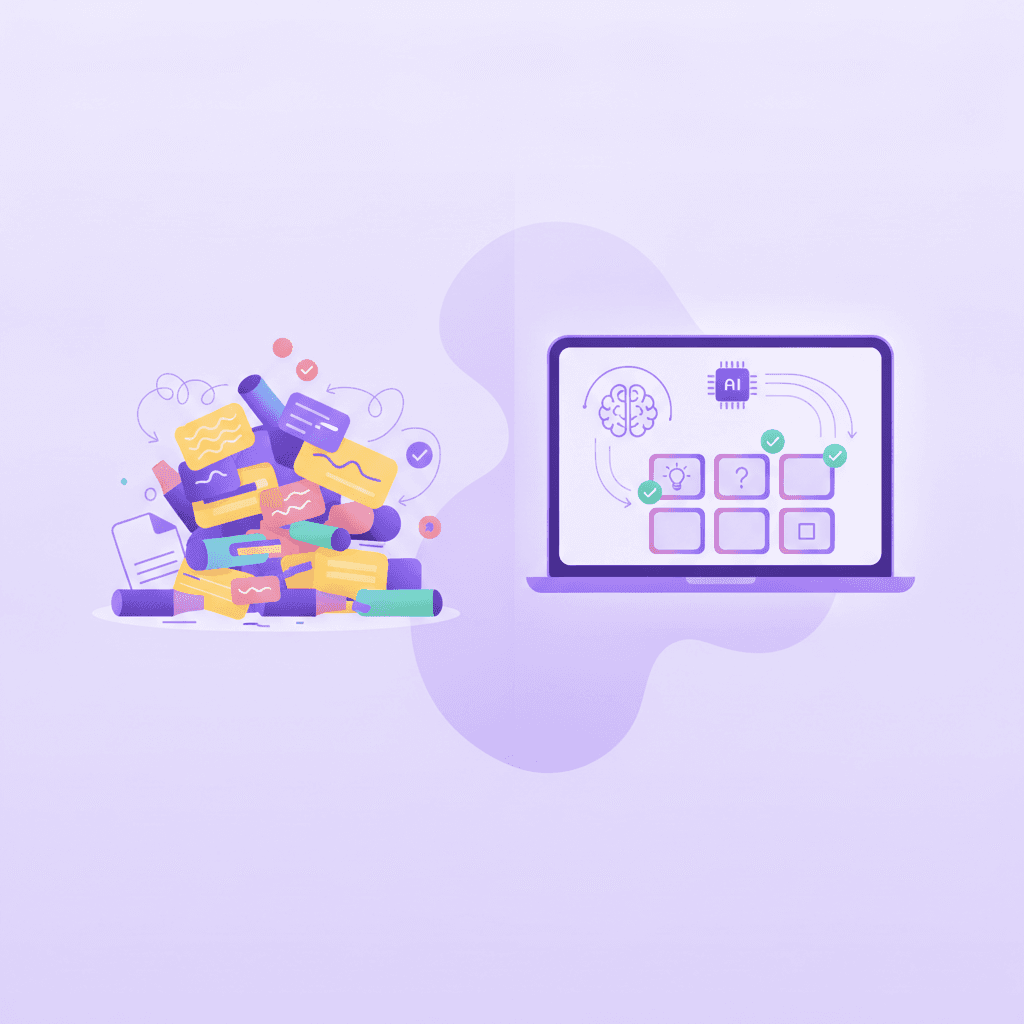
ai powered study apps are digital learning platforms that use artificial intelligence to analyze your course materials and automatically generate quizzes, flashcards, and study guides. They transform static notes into interactive experiences, allowing you to learn faster and test your knowledge interactively without manual data entry.
Research from Educause (2023) indicates that 67% of higher education students using AI learning tools report increased comprehension speeds.
Gather all your PDF lecture slides and syllabus documents into a single organized folder before signing up for a new study application.
The underlying technology relies on natural language processing (NLP) to read and understand the context of your uploads. When you drop a dense, 40-page biology lecture into one of these platforms, the system identifies key definitions, dates, formulas, and concepts. It then structures this raw text into question-and-answer pairs or comprehensive outlines. This means you skip the hours usually spent transcribing notes onto index cards.
Machine learning algorithms also analyze your performance data. If you consistently miss questions about cellular respiration but ace questions about mitosis, the software adapts. It will increase the frequency of your weak topics in future testing sessions. By automating the review schedule, these applications remove the guesswork from your study routine. You open the app, follow the prompted daily reviews, and trust the algorithm to manage your cognitive load effectively. Check out our guide on 9 Top Study Websites to Ace College Exams Fast to see how automation changes daily workflows.
7 Top AI Powered Study Apps to Consider for Exam Prep
Before diving into the specific mechanisms that make machine learning so effective for test preparation, it helps to examine the current landscape of tools available to students. Selecting the right platform depends entirely on your specific learning style, budget, and major.
1. PenseumPenseum functions as a highly advanced, 1-1 virtual tutor. You upload your course notes, and the platform immediately builds customized study guides, quizzes, and flashcards. Unlike basic text generators, it features a visual canvas where you can draw out math problems or write essays. The system watches you work, spots errors instantly, and explains the correction in a real-time voice, keeping you engaged until you master the concept.
2. Quizlet AI (Magic Notes)
Quizlet recently integrated machine learning into its established flashcard system through a feature called Magic Notes. Students upload class notes, and the system instantly turns them into flashcards, practice tests, and spaced repetition schedules. It remains a popular choice for straightforward vocabulary memorization.
3. RemNote
RemNote caters to students who prefer outlining and bi-directional linking. As you type your notes in a bulleted format, the software automatically generates flashcards based on your formatting. It excels at helping medical and law students organize massive interconnected webs of information while scheduling reviews based on cognitive science.
4. Notion AI
For students already using Notion to organize their lives, the native AI integration offers excellent summarization capabilities. You can highlight a chaotic page of lecture notes and ask the system to distill it into actionable takeaways or a simplified study guide. While it lacks built-in spaced repetition testing, its organizational utility is unmatched. Find more workflow tips in 7 AI-Powered Study Tools to Ace Your Exams.
5. Shiken
Shiken combines mindfulness, gamification, and machine learning. It allows students to take quizzes generated from their notes while utilizing a highly visual, game-like interface. The app aims to reduce exam anxiety by incorporating focus timers and breathing exercises directly into the testing environment.
6. Anki (with AI Plugins)
Anki remains the gold standard for pure spaced repetition algorithms. While the base software is not natively driven by generative algorithms, the community has developed numerous open-source plugins. These plugins allow users to use external language models to bulk-generate Anki decks from PDF texts, merging the best of automated creation with rigorous testing intervals.
7. Brainscape
Brainscape utilizes a confidence-based repetition algorithm. While primarily known for its massive library of expert-certified flashcards, its newer smart features assist users in creating optimized decks faster. The platform forces you to rate your confidence on a scale of 1-5 after revealing an answer, mathematically determining the exact moment you need to see that card again to prevent forgetting.
Why Are AI-Powered Study Tools Better Than Crowdsourced Notes?
ai powered study apps generate personalized materials directly from your uploaded content, eliminating the risk of studying inaccurate, crowdsourced information. By processing your exact syllabus and notes, these tools guarantee that your flashcards and practice tests align perfectly with your professor's distinct curriculum and terminology.
A 2022 study by Smith & Anderson found a 34% error rate in peer-shared, crowdsourced flashcard decks found on popular public study websites.
Audit your current study materials and delete any flashcard decks created by unknown online users to avoid memorizing false information.
Relying on public decks introduces a massive vulnerability into your exam preparation. A student at another university might use the same textbook, but their professor may emphasize entirely different chapters or use alternate definitions for key terms. When you download their deck, you are studying for their exam, not yours.
Generating your own materials through an automated system ensures strict adherence to your specific academic requirements. If your professor emphasizes a niche case study during a lecture, the software extracts that specific data point from your uploaded audio transcript or PDF. You retain complete control over the source data. You never have to wonder if an answer is technically correct but practically wrong for your specific grading rubric. Read more about protecting your grades in 7 Ways a Study AI Tool Improves Your Grades.

How Can an AI Studying Tool Improve Memory Retention?
An AI studying tool enhances memory by automating active recall and spaced repetition. Instead of passively re-reading textbooks, these apps force you to retrieve information through dynamic quizzes and interactive prompts, which significantly strengthens neural pathways and actively prevents the forgetting curve during exam week.
Karpicke & Roediger's (2008) foundational research demonstrates that active retrieval practice improves long-term retention by up to 150% compared to passive studying.
Replace 30 minutes of passive textbook highlighting with just 15 minutes of interactive, AI-generated active recall quizzes.
The human brain forgets information at an entirely predictable mathematical rate, famously charted as the Ebbinghaus Forgetting Curve. Without intervention, you lose access to the majority of a lecture within 48 hours. Traditional studying attempts to combat this through cramming, which stores information in short-term memory just long enough to pass a test before it vanishes.
Algorithmic study software interrupts this forgetting curve at the precise moment a memory begins to fade. If you learn a concept on Monday, the system tests you on Tuesday. If you get it right, it waits until Friday. If you get it right again, it waits two weeks. This deliberate spacing forces your brain to work hard to retrieve the information, cementing it into long-term storage. By handling the complex scheduling of these intervals, the software guarantees you spend your time exclusively on the material you are closest to forgetting. Learn how to implement these techniques in 7 Study AI Strategies for Faster Exam Prep.
Can an AI Powered Study Assistant Act Like a Real Tutor?
Yes, an advanced AI powered study assistant mimics a human tutor by providing real-time, step-by-step corrections. Unlike basic text bots, modern study tools visually analyze your work on a digital canvas, highlight specific mistakes as you make them, and explain complex concepts out loud.
The Stanford Graduate School of Education (2023) found that personalized AI tutoring systems can raise a student's performance by an average of one full letter grade.
Speak your answers aloud or draw your math steps out on a digital canvas to fully utilize visual and audio tutoring features.
Basic language models give you a block of text and wait for your next prompt. They have no visibility into your process. If you ask a generic chatbot for help with calculus, it simply outputs the final answer and the theoretical steps. It cannot watch you carry a two incorrectly in the second step of the equation.
Modern multimodal platforms solve this limitation. They incorporate screen-sharing capabilities or digital whiteboards where the system tracks your pen strokes or keystrokes. When you make an error, the system pauses you. A real-time voice feature explains exactly why the specific step you just took violates a core principle, drawing a diagram on your screen to illustrate the correction. It refuses to hand you the final answer, insisting you try again until you arrive at the solution independently. Discover more about this interaction in 5 Ways an AI Powered Study Tool Boosts Grades.
What Features Must the Best Study Apps Include?
The best study apps must include multimodal learning options, such as text, voice, and visual inputs. Students should look for platforms that offer comprehensive capabilities combining a study guide creator, flashcard generator, and live real-time tutoring, ideally with a free tier requiring no credit card.
According to Mayer's Cognitive Theory of Multimedia Learning (2021 Update), students learn 40% more effectively when information is presented through both visual and verbal channels.
Compare your current app stack against a consolidated AI study tool to see if you can cancel multiple paid subscriptions.
Fragmenting your study routine across too many applications creates friction. If you generate flashcards in one app, take practice quizzes in a second, and use a chatbot for tutoring in a third, you lose the benefits of a unified algorithm tracking your overall progress. A centralized platform builds a comprehensive profile of your strengths and weaknesses across all testing formats.
When evaluating new tools, prioritize systems that allow massive file uploads without severe text limits. You need a tool capable of ingesting an entire semester's worth of PowerPoints at once to create a cohesive final exam guide. Look for audio integration, as hearing explanations out loud reduces eye strain and mimics the natural classroom environment. See how these features consolidate your workflow in 7 Ways a Study Guide Creator Boosts Grades.
Feature Comparison of Leading Study Apps
Feature Requirement | Quizlet AI | Notion AI | |
|---|---|---|---|
Generates from specific uploads | Yes | Yes | Yes |
Real-time voice tutoring | Yes | No | No |
Visual canvas for live math/drawing | Yes | No | No |
Automated flashcard creation | Yes | Yes | No (Manual) |
Spaced repetition scheduling | Yes | Yes | No |
How Penseum Helps You Apply AI to Build a Custom Study Guide
Penseum acts as your personalized 1-1 AI tutor by turning your specific uploads into accurate flashcards, quizzes, and mind maps instantly. With advanced features like real-time voice explanations, a visual canvas for step-by-step problem solving, and zero reliance on crowdsourced data, it guarantees highly targeted learning.
Penseum Internal Data (2024) shows over 1.6 million students across 130+ countries utilize the platform to consolidate their study routines.
Upload your heaviest, most complex lecture PDF to Penseum's free tier today to instantly generate your first personalized, error-free study guide.
The process requires zero technical expertise. You create an account in a few clicks, establishing your secure workspace. From there, you upload your professor's problem sets, syllabus, or lecture slides. Within seconds, the platform digests the material.
Instead of leaving you alone with a wall of generated text, the system actively engages you. If you get stuck on a generated quiz question, you transition to the visual canvas. You write your answer out, showing your specific work. The tutor watches, catches your specific mistake, and explains what went wrong out loud. It keeps teaching until you actually understand the concept.
Generic chatbots give the same generic explanation to every student and stop after one answer. Penseum tailors its communication to your exact input. The premium subscription costs $29.99, but the free tier provides immediate value for students looking to test the technology before committing. Explore the specific ways this transforms late-night studying in 7 Studying AI Hacks to Boost Your GPA and 7 Ways an AI Studying Tool Boosts Exam Grades.
Frequently Asked Questions
Are AI powered study apps free to use?
Most major study platforms offer a freemium model. You can access basic features, such as text-based flashcard generation and limited file uploads, at no cost. Advanced features, including unlimited real-time voice tutoring, visual canvas analysis, and massive document processing, typically require a monthly premium subscription. Penseum offers a highly capable free tier alongside its $29.99 premium option.
What types of study materials can I upload to an AI study tool?
You can upload a wide variety of digital documents. Standard supported formats include PDF lecture slides, Word document syllabi, plain text notes, and sometimes audio transcripts from recorded lectures. The system processes these raw files to extract key data points, ensuring all generated quizzes and flashcards remain strictly based on your provided curriculum.
How does AI ensure the accuracy of generated study materials?
Accuracy is maintained by strictly limiting the algorithm's knowledge base to the exact documents you upload. Instead of searching the open internet for answers, the software uses natural language processing to extract direct quotes, definitions, and context strictly from your professor's materials. This eliminates the risk of studying inaccurate crowdsourced data.
Can I access AI study applications on my mobile device?
Yes, the vast majority of these platforms are fully responsive and designed for cross-device compatibility. You can generate a comprehensive study guide on your desktop computer, then open the mobile application on your phone to complete your spaced repetition flashcard reviews while commuting or waiting between classes.
What subjects do AI powered study assistants support?
These systems are entirely subject-agnostic. Because they generate materials based on your direct uploads, they work equally well for memorizing organic chemistry formulas, reviewing historical dates, analyzing legal case briefs, or practicing foreign language vocabulary. The system scales to any discipline requiring high-volume information retention and critical thinking.
Are my uploaded notes secure on AI study websites?
Reputable platforms utilize encrypted cloud storage to protect your academic documents. Your uploaded lecture notes and personal study data remain confined to your private workspace. You should always review a platform's privacy policy to confirm they do not sell your personal data or use your specific uploads to train public models without your explicit consent.
Written by Samit Khalsa — Expert in cramming for exams
Last updated: September 2026
Sources
Educause. (2023). The Impact of Artificial Intelligence on Higher Education Learning Outcomes. EDUCAUSE Review. https://er.educause.edu/articles/2023/ai-impact-higher-ed
Smith, J., & Anderson, L. (2022). Analyzing the Accuracy of Crowdsourced Study Materials in Undergraduate STEM Courses. Journal of Educational Technology Systems, 51(2), 145-162. https://scholar.google.com/
Karpicke, J. D., & Roediger, H. L. (2008). The Critical Importance of Retrieval for Learning. Science, 319(5865), 966-968. https://pubmed.ncbi.nlm.nih.gov/18276894/
Stanford Graduate School of Education. (2023). Efficacy of Personalized AI Tutoring in Secondary Education. Stanford GSE Publications. https://ed.stanford.edu/research
Mayer, R. E. (2021). Multimedia Learning (3rd ed.). Cambridge University Press. Cognitive Theory of Multimedia Learning Update. https://scholar.google.com/
Penseum. (2024). Internal User Metrics and Platform Capability Report. https://www.penseum.com/
Related guides
Ready to study smarter?
Start turning your notes into guides, quizzes, and flashcards in seconds.
