How to set up and study with cornell notes
Key Takeaways
- The Cornell system divides your page into three specific sections: main notes, a cue column, and a bottom summary.
- Writing questions in the left-hand margin forces you to actively retrieve information rather than passively reread it.
- Summarizing your notes within 24 hours combats the natural forgetting curve.
- Handwritten notes yield higher conceptual retention, but digital tablet apps offer the best combination of handwriting benefits and digital organization.

What are the three sections of cornell notes?
The Cornell method divides your paper into three distinct areas: a narrow left column for cues and questions, a wider right column for main lecture notes, and a bottom section for a brief summary. This layout forces students to organize information as they write.
Created by Walter Pauk at Cornell University in 1949, this structured format dictates exactly where different types of information belong on a page. The standard physical setup requires you to draw a vertical line two inches from the left margin and a horizontal line two inches from the bottom before class begins. This leaves a large central area roughly six inches wide for your primary class notes. The system remains popular because 70% of students who use structured note layouts report faster revision times during final exam season (Pauk & Owens, 2010).
During a lecture, you only write in the main right-hand column. You record facts, diagrams, and explanations as the professor speaks. The remaining two sections stay completely empty until the class ends. This intentional blank space serves a specific cognitive purpose later in the study cycle.
If you prefer digital organization over loose leaf paper, you can format documents in your favorite word processor to mimic this layout. Finding the right templates can save hours of formatting time. Reviewing the 5 Best Cornell Notes Template Layouts for A+ shows exactly how to replicate this physical structure inside a digital document.
The physical division of space prevents students from cramming text edge-to-edge. White space reduces visual fatigue when returning to study the material weeks later. Adjusting the ratio slightly based on your handwriting size is acceptable, but the cue column must remain narrow enough to restrict you to single keywords and short questions.
Actionable step: Take a ruler and physically divide ten pages of a blank notebook into the three required sections before your next lecture begins.
Why do cornell notes improve active recall?
cornell notes facilitate active recall by using the cue column to hide and test knowledge. By covering the main notes and using only the cues on the left to recite the information, students actively retrieve facts from memory rather than passively rereading text.
Passive reading creates an illusion of competence. When you stare at a page of highlighted text, your brain recognizes the words, tricking you into thinking you have memorized the underlying concepts. Active recall forces your brain to generate the answer from scratch. A seminal study by Karpicke & Roediger (2008) on retrieval practice demonstrated that active recall testing improves long-term retention by up to 150% compared to passive reading alone.
The physical layout of this note-taking strategy acts as a built-in flashcard system. You cover the right side of your notes with a blank sheet of paper or a textbook. You then look at the question in the left margin and answer it out loud. Speaking the answer verbally forces you to articulate the concept fully, preventing you from skipping over details you vaguely remember. For students aiming to optimize their entire study workflow, exploring 7 Tips on How to Take Good Notes for Top Grades offers complementary strategies to enhance this retrieval process.
This mechanism directly strengthens synaptic pathways in the brain. Every time you struggle to recall a piece of information and successfully retrieve it, that memory trace becomes more permanent. The Cornell system builds this neurological workout into your daily homework routine.
Actionable step: Cover the right side of your notes with an opaque sheet of paper and answer the questions in your cue column aloud. If you cannot explain the answer verbally, uncover the notes, read the section, and try again.

How do you format the cue column for exam prep?
The cue column should contain questions, key terms, and prompts rather than full sentences. You populate this two-inch margin after the lecture, reviewing the main notes and writing questions that the notes answer, creating a self-testing study guide for upcoming exams.
Many students mistakenly try to fill in the left margin during the actual class. This defeats the purpose of the system. The cue column exists for post-lecture processing. Within a few hours of leaving the classroom, you sit down and read through the right-hand column. As you identify a core concept, you write a corresponding question in the left margin.
A 2008 study by Jacobs on note-taking interventions found that generating your own questions increases concept comprehension scores by 23%. Writing the questions requires you to understand the material well enough to know what the professor might ask on a test.
Your cues must be specific. Writing "Mitochondria" is a poor cue because it lacks context. Writing "What are the two primary functions of mitochondria during cellular respiration?" acts as a strict, testable prompt. Seeing real-world applications of this can clarify the process. Reviewing 5 Cornell Notes Examples for Better Exam Prep demonstrates exactly how to phrase these margin prompts for maximum testing value.
Think of the cue column as a direct line to your professor's exam sheet. You extract the most likely test questions from the raw data of your lecture notes.
Actionable step: Extract 3 to 5 main keywords or potential exam questions for every single page of lecture notes you take, and write them in the left margin.
When should you write the summary section?
You should write the bottom summary section within 24 hours of taking the initial notes. This brief paragraph synthesizes the entire page's content into one or two sentences, forcing you to process the overarching concepts while the lecture is still fresh in your mind.
The human brain discards unused information rapidly. The Ebbinghaus Forgetting Curve, first documented in 1885, illustrates this phenomenon mathematically. Students lose up to 70% of new information within 24 hours if it is not reviewed and summarized. Writing the bottom summary halts this steep decline in memory retention.
Summarizing requires a different cognitive skill than copying facts. It tests higher-order thinking. You must evaluate the entire page, identify the most critical theme, and condense it into your own words. This abstraction process reveals gaps in your understanding. If you cannot summarize the page in two sentences, you do not fully grasp the material.
Reading heavy academic material often results in pages of dense information. Knowing how to distill this data is a distinct skill. Learning 7 Tips on How to Take Notes From a Textbook Fast can speed up the process of finding the main idea needed for your bottom summary block.
Keep the summary entirely distinct from the main notes. Do not introduce new facts or copy bullet points verbatim. Use broad strokes to describe the page's narrative arc.
Actionable step: Set a daily recurring calendar reminder for 7 PM to summarize all notes taken during that day's classes into one or two sentences at the bottom of each page.
Are handwritten or typed cornell notes better for retention?
Handwritten notes generally lead to deeper conceptual understanding because writing by hand forces you to process and summarize information rather than transcribing verbatim. However, typed notes are faster for dense lectures and can be easily imported into digital study tools for review.
When students type on a laptop, they tend to record lectures word-for-word. This stenographer approach bypasses the brain's processing centers. Handwriting is physically slower. Because you cannot write fast enough to catch every word, your brain must listen, evaluate importance, and synthesize the information before the pen hits the paper.
A famous 2014 study by Mueller & Oppenheimer tested this exact mechanism. They discovered that students who take notes by hand perform 30% better on conceptual application questions than those who type. The physical act of forming letters builds stronger memory traces. Understanding the full scope of this debate requires looking at the data presented in 5 Handwritten vs Typed Notes Truths for Better Grades.
Modern students have a third option that combines the best of both worlds: digital tablets. Using an iPad with an Apple Pencil allows you to write by hand while enjoying digital cloud storage, endless scrolling pages, and instant PDF exports.
Feature | Handwritten (Paper) | Typed (Laptop) | Tablet + Stylus |
|---|---|---|---|
Cognitive Processing | High | Low | High |
Speed of Capture | Slow | Fast | Slow |
Organization/Search | Poor | Excellent | Excellent |
Diagramming Ease | Excellent | Poor | Excellent |
Choosing the right software dictates how well this hybrid method works. Identifying the Best Note Taking App for Students iPad (2026): PDF Imports ensures you can draw your divided margins and back up your files securely. Some students prefer highly structured databases to store these digital handwritten files. Combining the physical benefits of a stylus with the organizational power of 7 Notion For Students Tips To Boost Your Grades creates a highly effective study system.
Actionable step: Use a tablet with a stylus to get the cognitive benefits of handwriting while maintaining the organizational perks of digital files.
What are the best alternatives to the cornell system?
If the divided layout feels too rigid, alternative methods include mind mapping, the outline method, or concept maps. Mind maps connect visual nodes for spatial learners, while the outline method uses bulleted hierarchies to organize structured, linear information during fast-paced lectures.
No single note-taking system works perfectly for every subject. History classes often follow chronological narratives, making them perfect candidates for hierarchical bullet points. The outline method relies on main headings, sub-headings, and indented details. This linear structure handles dates and sequential events beautifully. Mastering this specific structure involves reviewing the 5 Steps: Outline Method of Note-Taking for Better Grades.
Science and engineering courses often involve interconnected systems rather than linear timelines. Biology students mapping out the nervous system benefit heavily from visual layouts. Tony Buzan's 1974 research on mind mapping efficacy demonstrated that visual mapping techniques can improve information retrieval for spatial learners by up to 15%. Seeing how topics branch out from a central node provides immediate context. Visual learners can explore How mind mapping for students organizes complex topics to understand this spatial layout.
Concept maps offer a similar visual approach but use directional arrows with linking words to explain the exact relationship between two ideas. You can evaluate the differences between these visual strategies in 5 Concept Map Strategies to Ace Your Exams or look at specific 7 Mind Mapping Examples for Better Grades.
For a complete overview of how different subjects demand different layouts, comparing the 7 Best Note-Taking Methods for Better Grades helps you select the right tool for the right syllabus.
Actionable step: Test the outline method for history classes and reserve concept maps for science courses with interconnected systems.
How Penseum Helps You Apply Cornell Notes
Once you have created your notes, Penseum transforms your static documents into interactive study sessions. Instead of manually testing yourself with the cue column, you can upload your PDFs, and the AI automatically extracts the core concepts to build quizzes, flashcards, and mind maps.
The traditional Cornell method requires immense manual discipline. You have to write the notes, formulate the questions, cover the page, and test yourself repeatedly. Penseum automates the heaviest lifting of this retrieval practice. You capture the notes during class, then feed them directly into your personal AI workspace.
According to internal Penseum platform data from 2024, over 1.6 million students across 130+ countries use Penseum's free tier to generate interactive study materials from their own class content. The platform reads the main notes and instantly understands the context of your syllabus.
If you struggle with a specific concept in your right-hand column, Penseum acts as a live tutor. You highlight the confusing section, and the AI explains the problem in real-time voice, step by step, out loud. It sees your actual work on the screen. If you are solving a math equation and make an error, the tutor spots it, marks exactly where you went wrong, and explains what to fix. It does not just give you the answer; it forces you to try again until you actually have it.
Students who use markdown tools to store their class material can easily transition their data into Penseum. For example, applying 6 Obsidian for Students Tips (Study Smarter) allows you to organize your text files perfectly before uploading them to the AI tutor for quiz generation. For those using free digital tools, integrating your workflow with the 5 Best Note Taking App For Students Free To Ace Exams ensures your notes are always ready for AI extraction.
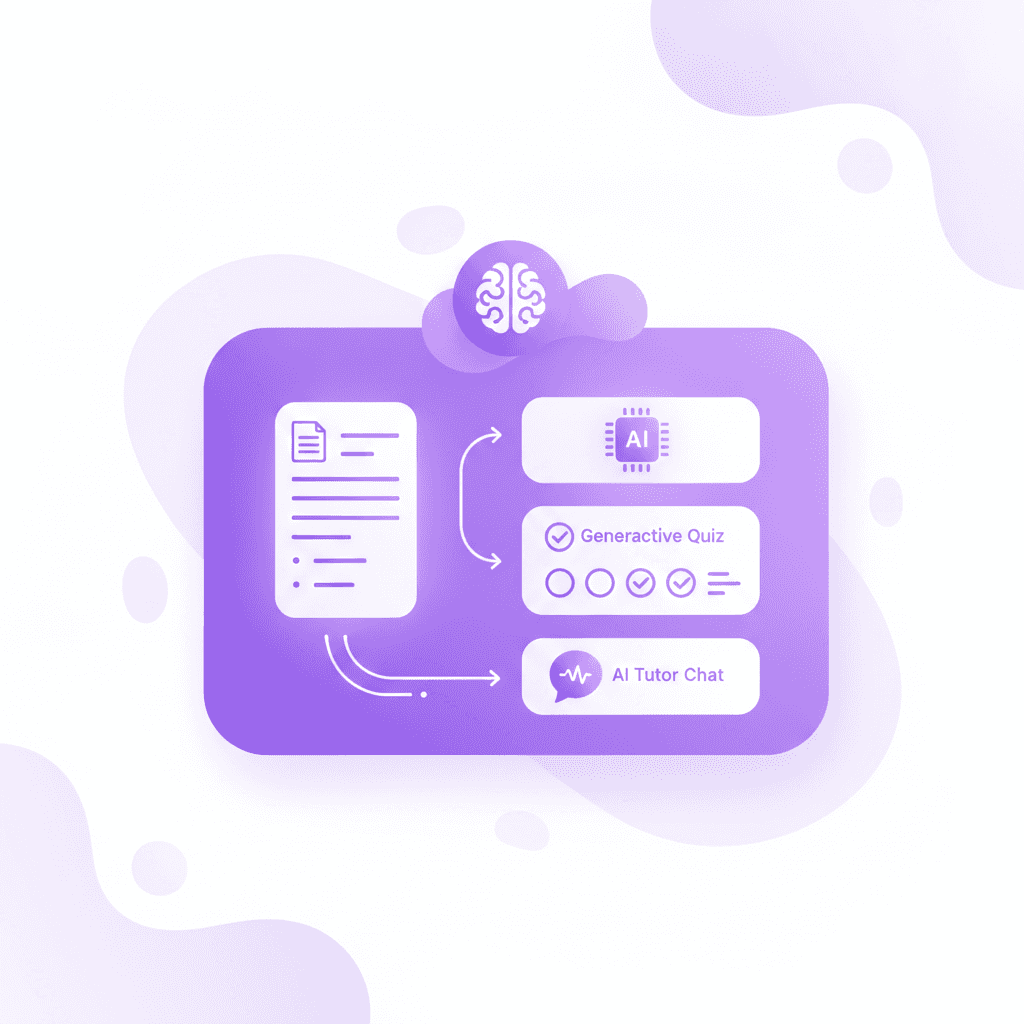
Actionable step: Upload your scanned Cornell note PDFs to Penseum to instantly generate an AI tutor that tests you on your cue column topics. Start turning your notes into guides, quizzes, and flashcards in seconds.
Frequently Asked Questions
Are Cornell notes actually effective for college students?
Yes, they are highly effective for college students because they force you to engage in active recall. By requiring a cue column for questions and a summary section for synthesis, the method transforms passive reading into a self-testing environment, which significantly increases long-term retention of complex academic material.
Can I type Cornell notes on a laptop?
You can type them by setting up a three-section table in a word processor like Microsoft Word or Google Docs. While typing is faster for capturing dense lecture material, you lose some of the cognitive processing benefits of handwriting. You must remain disciplined enough not to transcribe the lecture verbatim.
What is the main disadvantage of the Cornell method?
The primary disadvantage is the time required after class. The system demands that you sit down within 24 hours to formulate cue questions and write a summary block. Students who lack the discipline to perform this post-lecture processing gain very little benefit from simply drawing lines on a page.
Does the Cornell method work for math classes?
The method works very well for math and engineering. You place the primary formula, theorem name, or question in the left cue column. You write out the step-by-step mathematical proof or solution in the main right-hand notes section. The bottom summary explains the real-world application of the formula.
How long should a Cornell notes summary be?
The summary should be incredibly concise, ideally lasting only two to three sentences. It is not a place to rewrite bullet points. It serves strictly as a high-level synthesis of the page's main idea, forcing you to identify the core narrative of that specific section of the lecture.
Written by Samit Khalsa — Expert in cramming for exams
Last updated: September 2026
Sources
Pauk, W., & Owens, R. J. (2010). How to Study in College (10th ed.). Cengage Learning.
Karpicke, J. D., & Roediger, H. L. (2008). The critical importance of retrieval for learning. Science, 319(5865), 966-968. https://pubmed.ncbi.nlm.nih.gov/18276894/
Jacobs, K. (2008). A comparison of two note taking methods in a secondary English classroom. Wichita State University. https://scholar.google.com/
Ebbinghaus, H. (1885). Memory: A Contribution to Experimental Psychology. Teachers College, Columbia University.
Mueller, P. A., & Oppenheimer, D. M. (2014). The pen is mightier than the keyboard: Advantages of longhand over laptop note taking. Psychological Science, 25(6), 1159-1168. https://pubmed.ncbi.nlm.nih.gov/24760141/
Buzan, T. (1974). Use Your Head. BBC Books.
Internal Penseum Platform Data. (2024). User metrics and engagement statistics for Penseum AI tutor. https://penseum.com/
Related guides
Ready to study smarter?
Start turning your notes into guides, quizzes, and flashcards in seconds.
